Ableton Live 13 Enters Public Beta Bringing Innovative Workflow Enhancements and Advanced Native Tools

Following a consistent three-year product release cycle that has come to define Ableton’s software development philosophy, the Berlin-based music technology company has officially launched the public beta for Ableton Live 13. Arriving roughly three years after the rollout of Live 12—which itself followed Live 10 and Live 11 at identical three-year intervals—the latest iteration of the
industry-standard digital audio workstation (DAW) introduces a sweeping array of workflow refinements, native mixing devices, and long-requested integration features designed to streamline modern music production.
The Evolution of Ableton Live: A Three-Year Release Cadence
Since the establishment of its modern release schedule, Ableton has maintained a predictable yet highly anticipated cadence for major software updates. Industry analysts and electronic music producers have come to expect substantial generational leaps every thirty-six months. Live 13 continues this tradition by focusing heavily on reducing friction in the creative process, bridging historical workflow gaps, and modernizing foundational components of the software engine.
While the public beta opened to users via Ableton’s official beta portal—requiring existing account holders to navigate a rolling queue system—initial reports from early testers indicate a remarkably stable and feature-complete preview environment. Accompanying the beta launch, Ableton has structured aggressive promotional incentives, offering a 20% discount on new Live 12 licenses and upgrades, with every purchase guaranteeing a seamless, free upgrade to the corresponding Live 13 edition upon its commercial release. Additionally, hardware products including the Push 3, Move workstation, and Push Upgrade Kit have received parallel promotional pricing through the end of November.
Streamlined Interface and Contextual Browsing Architecture
Upon launching Ableton Live 13 for the first time, users are greeted by an interface that retains the familiar layout, color palette, and visual hierarchy of its predecessor. However, closer inspection reveals a crisper visual presentation characterized by a marginally flatter design aesthetic, optimized for modern high-resolution displays and extended studio sessions.
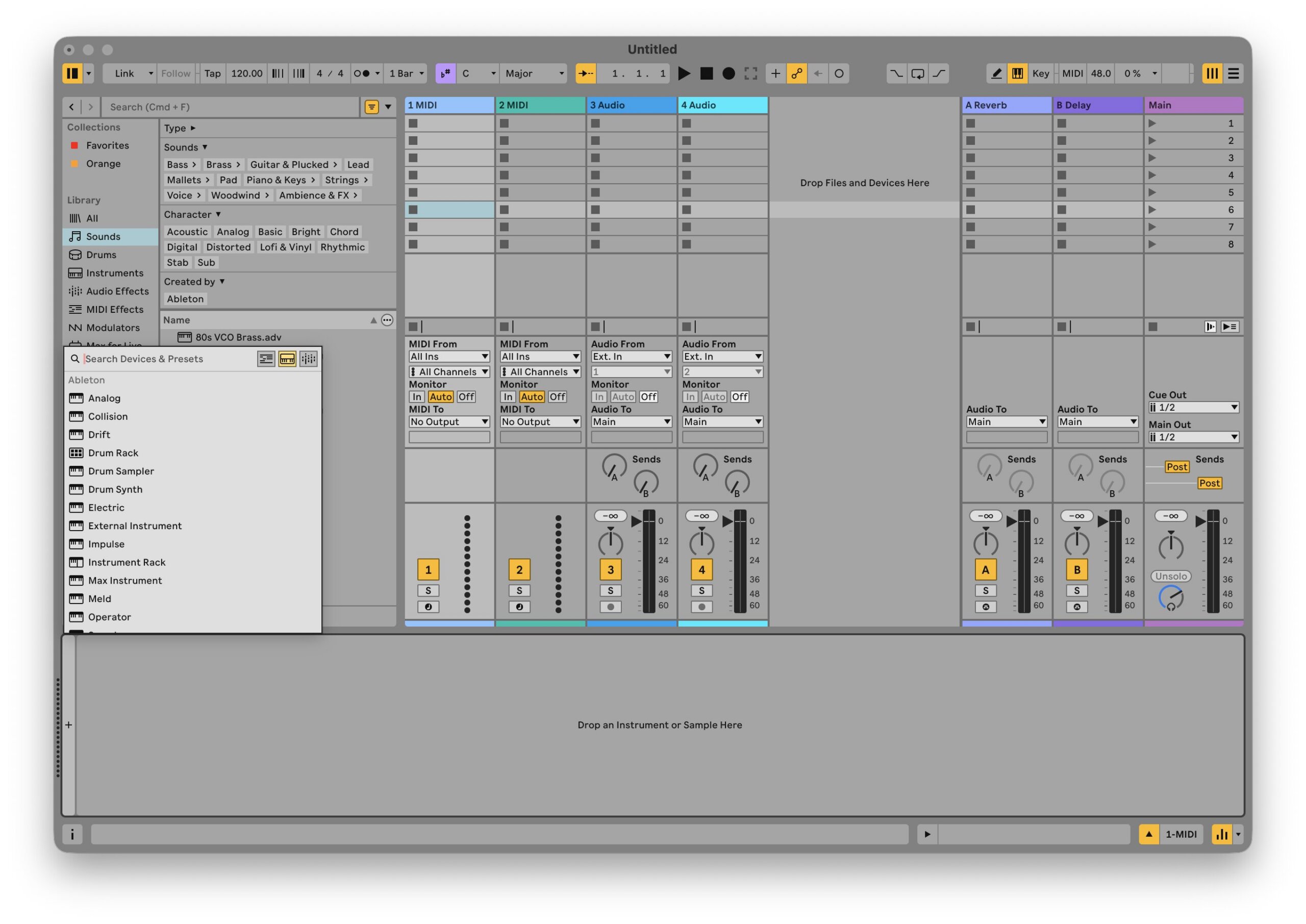
Beneath the visual polish lies a major overhaul of project navigation: Contextual Browsing. Historically, producers relied on a persistent browser panel situated on the left side of the arrangement or session view, requiring lengthy mouse drags to insert devices into a channel strip. Live 13 dismantles this bottleneck by integrating the browser directly into the device chain. By simply clicking the dedicated ‘+’ icon within any device slot, producers are instantly presented with a curated, context-aware list of devices available for insertion. Combined with enhanced keyboard shortcuts for swapping native and third-party presets instantly, this update significantly accelerates the transition from conceptualization to execution.
Native ARA 2 Integration Resolves Workflow Bottlenecks
One of the most celebrated additions to Live 13 is native support for ARA 2 (Audio Random Access) plugins, most notably industry-standard pitch-correction and vocal-alignment software such as Celemony Melodyne and SynchroArts VocAlign.
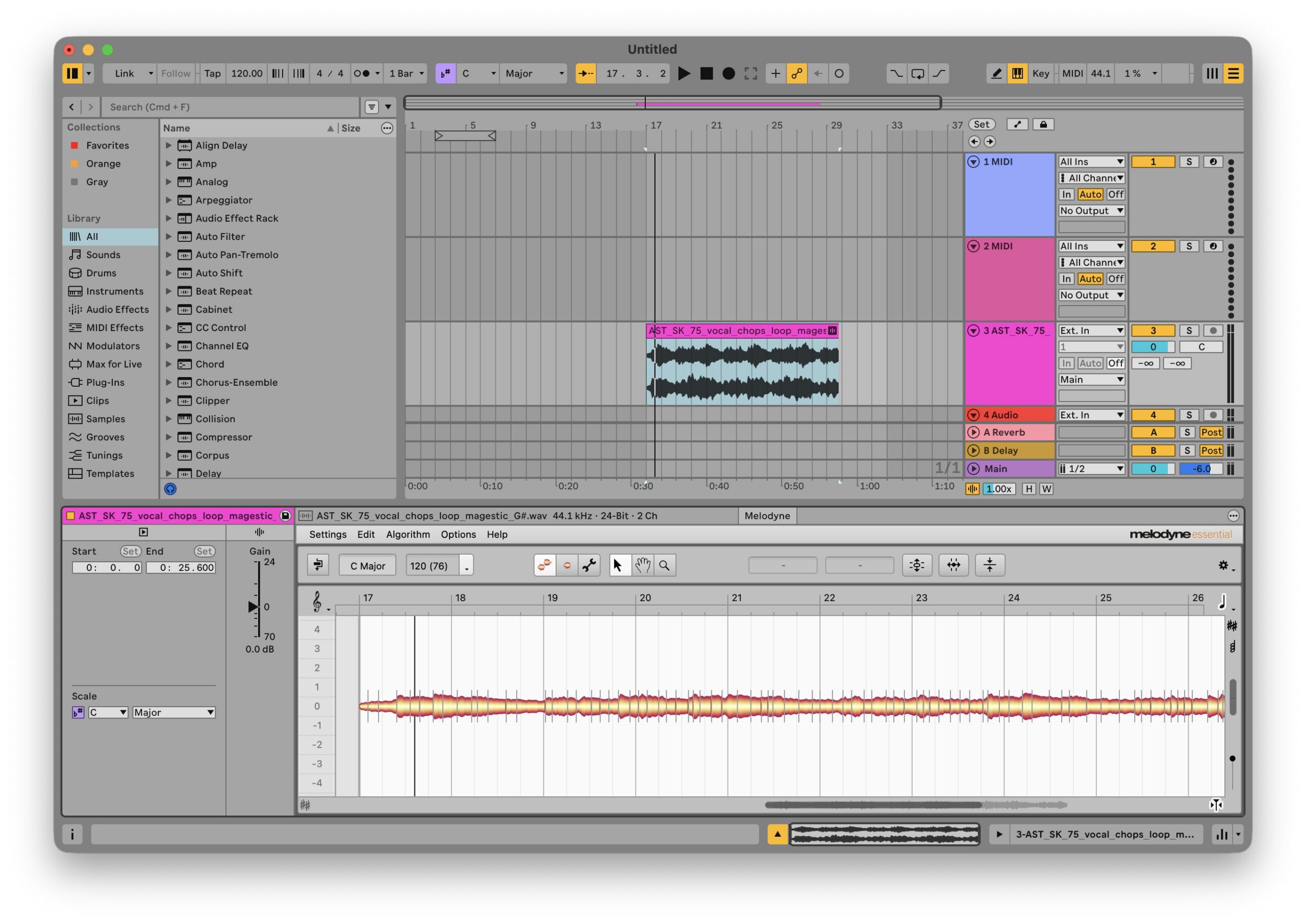
In previous iterations of Ableton Live, utilizing pitch-correction suites required cumbersome audio transfer processes, wherein audio clips had to be routed through real-time recording or bounce workflows. Any subsequent structural alteration to the arrangement often resulted in displaced stems and misaligned tuning data. With native ARA 2 integration, Melodyne now operates directly within the Clip View. Audio editing, pitch manipulation, and timing adjustments happen dynamically in sync with the project timeline, eliminating redundant file management and aligning Ableton with competing digital audio workstations that adopted the protocol years earlier.
Expanded Rack Architecture and Advanced Modulation
Live 13 expands the creative possibilities of Ableton’s rack system by introducing support for up to 32 macro controls per rack, offering unprecedented depth for complex sound design templates and hardware controller mapping. Furthermore, return tracks now possess the capability to host clips for dedicated automation lanes, a feature previously restricted to standard audio and MIDI tracks.
Audio routing and processing have likewise been modernized through the introduction of multiband and mid-side racks. Producers can now split audio signals across multiple frequency bands or independent center-side channels, applying distinct device chains to each segment within a single container. Macro controls have also been upgraded to support custom curve shapes, allowing for highly non-linear, expressive modulation trajectories across assigned parameters.
Deep Dive: Testing the New Production Toolkit
To evaluate the practical capabilities of Live 13, producers and reviewers have begun putting the software’s headline additions—specifically the new Drum Synth, Step Sequencer, Transient Shaper, and Clipper—through rigorous beat-construction tests from scratch.
Drum Synth and Monophonic Architecture
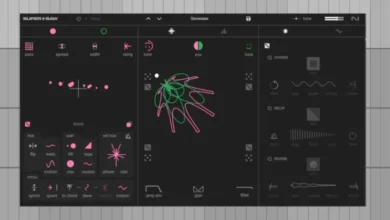
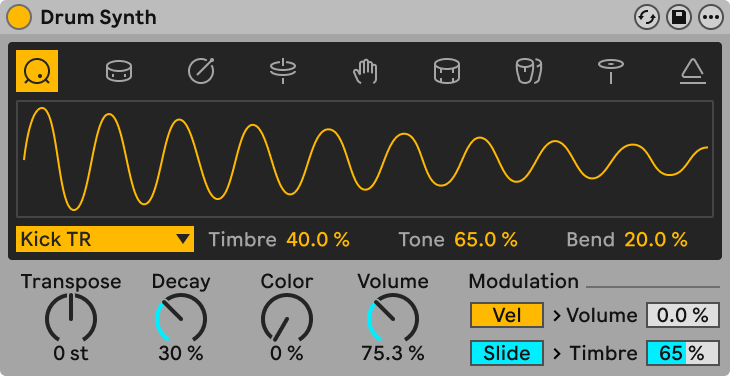
The newly introduced Drum Synth is a dedicated multi-voice instrument featuring nine distinct drum voices accessed via intuitive top-level icons. Centered around a real-time waveform display and a parameter dropdown menu, the device provides familiar, tactile controls for Transpose, Decay, Color, and Volume.
Testing reveals that the Drum Synth delivers immediate sonic impact, effortlessly generating punchy, natural-sounding 808- and 909-style emulations alongside expansive FM percussion and sharp claps. It is important to note, however, that the Drum Synth is strictly monophonic—meaning its nine voices operate sequentially rather than polyphonically within a single instance, requiring users to utilize traditional Drum Racks if simultaneous multi-voice triggering is desired on a single channel.
The Step Sequencer Interface
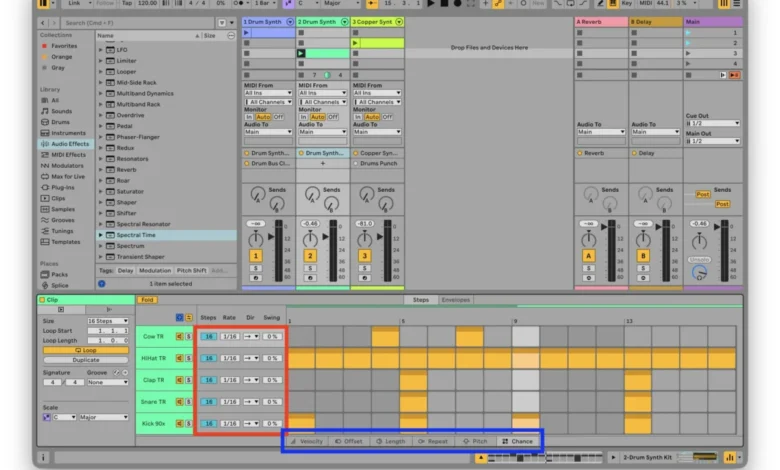
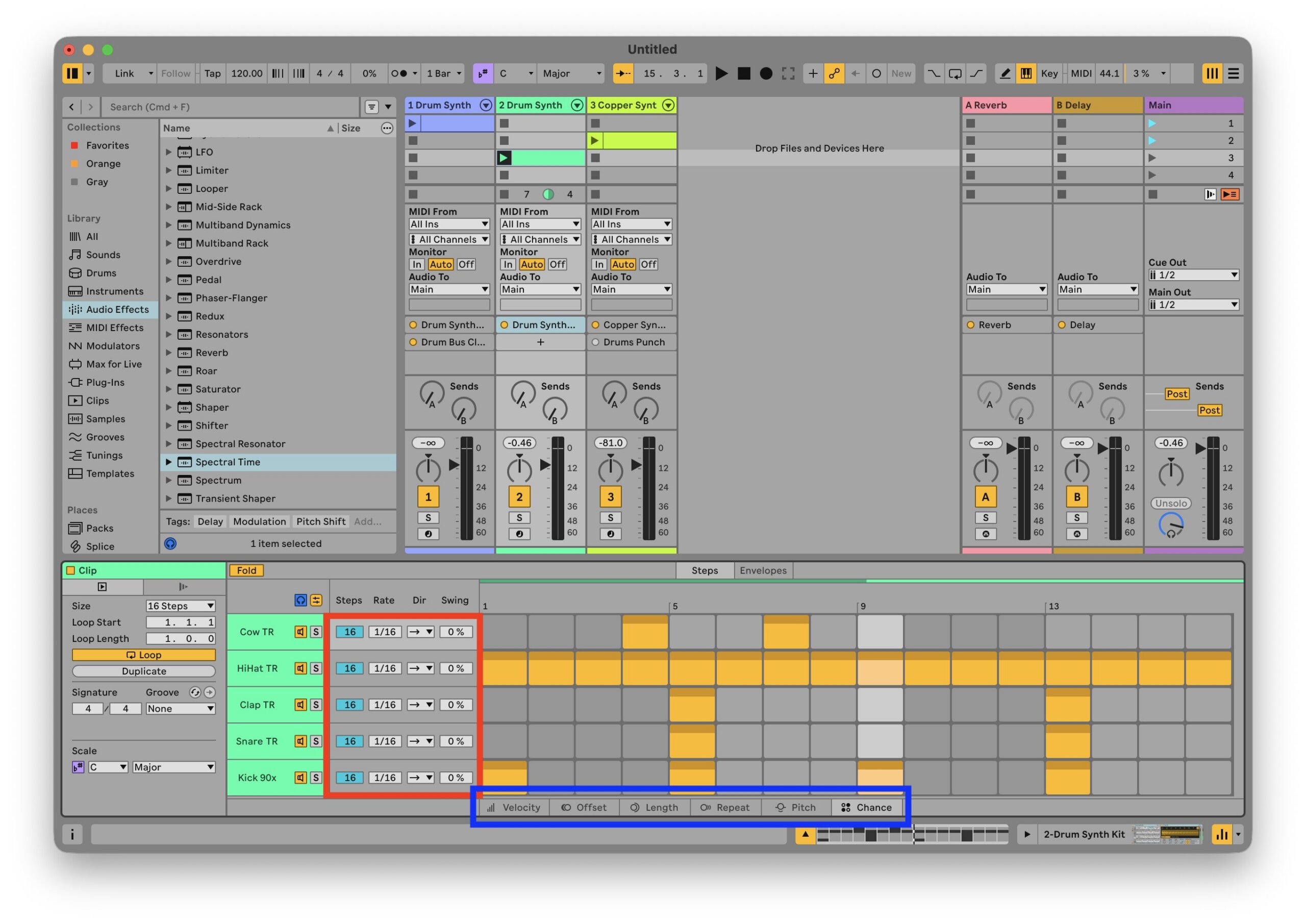
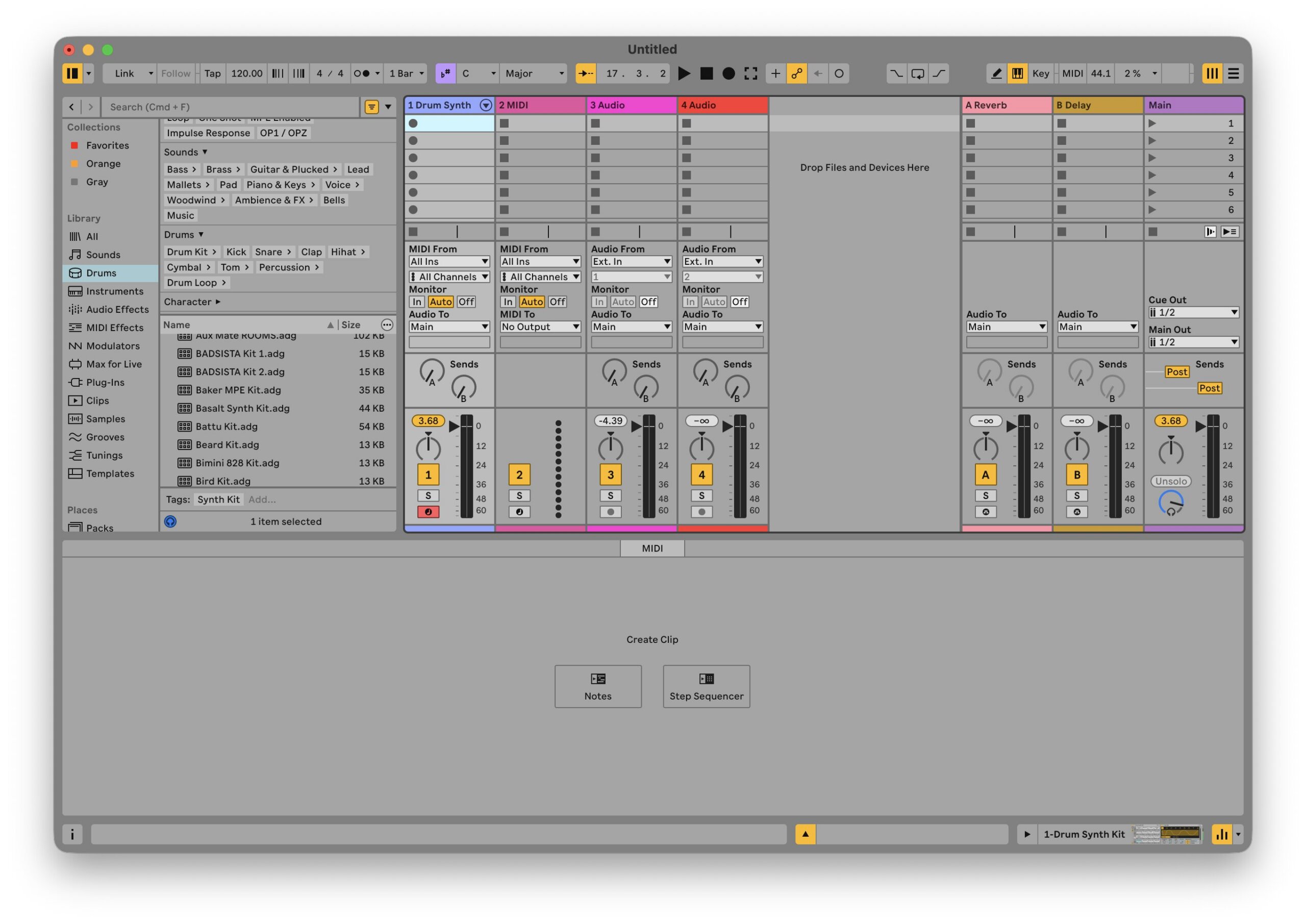
Replacing the conventional piano roll in dedicated sequencer workflows, Live 13 introduces a powerful Step Sequencer accessible directly from MIDI track creation prompts. Users can configure default double-click behaviors in their settings to instantiate the sequencer automatically.
The interface allows for deep independent customization per lane and per individual step. Producers can manipulate step probabilities, velocity offsets, playback directions, and micro-timing adjustments directly within the grid. Once a satisfactory groove is established, users can right-click the clip to instantly convert the sequence into traditional MIDI notes for further piano roll editing, or reverse the process by converting standard MIDI back into the Step Sequencer view.
Transient Shaper and Clipper Devices
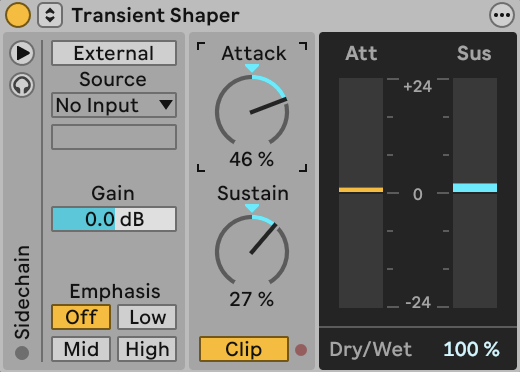
For dynamics and tone shaping, Live 13 introduces two standalone processors that elevate native mixing capabilities. The new Transient Shaper provides independent control over the Attack and Sustain parameters of a signal. Amplifying the attack phase introduces razor-sharp bite and punch to percussive elements, while adjusting the sustain tail allows producers to dynamically reshape the acoustic envelope of drums and synthesized sounds without relying on multi-effect chains like Drum Buss.
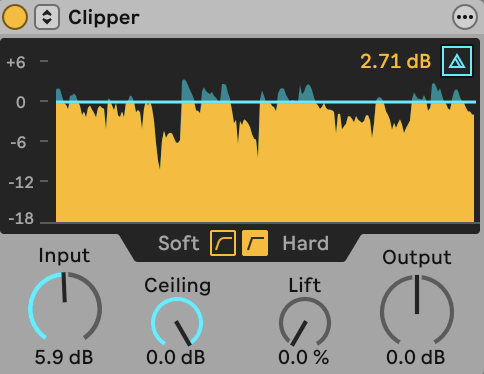
Complementing the shaper is the new Clipper device, designed to offer precise control over signal headroom. By balancing input drive, ceiling thresholds, and hard or soft clipping curves, producers can transparently tame transient peaks or push the circuit into warm, harmonic saturation. Real-time visual feedback provides clear analytical insight into how the signal interacts with the clipping threshold, ensuring optimal gain staging across the mix bus.

Market Implications and Future Outlook
The release of Ableton Live 13’s public beta reinforces the company’s dominant position in the electronic music production and live performance sectors. By systematically addressing long-standing community requests—such as ARA 2 support, contextual browsing, and advanced step sequencing—Ableton has demonstrated a responsive approach to modern professional workflows.
As the software moves through its public beta testing phase, feedback from the global producer community will undoubtedly refine stability and performance. For artists and studio engineers considering an upgrade or transition, the current promotional pricing structure offers a compelling entry point into Ableton’s next-generation ecosystem, cementing Live 13 as a major milestone in the evolution of digital audio workstation technology.