The Essential Guide to Accordion Icon Usability and Effective Navigation Design

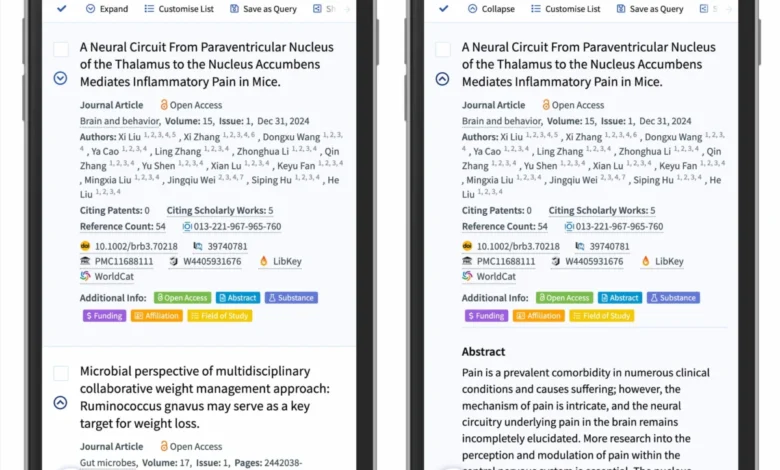
Accordion menus have become a ubiquitous element of modern user interface design, serving as a primary mechanism for organizing dense information on both desktop and mobile platforms. By allowing users to expand and collapse content sections, accordions help maintain a clean aesthetic while preventing information overload. However, recent empirical research from the Nielsen Norman Group (NN/g) indicates that the choice of iconography used to signify these interactive elements can significantly impact user behavior, task completion rates, and overall site accessibility. Designers often struggle with the ambiguity of icons, leading to fragmented user experiences that deviate from established mental models.
The core of the issue lies in the semantic gap between how designers intend for an interface to behave and how users interpret visual cues. When a user encounters a navigation menu, they rely on previous experiences to predict whether a click will lead to a new destination or trigger an on-page expansion. According to usability experts, the absence of clear, standardized visual signals is a leading cause of navigation friction.

A Chronology of Navigation Evolution
The transition from static, multi-page architectures to dynamic, accordion-based layouts began in earnest with the rise of responsive web design in the early 2010s. As developers sought to condense desktop-sized navigation into smaller mobile viewports, the accordion emerged as the logical solution. Initially, many designers implemented various symbols—including plus signs, arrows, and chevrons—without a unified standard.
Over the last decade, this lack of convention led to a "wild west" of interface design. Data collected during recent user testing sessions reveals that users consistently misinterpret custom or non-standardized icons. For instance, while a plus sign is often associated with the concept of "addition," it can also be interpreted as an "add to cart" or "zoom in" function, creating cognitive dissonance for the user. Similarly, while directional arrows are meant to guide movement, they are frequently confused with page navigation links, particularly when placed alongside text that could potentially lead to a separate landing page.
The Problem with Split-Action Interfaces
One of the most significant findings in recent interface studies is the detrimental impact of "split menus." A split menu is a design pattern where the text label of a menu item functions as a direct link to a new page, while a secondary icon—usually an arrow or a caret—functions as an expand/collapse toggle for a submenu.

This pattern is fundamentally flawed from a usability perspective. User behavior tracking shows that users rarely distinguish between the hit area of the label and the hit area of the icon. When a user intends to view a submenu but is inadvertently redirected to a landing page because they clicked on the text, the resulting frustration often leads to task abandonment. Furthermore, accessibility tools often struggle to interpret these split behaviors correctly, making the navigation difficult to use for individuals relying on screen readers or keyboard navigation.
The industry consensus is shifting toward a model where navigation is singular and predictable. The most effective approach, as demonstrated by leading enterprise platforms like DHL, is to prioritize the accordion functionality for the menu interaction itself and provide a secondary, explicit "Overview" or "View All" link within the expanded content. This ensures that the primary interaction remains consistent, while users retain the ability to navigate to the broader category page when desired.
Data-Driven Iconography: Why the Caret Prevails
The Nielsen Norman Group’s comprehensive study on accordion icons tested several variations, including no icon, the plus sign, various arrow orientations, and the caret. The findings suggest a clear hierarchy of reliability.

When no icon is provided, users almost exclusively anticipate that the interaction will result in a page transition. This is the correct behavior for standard links, which should be clearly underlined to signify their purpose without the need for additional visual "noise."
When an icon is present, the caret (an angled, chevron-like shape) consistently outperformed other symbols in signaling that an element is expandable. Unlike the plus sign, which is prone to multiple interpretations, the caret is almost universally understood in digital interfaces to represent a drop-down or toggle action. When the caret points downward, it signals a collapsed state; when it rotates to point upward or sideways, it accurately communicates an expanded or open state.
Supporting data from the study shows that users are more likely to interact with the icon itself when a caret is used, compared to other symbols. This suggests that the caret’s shape acts as a stronger "affordance," successfully communicating the interactive nature of the element.

The Implications for Modern Web Design
The implications of these findings are profound for designers, developers, and product managers. Simplification is no longer just an aesthetic preference; it is a performance metric. By removing unnecessary arrows and avoiding complex split-button patterns, teams can significantly reduce the cognitive load placed on the user.
- Prioritize Underlining for Links: If an item is intended to navigate to a new page, the standard for web usability remains the underline. It is unambiguous and requires no additional iconography.
- Standardize the Caret: For collapsible content, the caret is the most effective and least ambiguous icon. Consistency in its orientation is vital.
- Eliminate Split-Action Menus: The risk of user error in split-action interfaces outweighs the perceived benefit of "shortcut" navigation. It is better to provide a clear, one-step expansion followed by an internal link.
- Reduce Visual Noise: Many contemporary designs suffer from "icon bloat." If a feature does not clearly signal an action or state change, it should be removed.
Professional Standards and Future Directions
The push for standardized UI elements is being championed by organizations that focus on web accessibility and user-centered design. The goal is to create a predictable web where a user, regardless of their technical proficiency, can navigate a site intuitively. As the digital landscape becomes increasingly complex, the role of these small, seemingly trivial elements—like the orientation of a caret—becomes critical to the overall success of a digital product.
Industry leaders suggest that the next step in this evolution is the integration of these findings into widely used design systems. By codifying these best practices into CSS frameworks and component libraries, the industry can ensure that future web development projects start from a baseline of established usability rather than trial and error.

Furthermore, as web standards evolve to be more inclusive, designers are reminded that "simpler is better." Complexity is often a symptom of poor information architecture, not a lack of design tools. By adhering to the principles of clarity, consistency, and intent, developers can create interfaces that empower users rather than confuse them.
The evidence is clear: the most effective digital experiences are those that respect the user’s mental model, minimize unnecessary friction, and utilize universal symbols to communicate function. Whether building a complex e-commerce platform or a simple documentation site, the lesson remains the same: choose your icons with purpose, test your assumptions against user behavior, and never sacrifice clarity for the sake of novelty. Through rigorous attention to these details, the web continues to become a more accessible and functional space for all.