Optimizing Ornatrix Workflows for Enhanced Maya Viewport Performance: A Deep Dive into Professional Grooming Techniques


The intricate world of 3D character creation, particularly in the realm of realistic hair and fur, presents artists with a persistent challenge: maintaining viewport responsiveness while building complex grooming stacks. This issue, common among users of advanced grooming tools like Ornatrix in Autodesk Maya, often leads to significant slowdowns, hindering productivity and artistic iteration. Ruxin Liang, a distinguished 3D artist specializing in character grooming and look development, has outlined a series of strategic workflow optimizations designed to circumvent these performance bottlenecks, enabling artists to construct comprehensive grooming setups without sacrificing real-time feedback in the viewport. This approach, detailed by Liang, emphasizes proactive stack management, intelligent operator toggling, and judicious use of display settings, culminating in a more efficient and creatively liberating grooming experience.
The Crucial Context of 3D Grooming Performance
In high-stakes production environments, whether for feature films, episodic animation, or AAA video games, the speed at which artists can work directly impacts project timelines and budgets. Hair and fur simulation are notoriously computationally intensive due to the sheer number of individual strands, their intricate interactions, and the complex modifiers applied to achieve realistic styles. Ornatrix, developed by Ephere, is a powerful procedural hair, fur, and feather solution for Maya, 3ds Max, and Cinema 4D, known for its extensive operator stack that allows for non-destructive grooming. However, the very flexibility and power of this system can become its Achilles’ heel if not managed properly.
Artists frequently encounter a common scenario: starting a groom with basic shapes like a "fur ball," then progressively adding layers of detail such as Surface Comb, Clump, Curl, Frizz, Detail, and Noise. While initial operations might be swift, the addition of these computationally heavier operators, particularly those introducing intricate variations and micro-details, quickly bogs down the Maya viewport. Each adjustment, even a minor tweak to a guide curve or operator parameter, can trigger a recalculation of the entire stack, leading to agonizing multi-second delays. These accumulated delays can transform what should be a fluid creative process into a frustrating stop-and-go affair, impeding artistic flow and extending production cycles.
The conventional workaround often involves deferring the application of "heavy" operators until the very end of the grooming process. Artists would groom with a simplified, "short" stack, only layering on the fine details once the broad forms were established. While this method preserves viewport speed during initial blocking, it introduces a significant drawback: the artist cannot visualize the final, detailed shape until late in the process. This can lead to fundamental structural errors, where the broad flow of the hair, tuned without the influence of clumping or frizz, proves incorrect once those operators are finally enabled. Rectifying such errors often necessitates extensive backtracking, re-tuning the base shapes, and then re-applying the details, effectively negating any initial time savings.
A Paradigm Shift: Building the Full Stack Upfront with Strategic Disablement
Ruxin Liang proposes a more elegant and efficient alternative: constructing the entire Ornatrix operator stack from the outset, but strategically disabling the computationally intensive operators. This methodology ensures that the complete grooming pipeline is established in the correct order from day one, providing a clear roadmap for the final look, while simultaneously keeping the viewport responsive. Artists can then toggle the detail-heavy operators on only when they need to evaluate their specific contribution, minimizing unnecessary computations during the primary sculpting phases.
This approach offers several immediate benefits. Firstly, it provides a holistic view of the groom’s eventual complexity, allowing artists to make decisions about overall flow and silhouette with the full context of the final output in mind. Secondly, it maintains a consistently fast viewport, fostering a more iterative and experimental workflow. Thirdly, it reduces the risk of late-stage structural conflicts, as the impact of all operators, even if disabled, is considered in the stack’s design.
The Orchestrated Operator Stack: A Chronological Guide to Efficiency
The efficacy of this workflow hinges on a logical ordering of Ornatrix operators, which evaluate from bottom to top, starting at the generator. Liang’s recommended sequence prioritizes foundational elements before progressing to finer details, ensuring that broad strokes are established and stabilized before complex variations are introduced.
The proposed order is as follows:
- Surface Comb: (Starts ON) – Primarily defines the initial direction and flow of the hair based on the underlying surface. This is a fundamental operator for establishing the overall silhouette.
- Rotate: (Starts ON) – Further refines the directionality, often used for specific styling or adjusting the base orientation of strands. Like Surface Comb, it contributes to the broad form.
- Clump: (Starts OFF) – Introduces grouping of strands, a critical component for realistic hair. This operator can be computationally heavy, especially with many strands and complex clumping patterns.
- Curl: (Starts OFF) – Adds curling patterns to strands. While visually impactful, calculating individual strand curls across a large hair system demands significant processing power.
- Frizz: (Starts OFF) – Generates fine, unruly variations, contributing to natural imperfection. This micro-detail operator can be very expensive to compute in real-time.
- Detail: (Starts OFF) – A general-purpose operator for adding further intricate variations and noise. Its impact on performance can be substantial depending on the settings.
- Noise: (Starts OFF) – Introduces random positional or rotational variations, often used for a natural, slightly messy look. Similar to Frizz and Detail, it adds to the computational burden.
- Gravity: (Starts ON) – Simulates the effect of gravity, allowing hair to settle naturally. This operator, while contributing to the final look, is generally lighter in computation compared to the variation operators.
- Change Width: (Starts ON) – Adjusts the width of the strands, primarily for render tuning. This is a lightweight operator that affects the final visual thickness.
Understanding the Stack’s Logic:
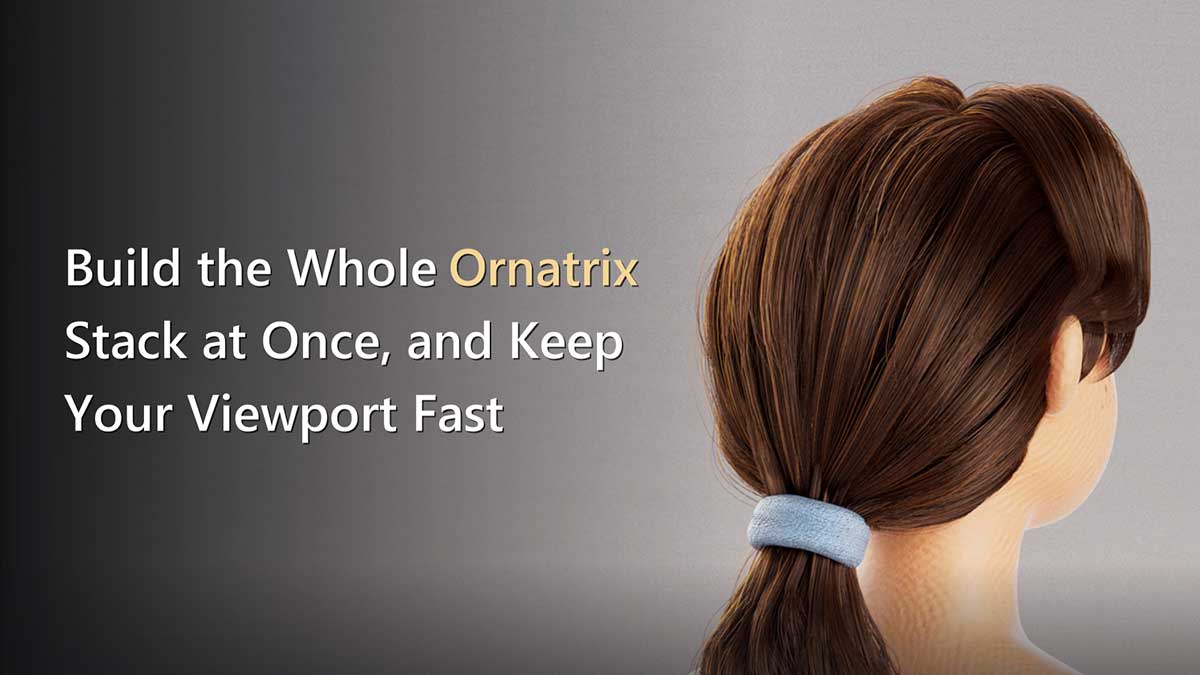
This structured approach is rooted in a clear hierarchical principle: Direction first, then broad shape, followed by fine variation, then environmental settling, and finally render-specific tuning. The "heavy" operators—Clump, Curl, Frizz, Detail, and Noise—are deliberately placed in the middle of the stack and initialized in a disabled state. These operators are responsible for the intricate, often high-frequency details that demand substantial computational resources. By keeping them off, artists can efficiently sculpt the hair’s silhouette and primary forms using the lighter operators (Surface Comb, Rotate, Gravity), which remain active.
A crucial point highlighted by Liang is the reading direction of the Ornatrix stack dialog in Maya. It lists operators from top-down, which is the inverse of their evaluation order. The generator, the foundational element, sits at the bottom of the list and is evaluated first, while Change Width appears at the top and is processed last. Understanding this distinction is vital for correctly interpreting and managing the stack. The five greyed-out operators in the screenshot provided by Liang clearly illustrate which elements are disabled for performance optimization.
Leveraging Operator Disablement: The Correct Method
To toggle operators efficiently, Ornatrix provides a dedicated mechanism. While a generic nodeState pass-through might seem like a viable option for disabling a node, Liang strongly advises against it. Using OxEnableOperator "<node>" 0 (or 1 to re-enable) is the recommended command. This command not only stops the operator from evaluating but also keeps the corresponding checkbox in the Ornatrix stack dialog synchronized. Failing to use OxEnableOperator can lead to confusion, as an operator might be internally disabled (via nodeState) yet visually appear active in the UI, causing artists to spend valuable time troubleshooting why their adjustments are not taking effect. This seemingly minor detail is a significant quality-of-life improvement for a busy artist.
Optimizing Viewport Drawing: The Power of View Percentage
Beyond operator management, another critical lever for maintaining viewport speed is controlling the number of strands Maya actually draws. Ornatrix generators offer a "view percentage" setting, which dictates how many of the total strands are rendered in the viewport. This is a fundamental optimization technique, analogous to Level of Detail (LOD) systems in game engines, where distant or less critical objects are rendered with fewer polygons.
By reducing the view percentage to a low value, such as 5%, during the active grooming phase, artists can drastically improve viewport responsiveness without affecting the final render quality. When a more comprehensive visual review is required, the percentage can be temporarily bumped up to 50% or higher.
However, Liang points out a common pitfall: the two main Ornatrix generators, "Mesh from Strands" and "Hair from Guides," interpret this "view percentage" value differently. One uses a direct percentage (e.g., 5 means 5%), while the other uses a multiplier (e.g., 5 might mean 500%). Misunderstanding this distinction can lead to incorrect settings, either showing far too few strands or attempting to display an excessive amount, potentially causing Maya to clamp values or misbehave. Artists must verify which generator they are using before inputting a numerical value to ensure the desired effect.
Streamlining Initial Setup: Essential Default Changes
Starting a new groom can often involve repetitive adjustments to default settings that are rarely ideal for typical character models. Liang identifies two key defaults worth changing immediately to save time and reduce friction:
-
Fur Ball Length: Ornatrix often initializes new fur balls with excessively long guides. On most character models, this results in a visually overwhelming "giant hairy ball" that obscures the underlying geometry, forcing the artist to immediately drag the length down. Liang recommends setting a shorter default, such as a guide length of
1.0, and then adjusting based on the specific scene scale. This seemingly minor change significantly improves the initial visual clarity and usability of the fur ball. -
Strand Width: The default Ornatrix setup often creates a new fur ball with its own
Render Settingsnode, which dictates strand width. However, strand width can also be controlled by aChange Widthoperator within the stack. This dual control mechanism is a common source of confusion, leading to discrepancies where strands appear thick in the viewport but render thin, or vice-versa. Liang’s solution is elegant: delete the extraneousRender Settingsnode and consolidate control over strand width to a singleChange Widthoperator placed at the top of the stack, with a sensible default value like0.05. This ensures "one node, one answer," eliminating ambiguity and streamlining render-time adjustments.
Addressing Clumping Instability: The Recalculation Imperative
One particularly vexing issue artists encounter is when Clump operators appear to "go bad," resulting in scrambled or unnatural clumping patterns. Liang explains that this often occurs because clumps are built based on the state of the groom at the time they were created. If any changes are made to upstream operators—such as altering guide counts, adjusting distribution, or modifying the base flow—the underlying strands that the clumps are referencing might move or even cease to exist. This desynchronization manifests as corrupted clumping.
The solution, Liang emphasizes, is not to fight the system but to refresh it. The Clump operator provides both a Delete button and a Create Clump(s) button. The recommended fix is to use them in sequence: Delete the existing clumps, and then Create them again from the groom’s current state. This ensures that the clumps are re-established with accurate references to the updated strand positions. Crucially, this operation should always be performed after any upstream changes, not before, to ensure the new clumps are based on the latest iteration of the groom.
Synthesizing the Workflow: Silhouette, Control, Response, and Handoff
Liang’s collective recommendations coalesce into a coherent workflow philosophy, guided by a consistent decision order: silhouette, then regional control, then render response, then handoff safety. This systematic approach ensures that foundational elements are addressed first, followed by increasingly detailed and specific adjustments.
- Silhouette: Focus on the broad forms and overall flow of the hair, using lightweight operators.
- Regional Control: Begin to define larger groups and general clumping patterns.
- Render Response: Refine details and parameters that directly impact the final rendered output.
- Handoff Safety: Ensure the groom is robust, clean, and easily understood by subsequent departments (e.g., rigging, look development, lighting).
By building the entire stack upfront, artists gain foresight into the final look. By keeping computationally expensive operators disabled until needed, viewport performance remains optimal. By grooming at a low view percentage (e.g., 5%) and reviewing at a higher one (e.g., 50%), artists can balance speed and visual fidelity.
Groomist: A Practical Implementation for the Maya Community
Recognizing the repetitive nature of these optimizations, Ruxin Liang has packaged these principles into a free Maya shelf tool called "Groomist." This open-source tool automates the process of building the recommended stack order with heavy operators disabled, provides bulk toggling functionality for these operators, and intelligently flips the view percentage with the correct scaling for whichever Ornatrix generator is in use. Licensed under MIT, Groomist is available on GitHub, allowing other artists to integrate these efficient practices into their own pipelines and even adapt parts of the code for their specific needs. This contribution exemplifies the collaborative spirit within the 3D community, where shared knowledge and tools elevate the collective standard of practice.
The techniques described have been thoroughly tested on Maya 2022 with Ornatrix for Maya 4.1.8. It’s important for users to note that node and command names can occasionally shift between Ornatrix releases. In the event of an error, checking for such naming discrepancies is always the recommended first troubleshooting step.
Broader Implications and Industry Impact
The pursuit of optimized workflows in 3D grooming is not merely about individual artist convenience; it has significant industry-wide implications. Faster iteration times translate directly into reduced production costs, allowing studios to deliver higher quality assets within tighter deadlines. Enhanced viewport performance empowers artists to be more experimental and creative, leading to more nuanced and realistic character designs. This improved efficiency also reduces artist burnout, fostering a more sustainable and enjoyable creative process.
As demand for hyper-realistic digital characters continues to grow across film, television, and gaming, the importance of robust and efficient grooming pipelines will only intensify. Contributions like Ruxin Liang’s, which demystify complex technical challenges and offer practical, actionable solutions, are invaluable. They not only improve the daily lives of 3D artists but also contribute to the ongoing evolution of character creation, pushing the boundaries of what is artistically and technically achievable in the digital realm. The strategic management of operator stacks and display settings, combined with community-driven tools, represents a crucial step forward in making sophisticated 3D grooming accessible and performant for professionals worldwide.