Adobe has officially launched Premiere Pro version 27, marking a pivotal shift in the software’s architecture by transitioning the new Color Mode from its experimental beta phase into a core, shipping component of the application. This update represents arguably the most significant overhaul of the Premiere Pro color pipeline in over a decade. By moving away from the legacy Lumetri panel, Adobe is signaling a transition toward a modern, purpose-built interface that addresses long-standing bottlenecks in high-end color grading workflows.
The evolution of Premiere Pro’s color engine has been a multi-year project for Adobe’s engineering teams. For years, the Lumetri Color panel served as the primary interface for color correction, but it was fundamentally tethered to older color science and math models that were becoming increasingly difficult to scale alongside high-dynamic-range (HDR) and RAW video formats. The introduction of Color Mode is not merely a reskinning of existing tools; it is a complete rebuild of the underlying color management infrastructure, designed to provide a dedicated, non-linear environment for colorists and editors.
A Chronology of the Transition
The road to this release began with the announcement of Adobe’s intention to modernize its color ecosystem, recognizing that the rapid proliferation of 4K, 8K, and Log-encoded footage required a more robust, GPU-accelerated approach. Throughout the past year, Adobe utilized its public beta channel to solicit feedback from professional editors, colorists, and post-production houses.
During this beta period, the development team focused on refining the user interface, specifically addressing the "fiddly" nature of the Lumetri panel—which often required users to navigate through multiple stacked effects within a confined space. By moving these operations into a dedicated workspace, Adobe has aimed to reduce the cognitive load on editors, allowing for a cleaner separation between the editing and grading phases of production. The official release of version 27 serves as the culmination of this testing cycle, providing a stable, production-ready environment for the creative industry.
Technical Implications of the New Color Engine
The core difference between the legacy Lumetri approach and the new Color Mode lies in the underlying math. Lumetri operated as a layered effect, which often resulted in performance degradation when multiple instances were applied to a single clip or across an entire sequence. The new architecture is designed to handle color operations more efficiently, utilizing modern hardware acceleration to ensure real-time playback even with complex grades.
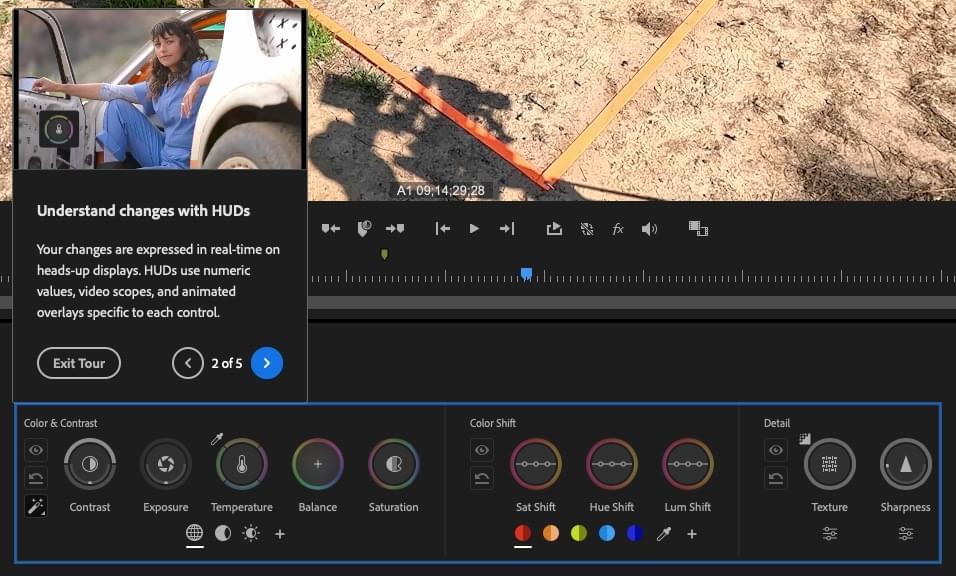
From an operational standpoint, Color Mode introduces a centralized viewer, a flexible clip grid, and a streamlined set of color controls that are optimized for both mouse-driven interaction and external control surfaces. This shift is critical for editors who have historically struggled with the limitations of the Lumetri panel’s restricted layout. By decoupling the grading tools from the primary editing timeline, Adobe has created a workspace that mirrors the specialized environments found in industry-standard software like DaVinci Resolve, while maintaining the tight integration with the rest of the Adobe Creative Cloud ecosystem.
Advanced Workflow Features
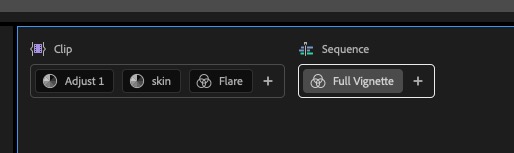
One of the most requested features now present in version 27 is the ability to apply sequence-wide grades without relying on adjustment layers or nested sequences. This allows for a global "look" to be applied to an entire project, which can then be refined on a per-clip basis. This efficiency is further bolstered by the new clip grid, which allows users to sort, group, and filter footage based on metadata, such as camera source or shot type.
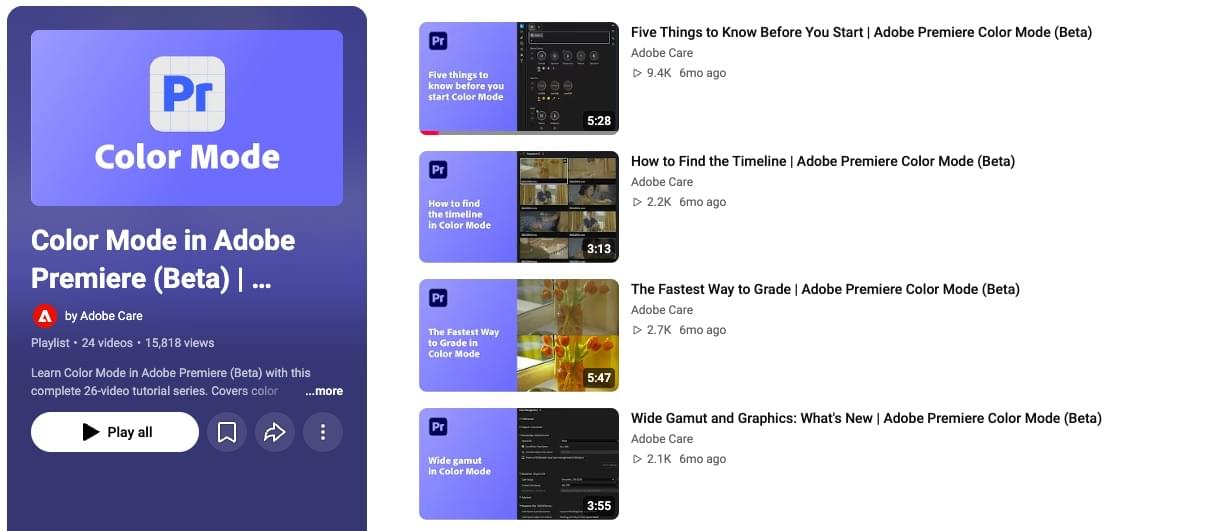
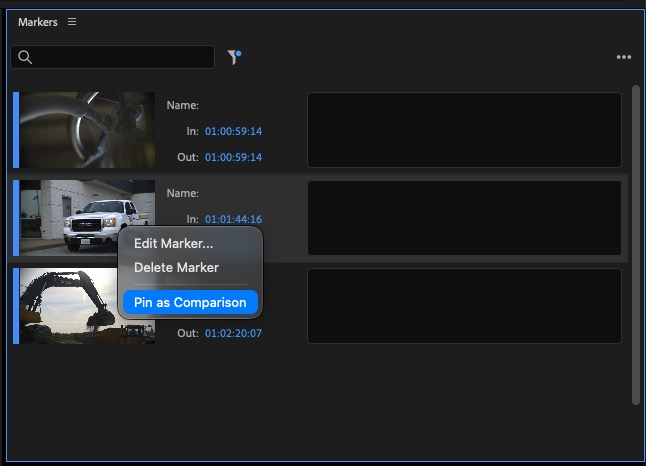
For example, in a long-form interview project, an editor can now group all shots from a specific camera angle together and apply a unified grade to those clips simultaneously. This capability significantly reduces the time required for shot matching—a task that previously necessitated repetitive, manual adjustments. Furthermore, the integration of color reference markers allows for seamless comparison between shots. Users can pin a specific frame as a reference, which remains locked in the Comparison View regardless of where the playhead is located in the timeline. This eliminates the need for manual navigation to find matching frames, a common pain point in the previous version.
Professional Adaptation and Learning Curves
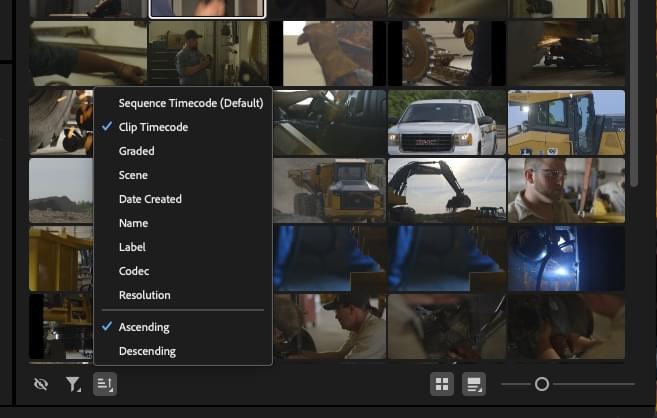
While the transition to a new interface is a major undertaking for established professionals, Adobe has provided a suite of educational resources to assist in the migration. The company released a comprehensive series of instructional videos, led by the architects of the Color Mode project, to guide users through the changes. These resources cover essential topics, including the replacement of traditional curves, the use of the new HUD (Heads-Up Display), and the configuration of rebuilt, high-precision video scopes.
For many, the most significant adjustment will be the new keyboard shortcut mapping. Adobe has implemented a separate set of shortcuts specifically for Color Mode, allowing users to toggle between Edit Mode and Color Mode without conflict. While this requires a period of re-training, it offers a level of customization that was previously unattainable, enabling a more tactile, hardware-centric workflow.
Industry Context and Future Prospects
The professional video industry is currently experiencing a massive shift toward high-fidelity content, with color accuracy and workflow speed being the primary drivers of technical competition. Adobe’s move to modernize its color pipeline places it in direct competition with specialized grading platforms. However, Adobe’s strategy is distinct: rather than creating a separate application, they have focused on "in-app" specialization. By maintaining the user’s project within the Premiere Pro environment, Adobe aims to retain the efficiency of an integrated NLE (Non-Linear Editor) workflow while providing the power of a dedicated color suite.
Data from the beta release suggests that users who engaged with the new tools reported a notable increase in productivity, particularly when managing large-scale projects involving hundreds of clips. By reducing the reliance on nested layers and complex adjustment hierarchies, the new system helps to prevent project bloat, leading to better playback performance and fewer system crashes during the final render.
Strategic Recommendations for Migration
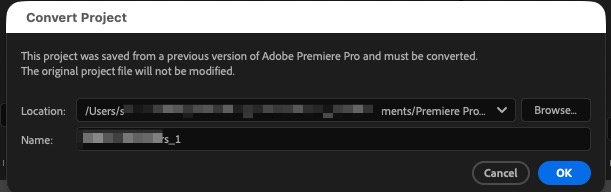
For those currently in the middle of a project, the transition to version 27 requires caution. Adobe recommends installing the new version alongside existing installations rather than overwriting current software. Because project files saved in version 27 are not backward-compatible with version 26, editors should exercise standard versioning practices—specifically, creating a new project file for the upgrade to ensure that the original project remains untouched in case of unforeseen issues.
Looking forward, the architecture of Color Mode is designed for modularity. Adobe has indicated that the current release is just the foundation, with plans to introduce additional tools and advanced color-science features in future updates. This indicates a long-term commitment to the new interface, suggesting that the industry should view Color Mode not as a temporary addition, but as the new standard for color work within the Adobe ecosystem.
As with any major software update, the effectiveness of these changes will be determined by the community’s adoption. Early feedback has been largely positive, with veteran editors noting that while the change is significant, the performance gains and organizational capabilities of the new interface outweigh the initial learning curve. For studios and independent creators alike, mastering these new tools will likely be a prerequisite for maintaining competitiveness in an increasingly high-resolution and color-demanding media landscape.
Related posts: