DxO PhotoLab 10 Review: Elevating Computational Photography Through Advanced AI Integration

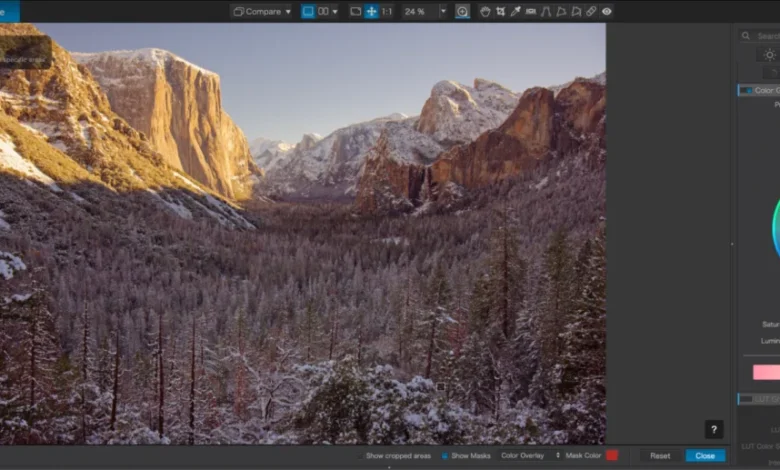
The landscape of digital imaging has shifted dramatically over the last decade, transitioning from manual raw processing to a sophisticated ecosystem where machine learning acts as a force multiplier for creative output. With the release of DxO PhotoLab 10, the French software developer, DxO, has further cemented its position in the market by bridging the gap between traditional optical correction and modern, generative-adjacent artificial intelligence. This latest iteration represents a significant departure from basic RAW conversion, moving toward an all-encompassing workflow solution designed to rival industry incumbents like Adobe Lightroom and Capture One.
A Chronology of Innovation in RAW Processing
DxO’s reputation was established long before the current AI boom, rooted in its rigorous, lab-based approach to optical science. Since the early 2000s, the company has operated an independent laboratory that measures the performance of specific camera-lens combinations. Unlike competitors that apply generic profiles based on metadata, DxO’s modules—which now cover over 600 camera bodies and thousands of lens variations—are empirically tested to correct for specific distortion, chromatic aberration, and vignetting signatures.

The release of PhotoLab 10 serves as a pivotal point in this timeline. While previous versions focused on the foundation of image quality—such as the proprietary DeepPRIME noise reduction—version 10 marks the full integration of high-level semantic intelligence. The development trajectory moved from the introduction of basic AI-assisted masking in version 9 to the current, more granular capabilities, signaling that the company is no longer just a technical utility, but a primary creative hub for photographers.
Depth Masking and Semantic Subject Recognition
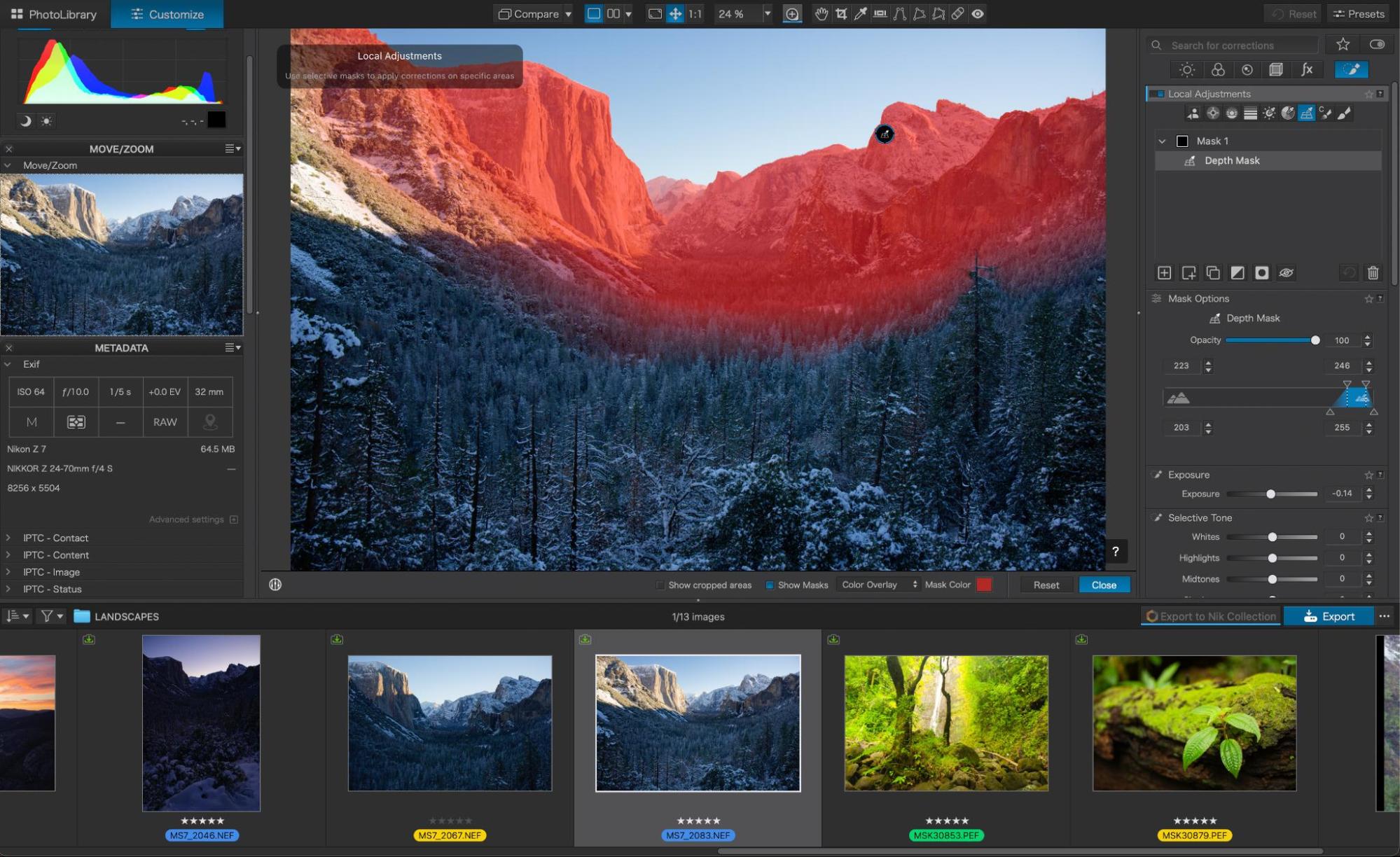
The most significant technological advancement in the 2026 update is the implementation of depth-aware masking. Historically, photographers attempting to isolate subjects in complex, busy environments—such as a forest or a dense urban scene—had to rely on time-consuming brushwork or rudimentary gradient tools.
PhotoLab 10 utilizes a proprietary algorithm to analyze raw data and generate a three-dimensional depth map of the scene. This process functions independently of camera hardware; it does not require the depth-sensing metadata found in modern smartphone sensors or specialized cinema equipment. By isolating the foreground, midground, and background, the software allows users to apply adjustments—such as exposure, color grading, or sharpness—to specific planes of focus. For instance, a landscape photographer can isolate the distant ridges of a mountain range while leaving the immediate foreground untouched, a task that previously required manual selection of thousands of individual pixels.

This semantic understanding extends to the human form. The software’s updated people-selection tools now offer a level of granularity that was previously confined to high-end retouching suites. By detecting and identifying specific facial components—including irises, sclera, teeth, skin, and hair—PhotoLab 10 enables targeted adjustments. In practice, this means a portrait photographer can soften skin tones or brighten an iris without affecting the surrounding facial features or the background, effectively automating what has traditionally been a manual, hour-intensive retouching process.
Strategic Shifts in Color Science and Workflow
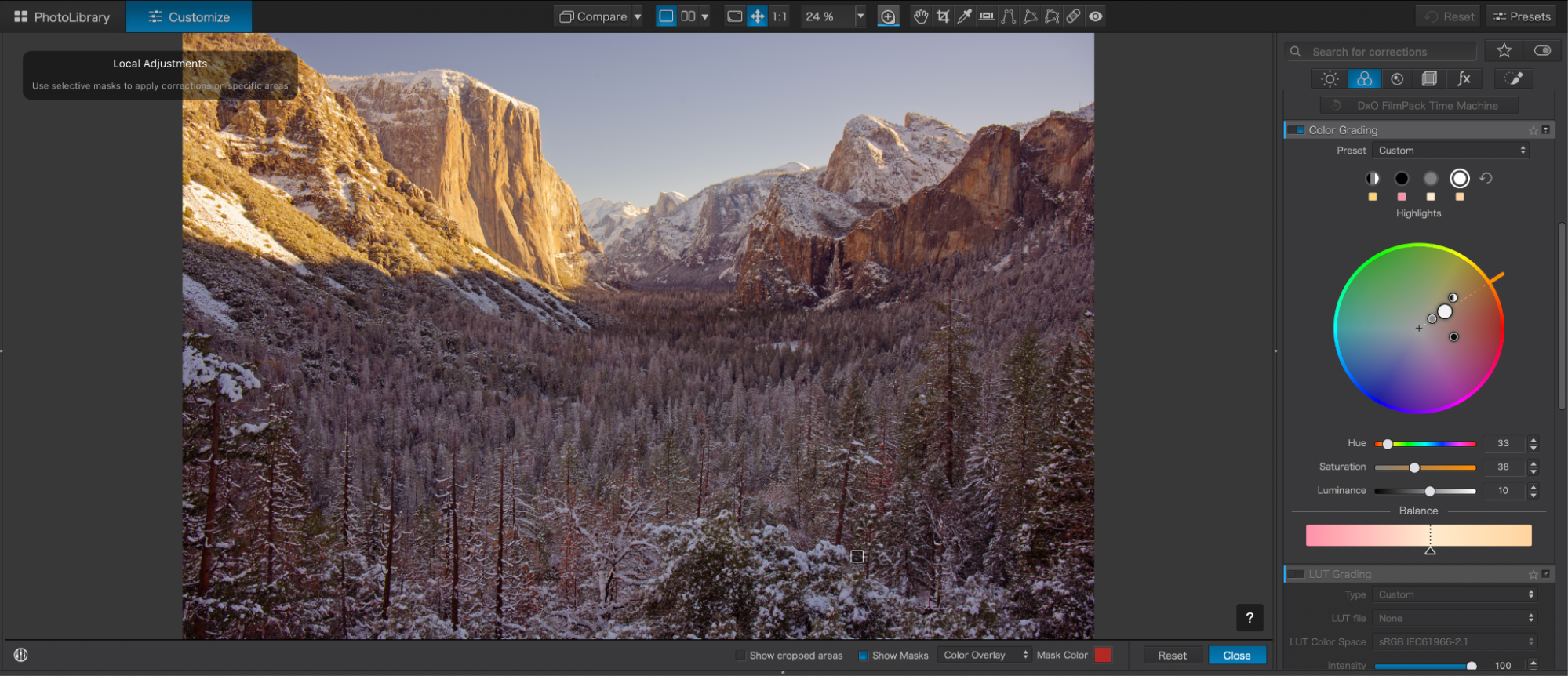
Beyond masking, the introduction of a dedicated color grading wheel reflects a shift toward meeting the needs of modern hybrid creators. By separating shadows, midtones, and highlights, the new grading panel allows for the kind of precise tonal control traditionally found in video color suites. This is a deliberate design choice aimed at wedding and portrait photographers who require consistent color signatures across hundreds of images.
The integration of these tools into the preset browser is particularly noteworthy. DxO has moved away from static, "one-size-fits-all" presets. Instead, the interface renders every available look as a live, interactive thumbnail based on the user’s actual raw file. This allows for a real-time "before-and-after" comparison against the raw baseline, significantly reducing the guesswork involved in image development. Furthermore, because these presets are non-destructive and fully editable, they function as starting points for a professional’s signature style rather than as rigid filters.
Market Positioning and The Subscription Debate
The commercial implications of DxO PhotoLab 10 are centered on its business model. In an industry increasingly dominated by subscription-based software services—where access to tools is revoked the moment payments cease—DxO maintains a perpetual license model. This has become a distinct competitive advantage for professionals seeking to minimize recurring overhead costs.
Data indicates that the target demographic for this release is bifurcated:
- The Efficiency-Seeker: Photographers handling high-volume outputs, such as wedding or event professionals, who prioritize batch processing, automated sensor dust removal, and rapid culling tools.
- The Technical Purist: High-end landscape and studio photographers who prioritize the integrity of the RAW conversion, lens-specific optical corrections, and the ability to push dynamic range without introducing artifacts.
By offering two tiers—Essential and Elite—the company allows users to scale their investment. The Elite edition remains the industry standard for those utilizing specialized sensor processing, particularly for Fujifilm X-Trans users, who often find that standard raw processors struggle to resolve the unique color filter array of those sensors without producing "worm-like" artifacts.
The Role of Computational Support Tools
The software’s performance is bolstered by its ability to offload heavy computational tasks, such as AI masking and noise reduction, to the system’s GPU. While this requires a modern hardware configuration to maintain high-speed throughput during batch exports, it represents a necessary evolution in professional workflow.
Furthermore, the "un-glamorous" improvements in version 10—such as improved database management, better folder relocation tools, and refined histogram feedback—address common pain points that often lead to support tickets. For the professional, these stability updates are as critical as the flashy new AI features, as they directly impact the reliability of the software during a time-sensitive production cycle.
Implications for the Future of Photography
The emergence of AI in professional photo editing does not signal the death of the photographer’s role, but rather the automation of the "technical friction" that separates the creative vision from the final output. When software can identify a face or a depth plane in milliseconds, the photographer is liberated to spend more time on artistic decision-making—composition, narrative, and emotional resonance.

However, challenges remain for the ecosystem. The lack of a robust cloud-syncing mobile application may deter users who are deeply entrenched in mobile-to-desktop workflows. Additionally, for users who rely on the complex smart-collection organization found in Adobe’s ecosystem, the transition to DxO’s library management system requires a period of adaptation.
Ultimately, DxO PhotoLab 10 serves as a testament to the current state of computational imaging. By combining rigorous, lab-calibrated optical science with sophisticated, intelligent masking, the platform offers a compelling argument for a software ecosystem that values both technical precision and creative efficiency. As photographers continue to navigate an era of rapid technological advancement, the ability to rely on a stable, non-subscription toolset that actively reduces the labor of technical post-production may prove to be the most valuable asset in the modern creative’s toolkit.
The software’s commitment to "unglamorous" accuracy—correcting the specific aberrations of an individual lens rather than approximating them—ensures that the final image quality remains the priority. As the industry moves forward, the success of PhotoLab 10 will likely depend on how effectively it balances these high-end, compute-heavy features with the workflow speed required by professional photographers operating in an increasingly fast-paced digital market.