The modern digital photography landscape has evolved into a high-volume environment where professional photographers frequently manage thousands of images from a single session. This surge in data production, driven by high-speed burst shooting and high-resolution sensors, has created a significant bottleneck in post-production workflows. Traditional file management systems, often relying on manual interaction within operating system file explorers or cumbersome cataloging software, have struggled to keep pace. PhotoCuller, a specialized application engineered for Apple Silicon Macs and modern iOS devices, has emerged as a dedicated solution designed to consolidate the ingest, culling, and distribution phases of the photography workflow into a single, automated environment.
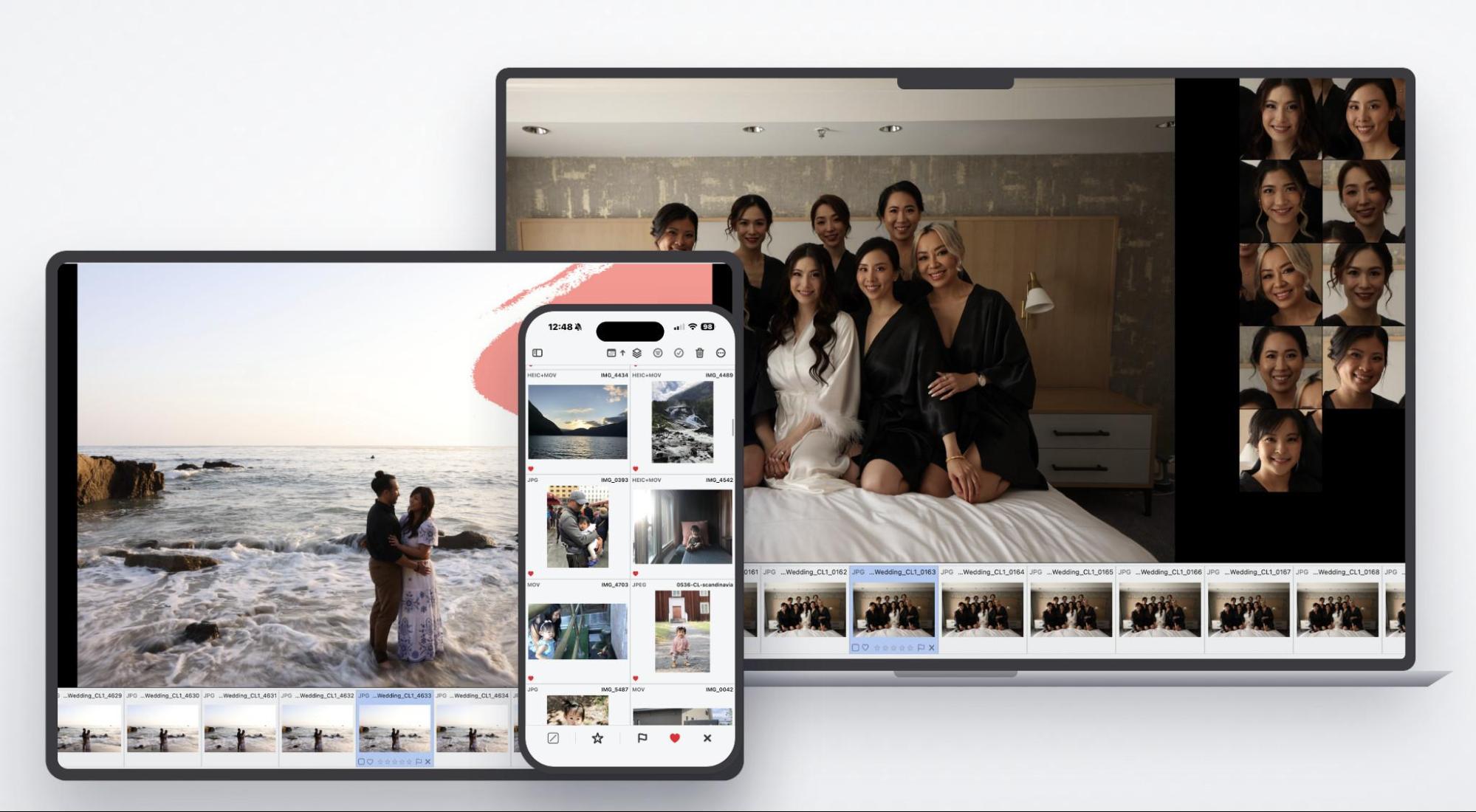
For decades, the standard procedure for professional photographers—particularly those in the high-stakes wedding and portrait sectors—has involved a fragmented series of steps: offloading memory cards through basic file managers, organizing folders manually, utilizing third-party software for initial selection, and eventually importing keepers into editing suites. This process is not merely time-consuming; it is prone to human error, such as mismanaged file structures or the accidental loss of metadata. By integrating these disparate tasks, PhotoCuller attempts to mitigate the "procrastination loop" that often delays final delivery to clients.
Technical Architecture and System Integration
PhotoCuller is built specifically to leverage the efficiency of Apple’s current hardware architecture. Optimized for M-series chips and running on macOS 15 Sequoia or later, the application bypasses the need for constant cloud connectivity, a critical feature for professionals working in remote locations or during destination events where bandwidth is unreliable. The software functions as a foundational layer, prioritizing a logical, automated structure from the moment a memory card is inserted.
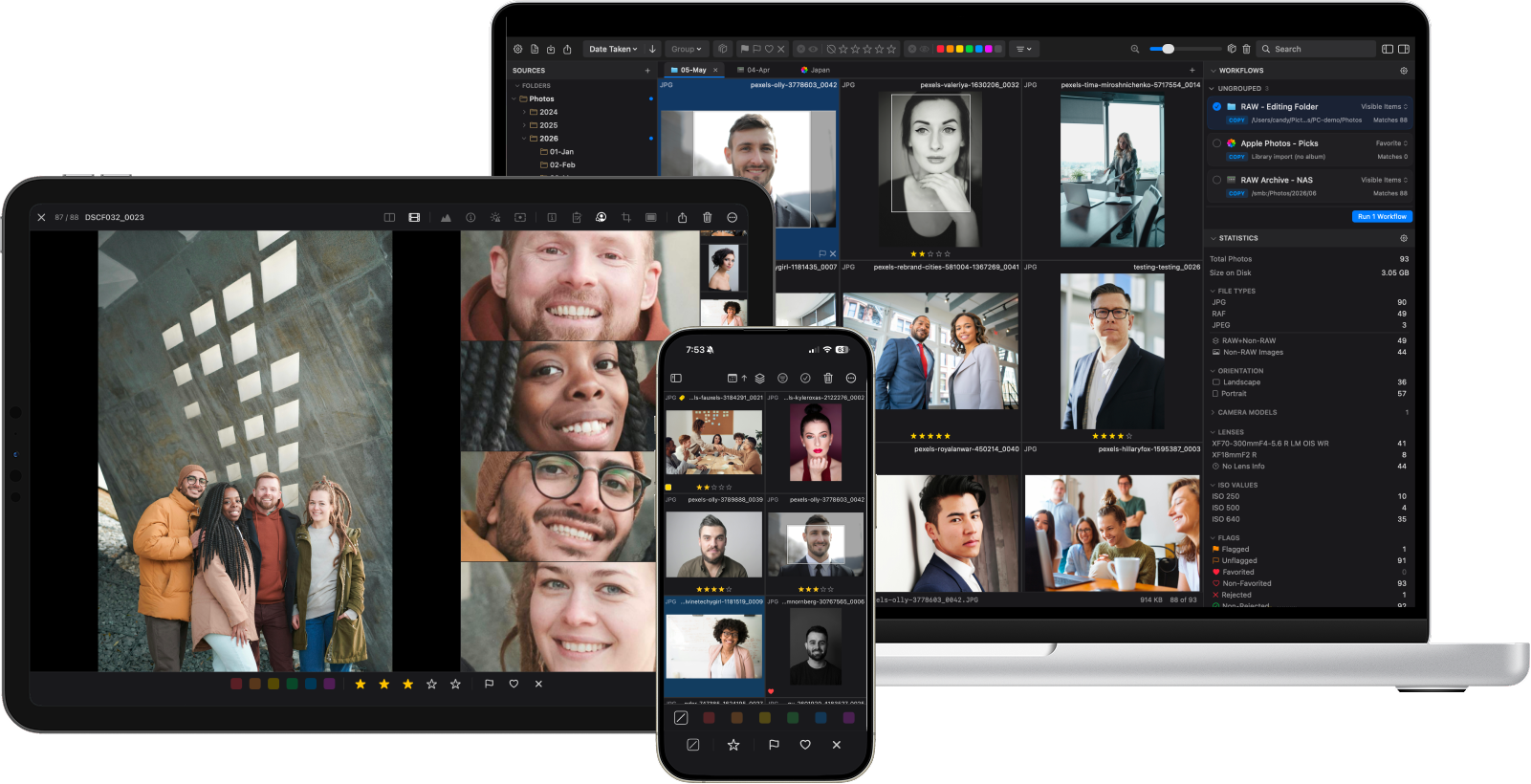
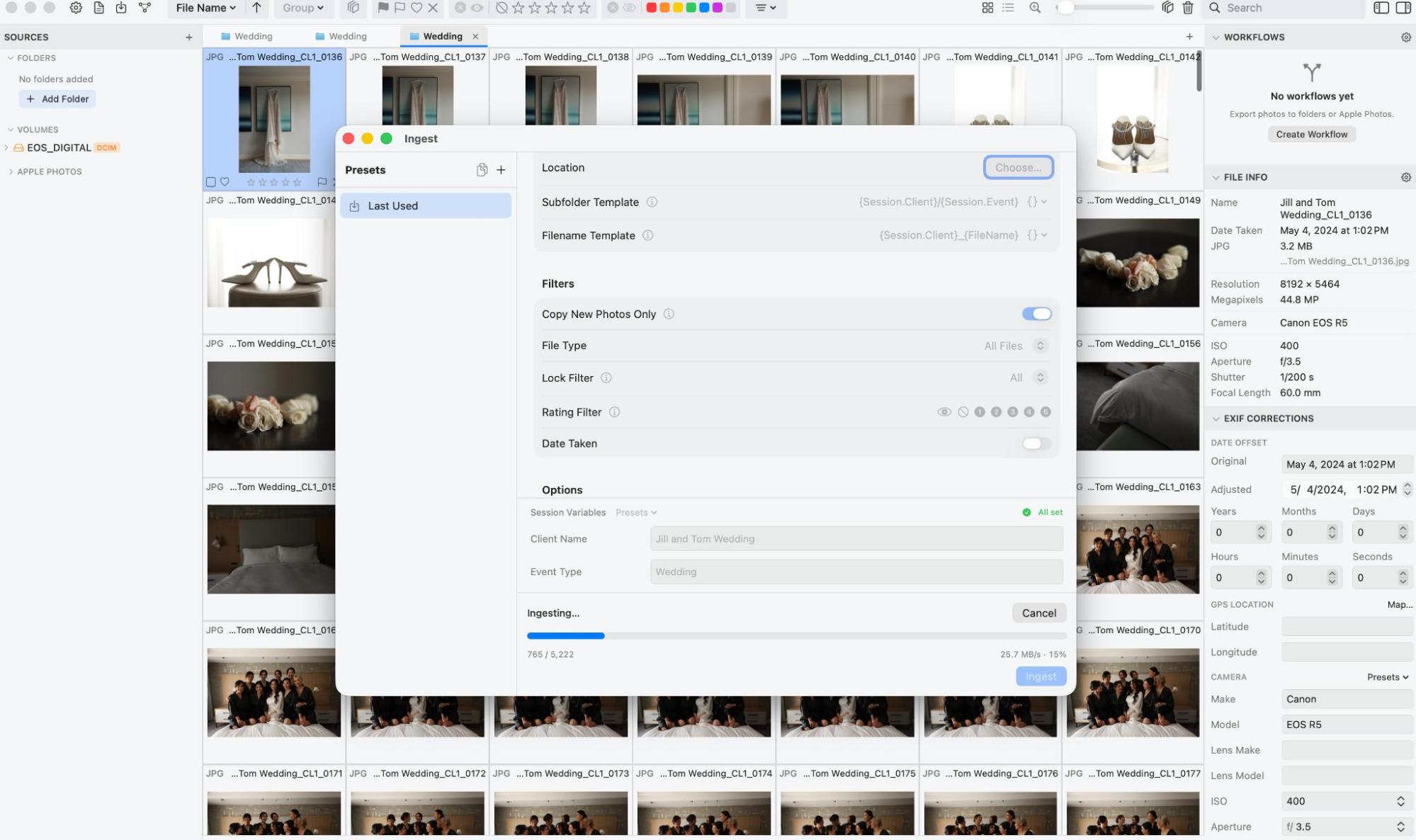
The ingestion process replaces the manual "drag and drop" method with an automated engine that applies naming conventions, folder structures, and metadata tagging in real-time. By utilizing variable-based templates—such as Session.Client/Session.Event—the software enforces consistency across an entire studio’s output. This automation is particularly vital for large-scale operations where, without rigid protocols, file organization often devolves into chaotic, inconsistently named directories that become impossible to navigate years later.
The Evolution of Culling Technology
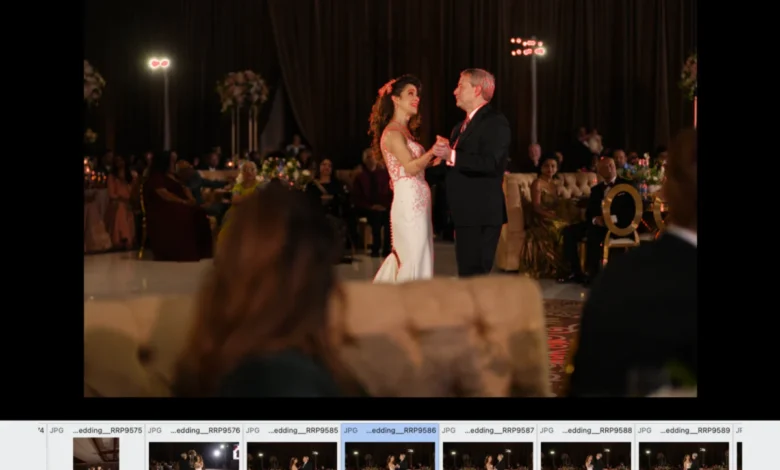
The most significant efficiency gain provided by PhotoCuller lies in its culling interface. Historically, the process of sorting through 2,000 to 5,000 images per event has been the most labor-intensive part of the post-production cycle. Conventional wisdom in the photography industry suggests that a seasoned editor can spend up to eight hours on this task. PhotoCuller reduces this timeline by employing a series of visual and technical diagnostic tools designed to minimize navigation.
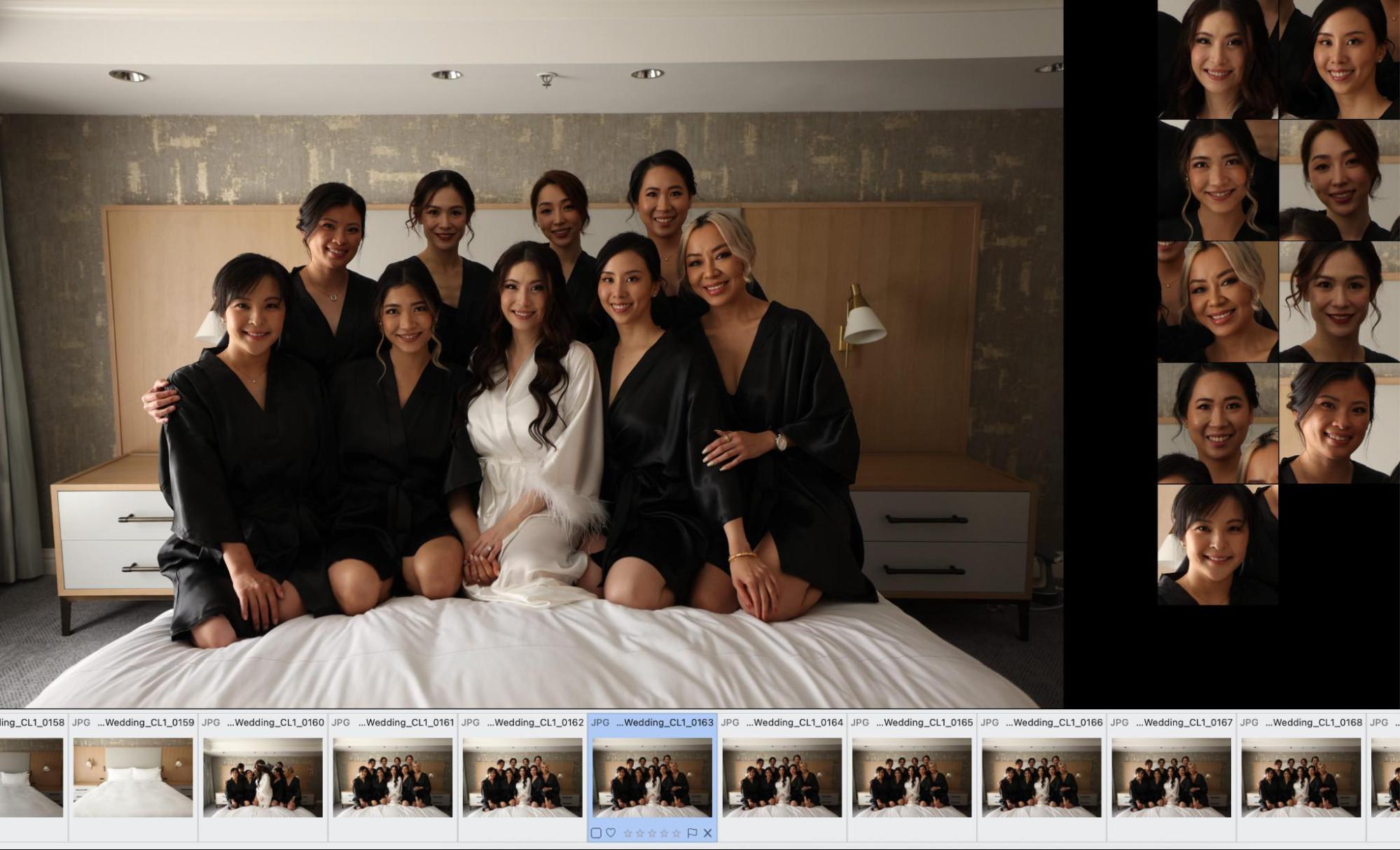
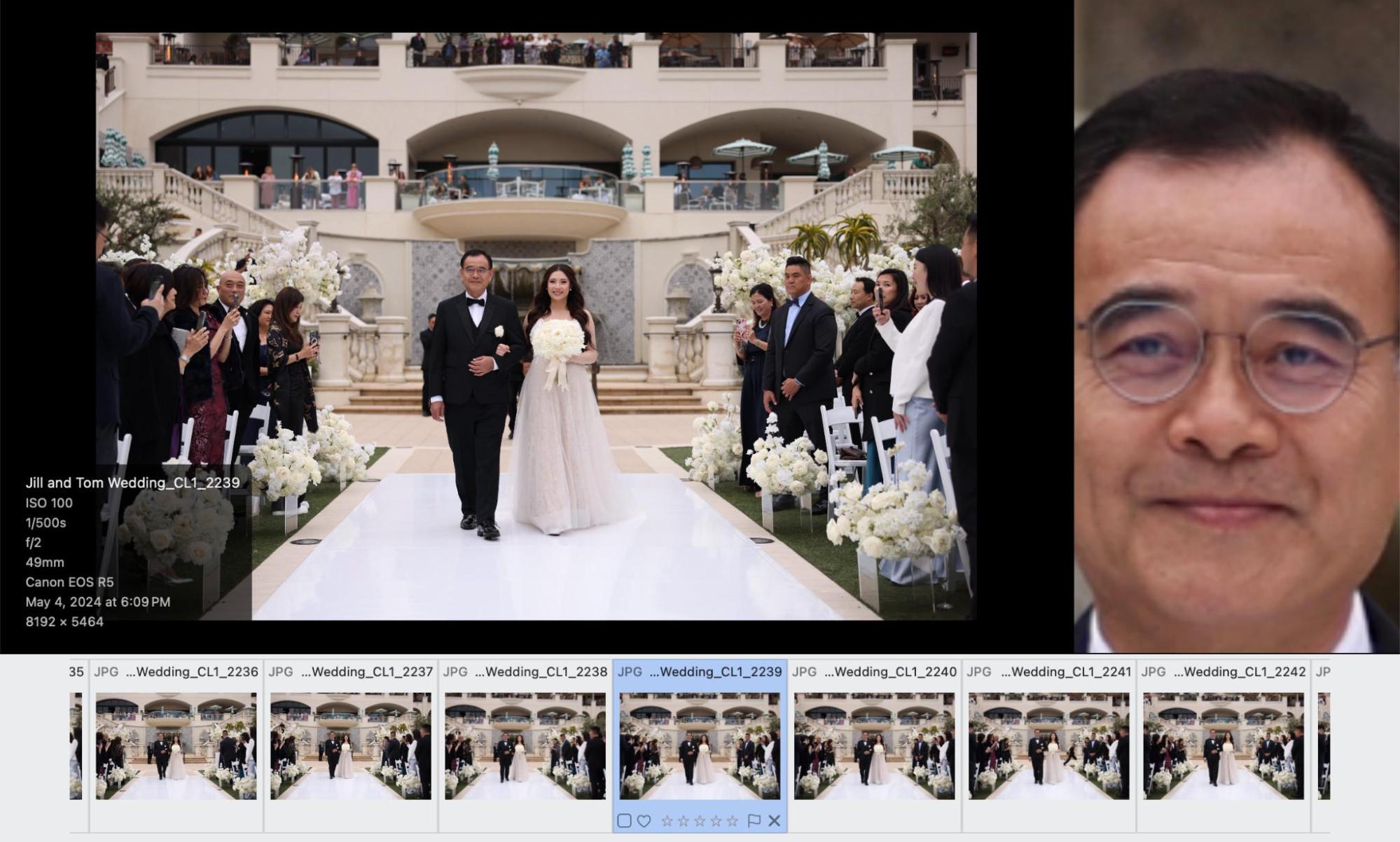
A key feature is the Subject Panel, which utilizes image analysis to detect faces within a frame. Rather than requiring the user to zoom and pan manually across every image to check for blinking or poor expressions, the software extracts and displays these faces in a dedicated side panel. This allows for an instantaneous review of multiple subjects in a single composition. While this tool does not employ AI to "judge" the quality of an expression, it eliminates the mechanical overhead of inspection, allowing the photographer to make the final aesthetic decision in a fraction of the time.
Technical validation is similarly streamlined through focus peaking and exposure warning overlays. In high-contrast environments—such as beach portraits shot into the sun—the software provides a visual map of clipped highlights and areas of critical focus. This allows for rapid discarding of technically flawed images without the need to consult histograms or zoom in to 100% resolution for every frame.
Intelligent Clustering and Data Management
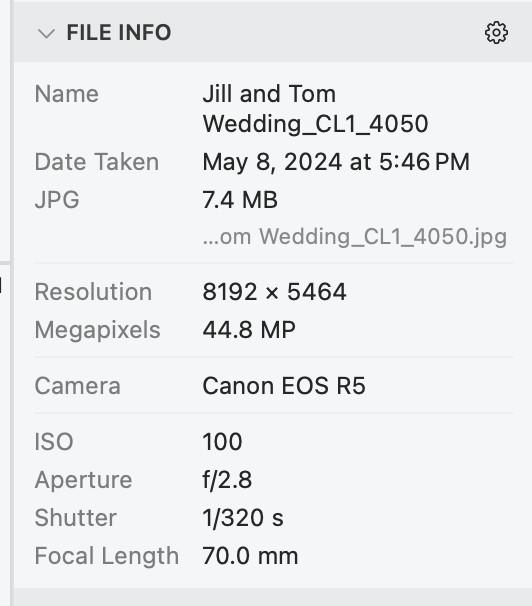
The software’s "Similar Scenes" functionality addresses the challenge of burst-mode photography, where cameras often capture near-identical frames in rapid succession. By clustering these images together, the application allows the user to view a single, collapsed sequence rather than scrolling through dozens of redundant files. This paradigm shift—moving from viewing files in chronological order to viewing them in thematic "scenes"—fundamentally alters the decision-making process.
The data gathered during this phase feeds directly into the software’s "Workflow" engine. Once ratings, flags, and color labels are assigned, the application can automatically route files to specific destinations. A common studio setup might involve directing 5-star images to a client delivery folder, 3-star images to an archive, and rejected images to the trash, all performed in a single, automated pass. This eliminates the "busywork" that characterizes the end of a long shoot day, allowing the professional to focus on color grading and artistic retouching.

Industry Implications and Market Positioning
The introduction of PhotoCuller arrives at a time when the photography industry is facing increased pressure to deliver content faster. In an era of social media immediacy, the turnaround time from "shutter click" to "final delivery" has become a competitive metric for portrait and event photographers. By offloading the mechanical aspects of file management to an automated system, professionals can potentially increase their output capacity without expanding their labor force.
However, the software is not without its limitations. As a specialized, newer product, its documentation and onboarding for the more complex, multi-branch workflow features are currently in a developmental stage. Industry analysts note that while the core utility is high, the "learning curve" for building complex, automated rule sets may be a hurdle for less tech-savvy users. Furthermore, the reliance on Apple Silicon restricts its use to more recent hardware, effectively phasing out older, Intel-based workstations.
Comparative Analysis of Workflow Solutions
In the broader market, PhotoCuller sits alongside established industry standards like Adobe Bridge and Photo Mechanic. While Photo Mechanic remains the benchmark for pure speed in RAW file previewing, PhotoCuller offers a more cohesive, end-to-end integration of folder management and automated distribution. For many users, the ability to avoid jumping between four or five different applications—each with its own interface and file-handling logic—is the primary value proposition.
The pricing model, structured as a one-time purchase with two years of included updates, reflects a shift away from the subscription-only models common in creative software. By offering a 30-day free trial that requires no financial commitment, the developers are signaling a confidence in the software’s ability to prove its worth within a real-world testing environment.
Conclusion and Future Outlook
The broader impact of tools like PhotoCuller is a shift toward "data-aware" photography, where the metadata and organizational structure of an image are treated with as much importance as the image file itself. By automating the mundane, the software enables photographers to reclaim time previously lost to administrative overhead. While the software is still maturing, the foundation of its workflow—focused on reducing the cognitive load of image selection and the physical labor of file management—addresses a perennial pain point in the industry. As the developer continues to refine the user interface and expand its documentation, PhotoCuller is positioned to become a standard tool in the professional Apple-based photography workflow, particularly for those handling high-volume event work.
The transition from a manual, folder-based organization to a rules-based, automated workflow represents the next logical step in the digitization of photography. As cameras continue to produce higher volumes of data, the ability to efficiently distill that data into its most meaningful components will distinguish the workflows of the future from those of the past.