Adobe Unleashes Comprehensive Tutorial Series for Premiere Pro’s Revolutionary New Color Mode, Signifying a Major Leap in Integrated Video Grading.

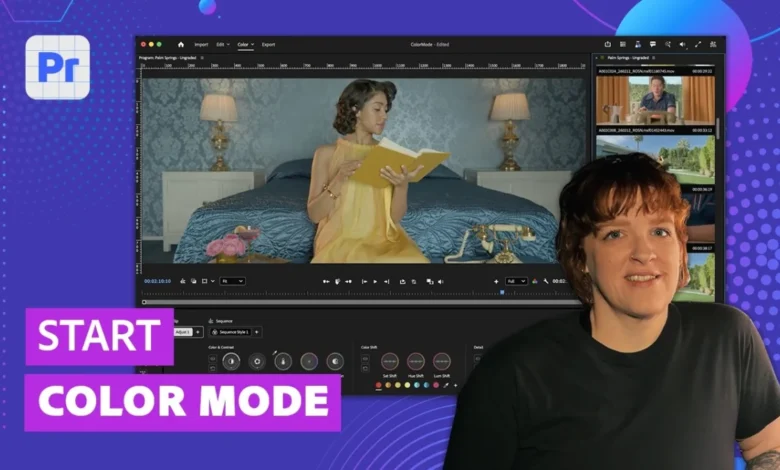
Adobe has officially launched an extensive collection of 13 tutorial videos designed to guide users through the innovative new Color Mode feature now available in the Premiere Pro beta. This comprehensive instructional suite aims to equip video editors with all the foundational knowledge required to master this purpose-built color grading environment, marking a significant evolution in Premiere Pro’s capabilities for visual post-production. The release of these tutorials alongside the beta signifies Adobe’s commitment to ensuring a smooth adoption process for what they herald as a transformative tool for editors worldwide.
A New Paradigm for Color Grading in Premiere Pro
Color Mode represents a paradigm shift in how color correction and grading are approached within Adobe Premiere Pro. Developed over three intensive years in close collaboration with over 400 working professional editors, this new mode is not merely an update to existing tools but a complete overhaul, designed from the ground up to cater specifically to the needs and workflows of video editors. This user-centric development process underscores Adobe’s dedication to creating solutions that are both powerful and intuitively integrated into the editing process, addressing long-standing requests from its vast user base for a more robust and streamlined color workflow directly within their non-linear editing (NLE) environment.
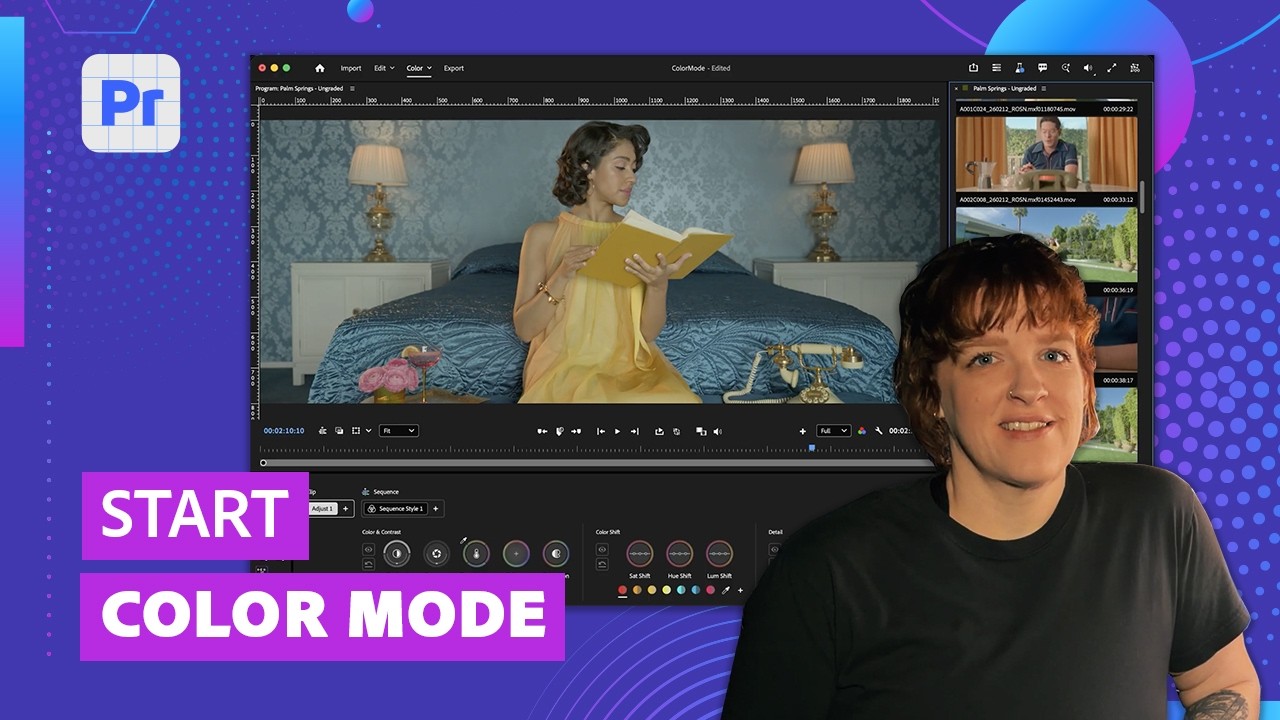
The introduction of Color Mode comes at a time when the demand for high-quality, efficient color grading is more critical than ever across various media, from independent filmmaking to broadcast television and digital content creation. Previously, while Premiere Pro offered the Lumetri Color panel, many professional colorists and editors often found themselves exporting projects to dedicated color grading software like DaVinci Resolve for more complex or nuanced work. Color Mode aims to bridge this gap, offering a deeply integrated and feature-rich grading experience that could potentially reduce the need for such round-tripping, thereby saving valuable production time and enhancing creative control within a single application.
Comprehensive Tutorial Series: Your Gateway to Mastery
The newly released tutorial series is a testament to the depth and breadth of Color Mode’s features. Spanning 13 individual videos, the collection covers virtually every aspect of the new interface and its functionalities, ensuring that users can quickly become proficient. These tutorials are structured to provide a progressive learning path, starting with fundamental concepts and moving towards more advanced techniques. Key topics covered include:
- Understanding the Color Controls: An essential introduction to the core parameters and how they interact.
- Navigating the Color Mode Interface: A guided tour of the new layout, designed for maximum monitor space utilization.
- Using the Clip Grid in Color Mode: Demonstrating how this visual map of the entire sequence streamlines shot matching and overall project consistency.
- How to Add LUTs with Color Mode: Integrating Look Up Tables for creative styles and technical transformations.
- How to Copy Grades in Color Mode: Efficiently applying color corrections across multiple clips.
- How to Match Shots in Color Mode: Techniques for achieving visual continuity between different camera angles and lighting conditions.
- Working the Properties Panel Controls: A detailed look at the contextual controls that adapt to user needs.
- Color Management in Color Mode: Understanding how to maintain color accuracy and consistency throughout the workflow.
- How to Add Masks in Color Mode: Precision grading through localized adjustments.
- Incorporating Styles in Color Mode: Applying and customizing built-in or user-defined looks.
- Using Operations in Color Mode: A new method for organizing and moving color grades across an edit.
- Using Effects in Color Mode: Integrating various visual effects within the grading pipeline.
- Color Mode | What’s New in Premiere (beta): An overview of the update’s highlights.
This methodical approach to instruction highlights Adobe’s understanding that even the most powerful tools require clear guidance for effective adoption. By providing these resources upfront, Adobe empowers its user community to explore and exploit the full potential of Color Mode from its initial beta phase.
Key Innovations and User-Centric Design
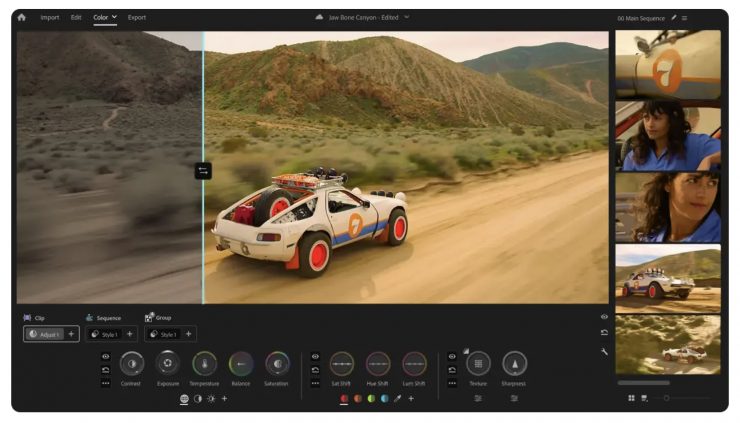
At the heart of Color Mode are several innovative features meticulously crafted for video editors. The design philosophy centers on maximizing monitor space and prioritizing the image, allowing editors to focus on their creative decisions without interface clutter.
One of the standout features is the Clip Grid, which offers a visual map of the entire sequence. This intuitive display allows editors to quickly assess the color consistency of their project at a glance, identify shots that need attention, and make informed grading decisions across the timeline. The ability to see the color relationships between clips in a holistic view is a significant advantage for maintaining a consistent visual aesthetic.
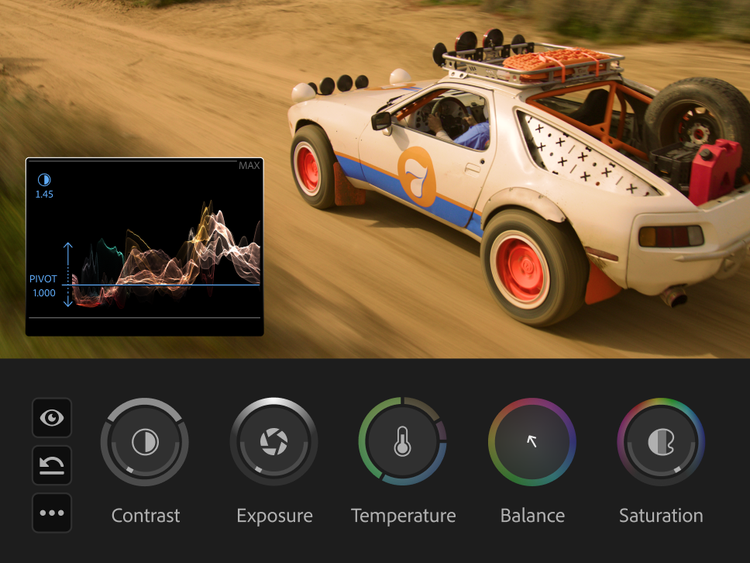
The interface itself is highly flexible, with panels that move and layouts that flex to adapt to different screen configurations and user preferences. A contextual heads-up display (HUD) is another key innovation, providing real-time information, scopes, and numeric feedback precisely when and where it’s needed. This dynamic HUD minimizes distractions and keeps crucial data within the editor’s immediate field of vision.
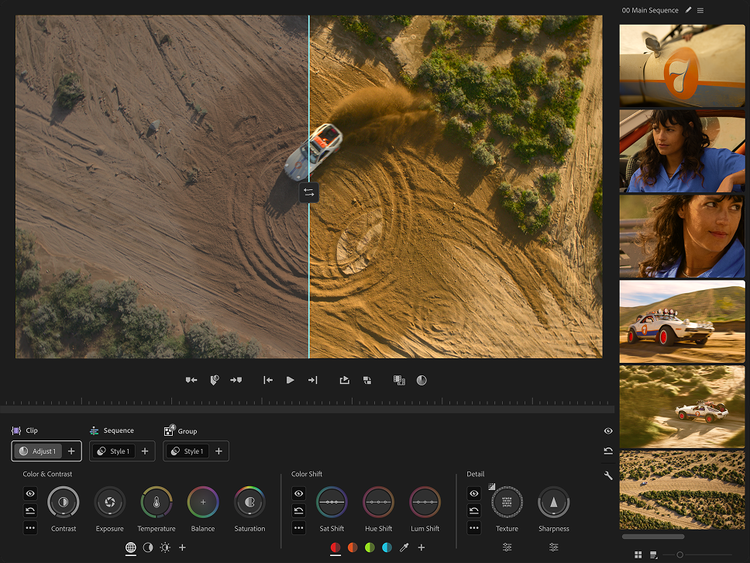
Bi-directional Controls represent a fundamental shift in interaction. Unlike traditional sliders or knobs, these controls allow users to manipulate two dimensions simultaneously with a single gesture – for instance, shaping contrast and pivot, or temperature and tint. This intuitive interaction, combined with instant visual feedback and animated responses, makes the grading process more fluid and responsive. For precise adjustments, users can press Shift to engage single-axis control.
The introduction of Zones provides targeted control over specific tonal ranges, allowing for precise adjustments to shadows, midtones, and highlights. This level of granular control is vital for achieving sophisticated looks and correcting problematic footage.
Styles and Operations: Streamlining Creative Workflow
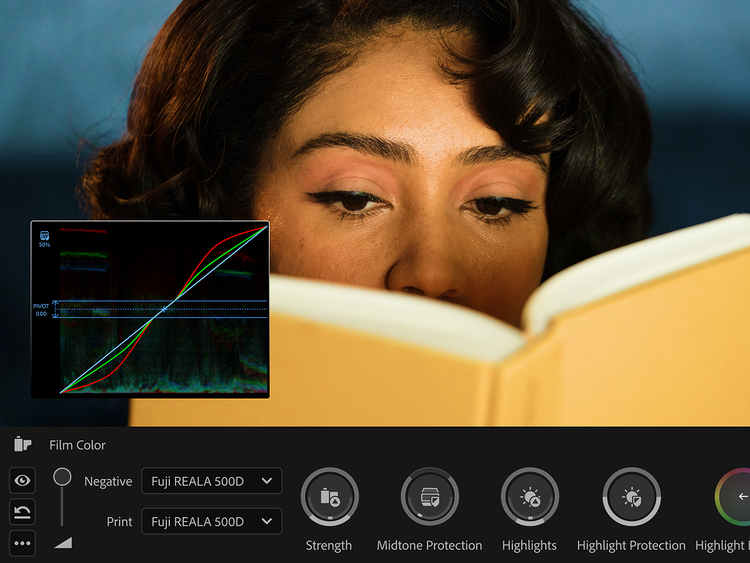
Color Mode introduces Styles, which are essentially pre-defined or custom-built looks and film emulations that can be applied with a single click and then customized extensively. These styles are built from Modules, which are individual, non-destructive, fully editable, and stackable color effects. This modular approach offers unparalleled flexibility, enabling editors to experiment with various looks, build complex grades, and refine them without permanently altering the original footage. The inclusion of dozens of built-in film emulations further enhances creative possibilities, providing a quick starting point for cinematic aesthetics.
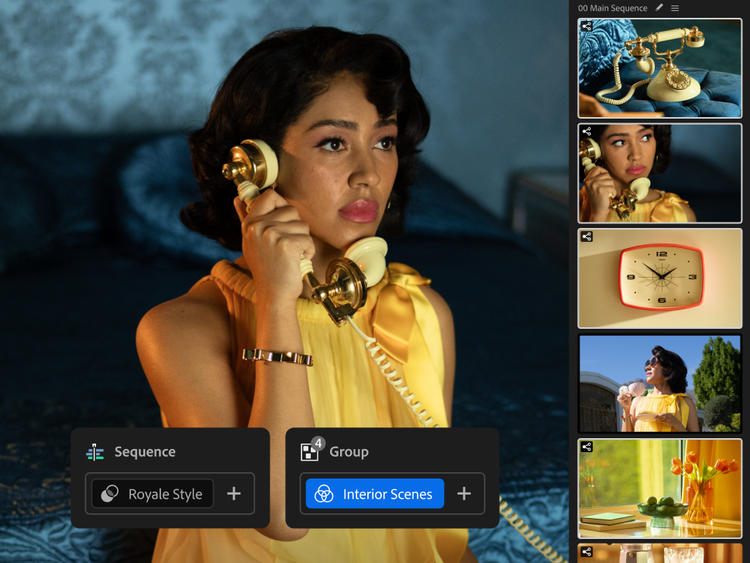
Operations are a novel way to manage and apply color grades across an edit. This feature allows users to grade a single clip, a custom group of clips, or even the entire sequence, and then easily move and reorganize these grades by dragging and dropping. This eliminates the cumbersome process of copying and pasting attributes or managing multiple adjustment layers, streamlining the workflow significantly, especially on projects with numerous cuts. The absence of traditional layers for color adjustments in this context represents a deliberate design choice aimed at simplicity and efficiency for the video editor.
The Strategic Importance of Color Mode
Adobe’s investment in Color Mode is a strategic move to solidify Premiere Pro’s position as a leading NLE in a competitive market. By addressing the critical need for advanced, integrated color grading, Adobe aims to enhance user loyalty, attract new professionals, and offer a more comprehensive solution that can stand toe-to-toe with dedicated color grading applications. The beta release strategy allows Adobe to gather crucial user feedback, identify bugs, and refine features before a full public rollout, ensuring the final product meets the high standards expected by the professional community.
The development timeline of three years, coupled with the collaboration of over 400 working editors, speaks volumes about the meticulous effort and resources poured into Color Mode. This iterative and user-driven approach suggests that Adobe is not just adding a feature but fundamentally rethinking a core aspect of post-production within Premiere Pro. The result is a tool that is not only powerful but also deeply empathetic to the daily challenges faced by video editors.
Availability and Future Outlook
Color Mode is currently accessible within the Premiere Pro beta program, included as part of every Creative Cloud plan that encompasses Premiere Pro. This accessibility ensures that a broad range of users can experiment with the new features and provide feedback, contributing to its ongoing development. The transition from beta to a full public release will undoubtedly be a closely watched event in the video editing community, as Color Mode has the potential to redefine workflows and elevate the creative output achievable directly within Premiere Pro.
In an industry where efficiency, creative control, and seamless integration are paramount, Adobe’s new Color Mode, supported by a robust tutorial series, stands as a significant advancement. It not only empowers video editors with sophisticated grading capabilities but also reinforces Premiere Pro’s commitment to evolving as an all-encompassing post-production platform. The future of color grading within Premiere Pro looks significantly brighter, promising a more intuitive, powerful, and integrated experience for creative professionals.

Matthew Allard is a multi-award-winning, ACS accredited freelance Director of Photography with over 35 years’ of experience working in more than 50 countries around the world.
He is the Editor of Newsshooter.com and has been writing on the site since 2010.
Matthew has won 51 ACS Awards, including six prestigious Golden Tripods. In 2016 he won the Award for Best Cinematography at the 21st Asian Television Awards.
Matthew is available to hire as a DP in Japan or for work anywhere else in the world.


Related posts: