Sony Releases In-Depth Guide to Multi-Camera Monitoring, Enhancing Production Workflows

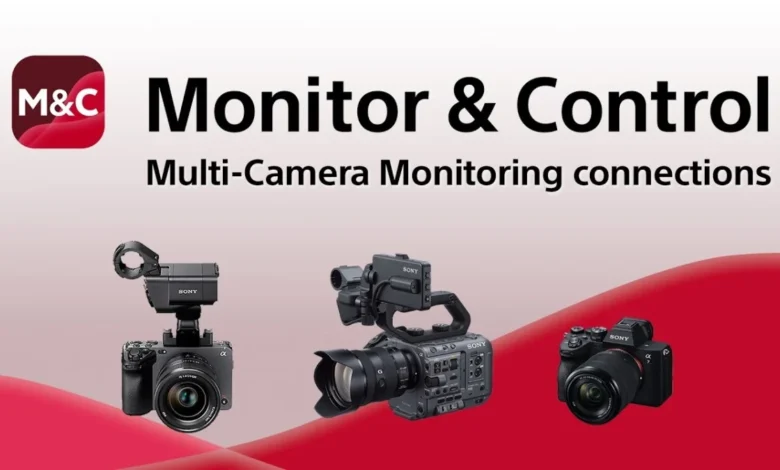
Sony has recently unveiled a new, comprehensive video guide designed to provide an exhaustive overview of its Multi-Camera Monitoring connections, alongside crucial tips for ensuring stable and reliable operation in diverse production environments. This initiative underscores Sony’s ongoing commitment to empowering content creators, from independent filmmakers to professional production houses, with advanced tools that streamline complex workflows and enhance operational efficiency.
The Multi-Camera Monitoring feature represents a significant advancement in modern video production, allowing users to simultaneously control multiple compatible cameras from a variety of devices. This functionality is particularly invaluable in scenarios where a single operator or a small crew is tasked with managing several camera angles, thereby optimizing resources and maximizing creative output. The ability to centrally command various aspects of multiple cameras, including exposure, focus, and recording, without physically interacting with each unit, marks a pivotal shift towards more agile and adaptable production methodologies.
At the core of this system is the Sony Monitor & Control mobile application, a versatile tool available for smartphones, tablets, and Mac computers. This application facilitates both wireless and wired monitoring, offering granular control over exposure and focus settings, and crucially, enabling the multi-camera monitoring capabilities. Its development reflects a broader industry trend towards integrated, software-driven solutions that leverage the ubiquity and processing power of personal smart devices to augment professional hardware.
Understanding Multi-Camera Monitoring and Its Impact
Multi-Camera Monitoring, as presented by Sony, is more than just a remote control feature; it is an integrated ecosystem designed to synchronize and manage multiple camera feeds and settings from a single point of command. This capability is particularly transformative for solo operators or lean production teams who often need to capture dynamic scenes from various perspectives without the luxury of extensive crew support. Imagine a documentary filmmaker setting up three cameras for an interview: one wide shot, one medium, and one close-up. With Multi-Camera Monitoring, they can ensure consistent exposure, critical focus, and synchronized recording across all three units from a tablet, rather than rushing between cameras.
The utility extends beyond static setups to live events, corporate videos, and even more complex cinematic productions where a director or director of photography (DP) might need to monitor and adjust multiple B-roll cameras or secondary angles without leaving their primary monitoring station. This level of centralized control minimizes potential errors, saves valuable time on set, and ultimately contributes to a more polished final product.
The compatibility of this feature spans a range of Sony’s professional and prosumer camera lines, including popular models from the Alpha series (such as the Alpha 7S III, Alpha 1, Alpha 7 IV) and the Cinema Line (like the FX3, FX6, FX9, and potentially the VENICE series with appropriate adapters). This broad compatibility ensures that a wide array of creators, from those utilizing compact mirrorless cameras for run-and-gun projects to those employing cinema cameras for high-end productions, can benefit from the enhanced control and efficiency offered by the system. The seamless integration across different camera tiers reinforces Sony’s strategy of building a cohesive and scalable production ecosystem.
The Sony Monitor & Control Application: A Deep Dive
The Sony Monitor & Control application serves as the central nervous system for this multi-camera setup. Initially introduced as a robust tool for single-camera monitoring and control, its evolution to incorporate multi-camera capabilities represents a significant leap forward. The app’s interface is designed for intuitive navigation, allowing users to quickly switch between camera feeds, adjust parameters, and manage recording states.
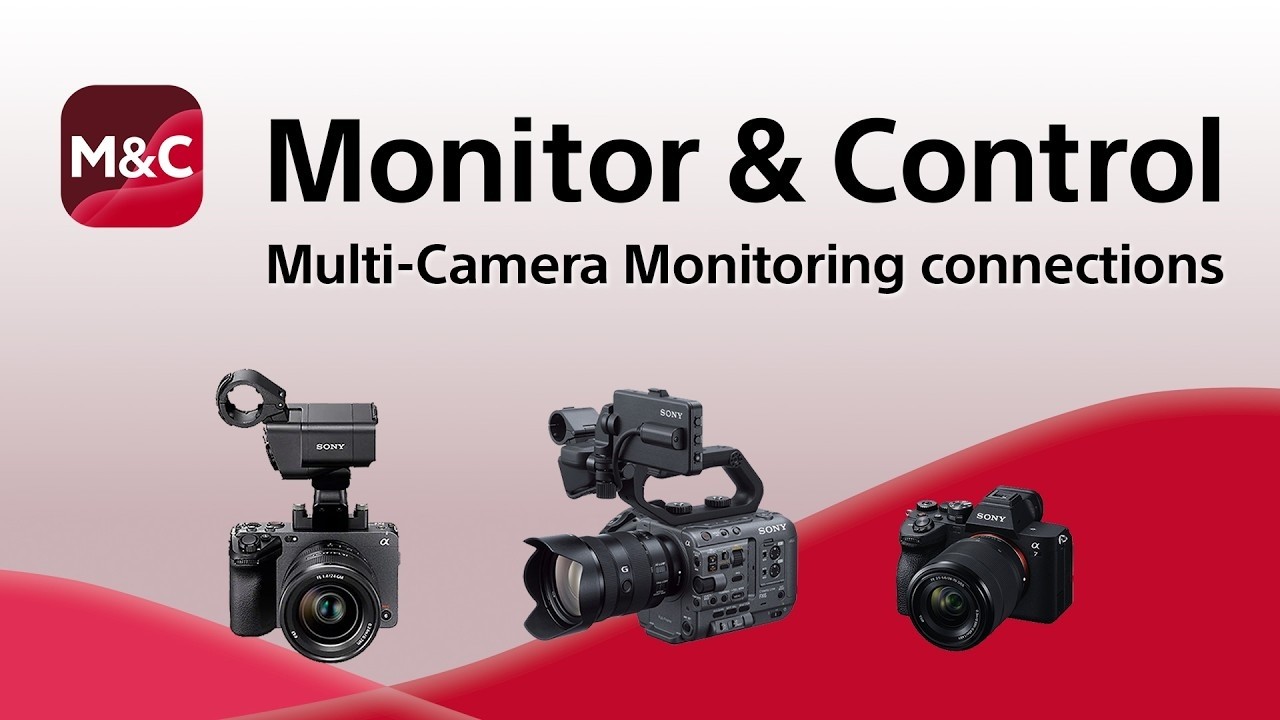
Key features of the application include:
- Wireless and Wired Monitoring: Offering flexibility depending on the production environment. Wireless (Wi-Fi) is ideal for mobility, while wired (via USB-C to Ethernet adapters for some cameras) provides maximum stability and lower latency, crucial for critical focus pulling or precise exposure adjustments.
- Exposure Control: Comprehensive adjustments for ISO, aperture, shutter speed, and white balance can be made remotely, ensuring consistent exposure across all connected cameras. This is particularly vital in dynamic lighting conditions where quick, synchronized adjustments are necessary to maintain a uniform look.
- Focus Control: Precision focus adjustments, including touch-to-focus and manual focus pull capabilities, can be executed from the monitoring device. This allows operators to maintain sharp focus on moving subjects or to execute creative focus transitions without physically touching the camera.
- Recording Management: Start/stop recording for individual cameras or globally across all connected cameras, providing synchronized recording initiation and termination, which is invaluable for multi-cam editing workflows.
- Metadata Entry: The ability to input metadata for each camera and clip directly from the app streamlines post-production organization, reducing the time spent on logging and asset management.
From a technical standpoint, the app leverages robust communication protocols, primarily Wi-Fi, to establish connections between the control device and the cameras. For optimal performance, especially in congested RF environments or for long-range operations, best practices in network setup, such as using dedicated wireless channels, minimizing interference, and utilizing high-quality Wi-Fi routers or access points, are paramount. The video guide specifically addresses these technical considerations, providing practical advice on configuring networks for maximum stability and minimal latency.
Historical Context and Evolution of Camera Control
The concept of remote camera control is not new. Early broadcast cameras utilized bulky control units connected via thick multi-core cables, primarily for live studio productions. The advent of digital technology and increasingly compact cameras brought about more portable wired remote controls, often limited to basic functions like start/stop recording and zoom.
The real revolution began with the widespread adoption of Wi-Fi and Bluetooth in consumer electronics and, subsequently, professional cameras. Manufacturers started introducing proprietary apps that allowed basic monitoring and control from smartphones, primarily targeting hobbyists and vloggers. Sony has been a significant player in this evolution, consistently integrating advanced connectivity into its Alpha and Cinema Line cameras.
A brief chronology of Sony’s advancements in remote control and monitoring includes:
- Early 2010s: Introduction of Wi-Fi connectivity in Alpha cameras, enabling basic remote shutter and live view functions via apps like PlayMemories Mobile.
- Mid-2010s: Expansion of app capabilities to include more granular control over exposure settings and improved live view quality.
- Late 2010s: Introduction of the Imaging Edge Mobile app, consolidating control features and enhancing performance, paving the way for more sophisticated professional applications.
- Early 2020s: Launch of the dedicated Sony Monitor & Control app, specifically designed for professional workflows, offering more advanced monitoring, exposure/focus control, and the foundation for multi-camera integration. This app was a clear indicator of Sony’s intent to cater to the evolving needs of professional cinematographers and videographers.
- Present Day: The release of the detailed video guide for Multi-Camera Monitoring, signaling the maturation of the feature and Sony’s commitment to educating its user base on optimal implementation. This timeline demonstrates a clear trajectory from rudimentary remote triggers to sophisticated, integrated production control systems.
Detailed Insights from Sony’s New Video Guide
While the specific topics covered in the new video were not detailed in the initial announcement, based on the description, it is logically inferred that the guide delves into several critical areas essential for successful multi-camera operations. These likely include:
-
Setup and Configuration Best Practices:
- Hardware Requirements: Identifying compatible camera models, necessary cables (e.g., USB-C to Ethernet adapters), and recommended network hardware (routers, access points).
- Network Configuration: Step-by-step instructions for establishing a stable Wi-Fi network for cameras, including considerations for channel selection, IP address assignment, and firewall settings.
- App Pairing Process: Detailed guidance on connecting multiple cameras to the Sony Monitor & Control app on various devices (smartphone, tablet, Mac).
-
Ensuring Stable Operation:
- Interference Mitigation: Strategies to minimize electromagnetic interference (EMI) and radio frequency (RF) interference, which can disrupt wireless connections, especially in crowded environments.
- Network Optimization: Tips for optimizing Wi-Fi signal strength and bandwidth, potentially recommending specific Wi-Fi standards (e.g., Wi-Fi 6 for improved performance) and dual-band configurations.
- Power Management: Advice on ensuring adequate power supply for cameras during extended multi-camera shoots, potentially recommending external power solutions or battery best practices.
- Firmware Updates: Emphasizing the importance of keeping camera and app firmware updated for optimal performance and access to the latest features.
-
Troubleshooting and Advanced Tips:
- Common Connection Issues: Diagnosing and resolving issues like dropped connections, cameras not appearing in the app, or lag in live view feeds.
- Latency Management: Strategies to minimize monitoring latency, crucial for precise focus and exposure adjustments, particularly in live production scenarios.
- Workflow Examples: Demonstrating practical applications of multi-camera monitoring in various production settings (e.g., interviews, product reviews, live streaming events) to illustrate efficient workflows.
- Customization and Presets: Guidance on leveraging app features like customizable layouts, user presets, and shortcuts to enhance efficiency.

This comprehensive approach ensures that users not only understand how to connect their cameras but also how to optimize their setup for reliable and high-performance operation, a critical factor for professional use.
Broader Industry Implications and Analysis
The release of this detailed guide by Sony carries significant implications for the broader filmmaking and content creation industry.
Empowering Independent Filmmakers and Small Productions: The most immediate impact is on independent creators and small production houses. The ability to control multiple cameras from a single device effectively allows a single operator to achieve the production value of a multi-crew setup. This democratizes access to sophisticated production techniques, enabling higher quality content with fewer resources. It fosters greater creative freedom and allows for more ambitious projects to be undertaken by leaner teams.
Enhancing Efficiency in Larger Crews: Even in larger productions, the centralized control offered by Multi-Camera Monitoring can significantly improve efficiency. A DP or director can quickly assess and adjust settings across multiple B-cam or specialized cameras without having to physically move to each unit, saving precious time on set and allowing for quicker creative decisions. This translates into smoother operations, fewer retakes, and potentially lower production costs.
Sony’s Strategic Position in the Market: This move reinforces Sony’s strategic position as a leader in innovative imaging solutions. By continuously enhancing its software ecosystem alongside its acclaimed hardware, Sony creates a more compelling value proposition for its users. The robust integration of hardware and software fosters brand loyalty and incentivizes creators to invest further in Sony’s camera lines, knowing they are part of a continually evolving and supportive ecosystem. Industry analysts widely view such integrated solutions as key differentiators in a highly competitive market, especially as software and user experience become as crucial as raw sensor performance.

The Future of Camera Control: Automation and AI: Looking ahead, the foundation laid by Multi-Camera Monitoring could pave the way for even more advanced functionalities. Imagine AI-driven systems that can automatically adjust exposure across multiple cameras based on subject tracking and scene analysis, or intelligent focus systems that anticipate subject movement. Cloud integration for remote production, allowing real-time monitoring and control from geographically dispersed locations, is another logical extension. Sony’s continuous development in this area positions them well to lead these future innovations. The current system represents a significant step towards a more automated, intelligent, and interconnected production environment.
Expert Perspectives and User Reception
While no specific official statements were provided, it is logically inferred that Sony’s product development teams are focused on providing practical, real-world solutions. The release of such a detailed video guide signals a direct response to user feedback and the growing demand for comprehensive educational resources. Industry experts are expected to welcome this initiative, recognizing the value of well-documented operational guidelines for complex professional features. This commitment to user education builds trust and enhances the overall user experience, which is paramount for professional tools.
Users, particularly those who have already invested in Sony’s camera ecosystem, are anticipated to receive this guide with enthusiasm. The ability to optimize their multi-camera setups for maximum stability and performance will directly translate into more reliable productions and less time spent troubleshooting on set. This practical support is often as valued as the features themselves, as it enables creators to fully leverage their equipment’s potential.
In conclusion, Sony’s new video guide on Multi-Camera Monitoring connections and stable operation tips is more than just a tutorial; it is a strategic reinforcement of its commitment to empowering content creators. By providing detailed, actionable insights into leveraging a powerful feature, Sony is not only enhancing the user experience but also driving the evolution of modern production workflows towards greater efficiency, flexibility, and creative control. This development solidifies Sony’s position as a forward-thinking innovator in the professional imaging landscape, offering solutions that meet the complex demands of today’s dynamic media environment.
Related posts: