Mastering Aliasing: A Comprehensive Guide to Enhancing Action Camera Footage with the Free FXAA Plugin in After Effects

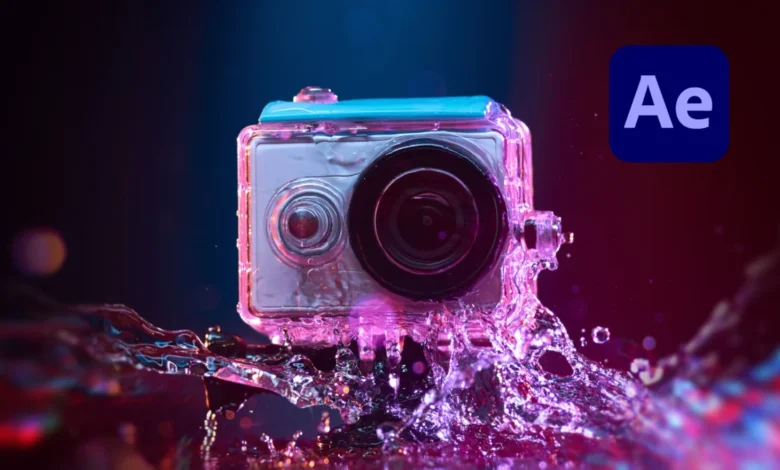
Digital filmmakers and content creators frequently encounter the challenge of aliasing artifacts in their footage, a distortion particularly prevalent in video captured by action cameras, drones, and even modern smartphones. This ubiquitous issue, which manifests as jagged or "stair-stepped" edges on otherwise smooth lines, significantly detracts from the professional quality of video content. A new and highly efficient solution has emerged for After Effects users: the free FXAA plugin from Plugin Everything, designed to address these visual imperfections with remarkable speed and efficacy. This guide delves into the technical underpinnings of aliasing, explores why action cameras are especially susceptible, and provides a detailed overview of how the FXAA plugin offers a superior post-production remedy compared to traditional methods.
Understanding Aliasing: The Digital Distortion Defined
Aliasing, in the context of digital imaging and video, refers to a distortion artifact where high-frequency components (fine details, sharp edges) in the captured scene are misrepresented as lower-frequency components. This phenomenon results from the process of "sampling" continuous visual information at discrete intervals. When the sampling rate of a camera’s sensor is insufficient to accurately capture the intricate details of a scene, a "sampling error" occurs, leading to the visual anomaly known as aliasing.
The most common manifestation of aliasing is "jaggies," where diagonal or curved lines appear pixelated and rough, rather than smooth. Another related artifact is the "moiré pattern," which occurs when fine, repetitive patterns (like bricks on a wall or textured fabrics) interfere with the camera’s sensor grid, creating new, often distracting, larger patterns that were not present in the original scene. Temporal aliasing can also occur in video, where fast-moving objects or intricate patterns flicker or appear to move erratically due to the mismatch between the object’s movement and the video’s frame rate. This can be particularly noticeable in wheel spokes or fan blades, creating a wagon-wheel effect.

The Predisposition of Action Cameras to Aliasing
Action cameras, despite their advanced capabilities and widespread popularity, are particularly prone to aliasing issues for several interconnected reasons, rooted in their design philosophy and intended use:
- Compact Sensor Size: To achieve their signature compact and rugged form factor, action cameras typically incorporate much smaller image sensors compared to professional cinema cameras or even larger mirrorless cameras. A smaller sensor means fewer photosites (pixels) packed into a limited area, leading to a lower spatial sampling rate. When light hits these densely packed, tiny sensors, the ability to resolve fine details accurately diminishes, increasing the likelihood of sampling errors and aliasing.
- Aggressive In-Camera Sharpening: Action camera manufacturers often apply aggressive in-camera sharpening algorithms by default to compensate for the inherent softness that can result from small sensors and wide-angle lenses. While intended to make footage appear crisper and more detailed, excessive sharpening can exacerbate aliasing by artificially enhancing the contrast along edges, making "jaggies" more pronounced. In many action camera models, users have limited or no control over adjusting these sharpening settings, forcing post-production solutions.
- Fixed Wide-Angle Lenses: Most action cameras feature fixed, ultra-wide-angle lenses to capture expansive perspectives and ensure subjects remain in frame during dynamic activities. While excellent for immersive shots, these lenses can introduce optical distortions and, combined with small sensors, struggle to resolve fine details uniformly across the frame, contributing to aliasing.
- High Compression Ratios: To maximize recording time and manage file sizes, action cameras often employ high video compression ratios (e.g., using H.264 or H.265 codecs). While efficient, aggressive compression can introduce "compression artifacts," which can further degrade image quality and make existing aliasing appear even worse, particularly in areas of fine detail or complex motion. The discrete blocks used in some compression algorithms can interact poorly with jagged edges, creating blocky or noisy distortions.
- Dynamic and Detail-Rich Environments: Action cameras are designed for capturing fast-paced, high-detail scenarios—think extreme sports, intricate landscapes, or rapidly moving objects. These environments naturally contain many high-frequency details (e.g., distant foliage, water ripples, building textures) that push the limits of small sensors and in-camera processing, making aliasing more probable.
The confluence of these factors makes action camera footage a prime candidate for post-production anti-aliasing solutions, as in-camera fixes are often insufficient or unavailable.
The Evolution of Anti-Aliasing in Post-Production
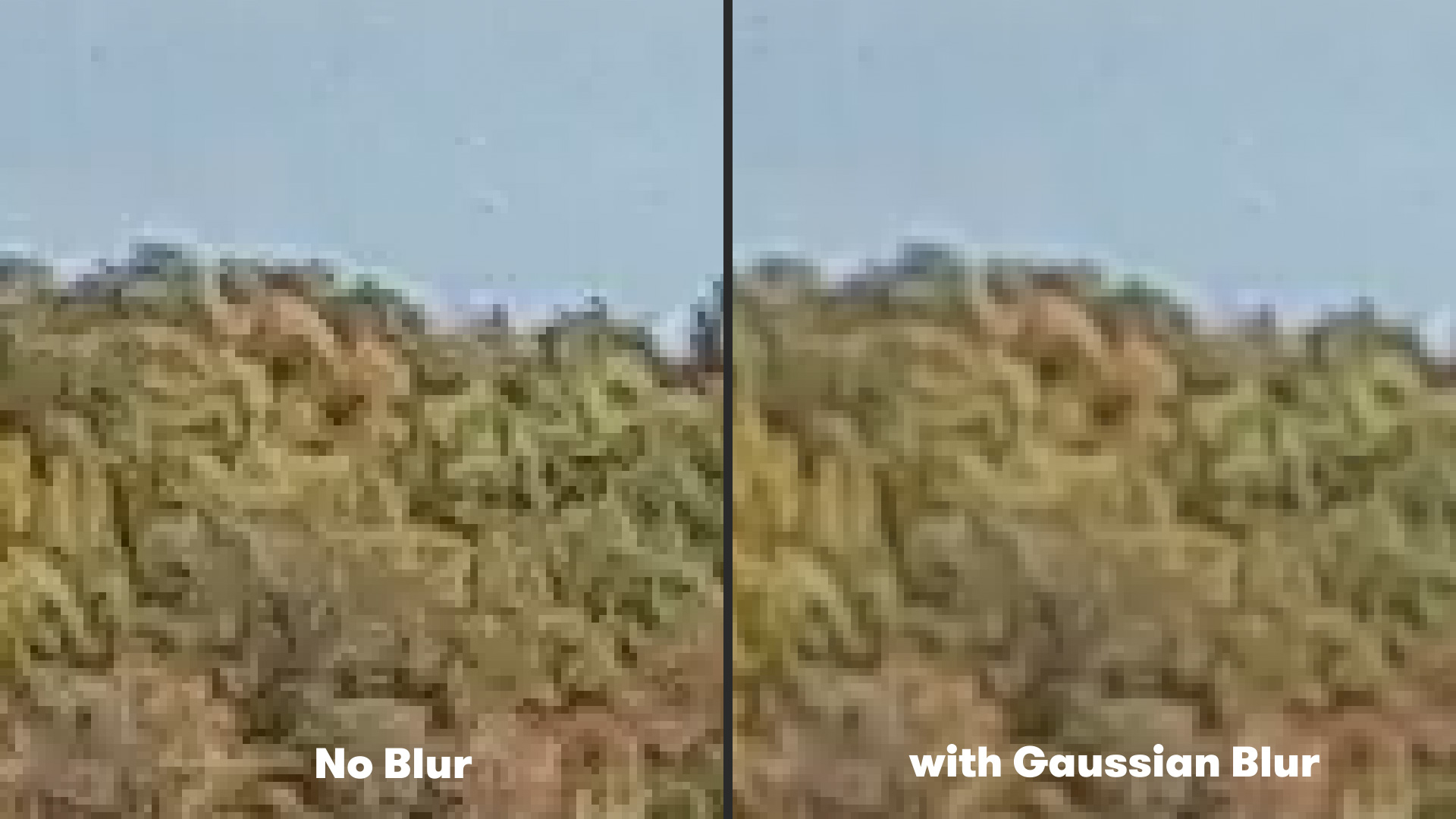
For years, video editors grappling with aliasing in post-production resorted to less-than-ideal solutions. The most common "old method" involved applying a subtle blur to the entire shot, typically using effects like Gaussian Blur.
- The Gaussian Blur Method: To attempt to mitigate aliasing with Gaussian Blur, an editor would select their problematic footage in software like After Effects, navigate to Effect > Blur & Sharpen > Gaussian Blur, and then apply a minimal "Blurriness" amount, often around 2 pixels. While this approach could indeed soften the jagged edges and reduce the perceived aliasing, it came with a significant drawback: a uniform blur across the entire image. This meant that not only were the unwanted aliasing artifacts softened, but desirable fine details—textures, facial features, intricate patterns—were also inadvertently degraded. The result was often a slightly less sharp, somewhat "muddy" image that sacrificed overall detail for the sake of smoother edges, an undesirable compromise for professional-grade content.
The limitations of blanket blurring highlighted a clear need for more sophisticated, targeted anti-aliasing techniques that could intelligently identify and smooth only the problematic edges without sacrificing image fidelity elsewhere. This demand spurred innovation, leading to the development of algorithms specifically designed for edge detection and selective smoothing.
Introducing FXAA: A Modern, Efficient Solution
In response to the persistent challenges of aliasing in post-production, particularly with footage from consumer-grade cameras, the development community has introduced more advanced tools. Among these, the FXAA (Fast Approximate Anti-Aliasing) plugin from Plugin Everything stands out as a highly effective and, notably, free solution for After Effects users.
FXAA is a post-processing anti-aliasing algorithm originally developed for real-time rendering in video games by NVIDIA. Its primary advantage lies in its speed and efficiency, making it suitable for applications where performance is critical. Unlike traditional multi-sampling anti-aliasing (MSAA) methods that operate on geometry before rendering, FXAA works on the final rendered image, identifying edges and applying a localized blur to smooth them out.
- How FXAA Works: The core of FXAA’s intelligence lies in its sophisticated edge detection algorithm. When applied to footage, the plugin meticulously scans all the pixels in the image. It then employs a complex mathematical process to identify areas where there are significant color or luminance transitions, which typically correspond to edges. Once an edge is detected, FXAA applies a subtle, directional blur specifically to those pixels that form the jagged edge. This localized blurring effectively smooths out the "stair-stepped" appearance without affecting the sharpness of the overall image in areas where no aliasing is present. The "approximate" nature of the algorithm contributes to its speed, as it makes intelligent assumptions based on pixel data rather than requiring intensive geometric analysis.
- Benefits of FXAA:
- Targeted Smoothing: Unlike Gaussian Blur, FXAA is designed to selectively smooth only the jagged edges, preserving detail in other parts of the image.
- High Performance: Because it operates as a post-processing effect on the final rendered image and uses an efficient algorithm, FXAA renders incredibly fast. This is a crucial advantage for video editors working with high-resolution footage or complex compositions, as it minimizes render times and improves workflow efficiency.
- Ease of Use: As a one-click solution, FXAA dramatically simplifies the anti-aliasing process, making it accessible even for novice users.
- Cost-Effectiveness: Being a free plugin from a reputable developer (Plugin Everything) makes FXAA an invaluable addition to any After Effects toolkit, removing financial barriers to achieving higher quality footage.
Practical Application of the FXAA Plugin in After Effects
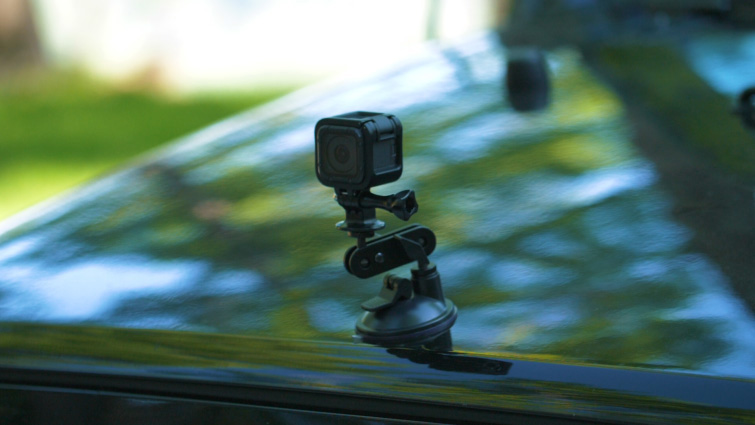
Implementing the FXAA plugin into an After Effects workflow is remarkably straightforward, requiring minimal steps to achieve noticeable improvements in footage quality.
- Installation: First, users must download and install the FXAA plugin from the Plugin Everything website. The installation process typically involves placing the plugin file into the appropriate After Effects plugin directory.
- Applying the Effect: Once installed, open After Effects and import the action camera footage that exhibits aliasing issues into a composition.
- Select the footage layer in your composition.
- Navigate to Effect > Plugin Everything > FXAA.
- Upon selection, the FXAA effect will be immediately applied to the footage.
- Observing the Results: Users should instantly observe a reduction in aliasing artifacts. Jagged edges on objects, text, or fine patterns will appear smoother and more natural.
- Stacking for Enhanced Effect: For footage with particularly severe aliasing, or when a more aggressive anti-aliasing effect is desired, users can apply multiple instances of the FXAA plugin to the same footage layer. Each additional instance will further refine the edge smoothing, incrementally reducing the aliasing artifacts without introducing excessive blur to the overall image. This stacking capability offers a flexible way to fine-tune the degree of anti-aliasing to suit specific footage requirements.
The simplicity and effectiveness of FXAA make it an indispensable tool for anyone regularly working with action camera footage, offering a professional polish with minimal effort and no financial investment.
Broader Context: The Landscape of Anti-Aliasing Technologies
While FXAA offers a compelling solution for post-production, it’s important to understand its place within the broader landscape of anti-aliasing technologies. In real-time graphics (like video games), techniques such as Supersampling Anti-Aliasing (SSAA), Multisampling Anti-Aliasing (MSAA), Temporal Anti-Aliasing (TAA), and more recently, Deep Learning Anti-Aliasing (DLAA) or even AI-upscaling techniques like DLSS (Deep Learning Super Sampling) are employed.
- SSAA (Supersampling): Renders the image at a higher resolution and then scales it down, providing excellent quality but being computationally very expensive.
- MSAA (Multisampling): Focuses on geometry edges, sampling them multiple times to determine color, less expensive than SSAA but still resource-intensive.
- TAA (Temporal Anti-Aliasing): Uses information from previous frames to smooth current frames, effective for temporal aliasing (flickering), but can introduce ghosting or blur.
- FXAA (Fast Approximate Anti-Aliasing): As discussed, a fast, image-based post-process filter that efficiently smooths edges. It’s less resource-intensive than MSAA or SSAA but can sometimes slightly blur textures.
- DLAA/DLSS (Deep Learning Anti-Aliasing/Super Sampling): Utilizes AI and machine learning to reconstruct images, offering superior quality and performance, but requires specialized hardware (e.g., NVIDIA RTX GPUs).
In post-production video, the choices are often more limited to built-in software filters or third-party plugins. FXAA distinguishes itself by bringing a highly optimized, game-industry-proven technique into the video editing space, offering a balance of quality, speed, and accessibility. Its effectiveness stems from its ability to adapt an algorithm designed for real-time performance to a non-real-time editing environment, where its speed becomes a significant workflow advantage.
Impact on Content Creators and Workflows
The availability and efficiency of tools like the FXAA plugin have significant implications for content creators across various domains.
- Democratization of Quality: Free and effective tools like FXAA lower the barrier to entry for achieving professional-looking video. Independent filmmakers, vloggers, extreme sports enthusiasts, and drone pilots can now enhance their footage without investing in expensive software or hardware. This democratizes access to higher production values, enabling a broader range of creators to produce visually appealing content.
- Enhanced Viewer Experience: By eliminating distracting aliasing artifacts, videos become more visually pleasing and immersive. This translates to a better viewer experience on platforms like YouTube, Vimeo, and social media, potentially leading to increased engagement and retention.
- Streamlined Post-Production Workflows: The speed of FXAA means less time spent waiting for renders, allowing editors to iterate more quickly and focus on creative aspects of their projects. For professionals working on tight deadlines, this efficiency is invaluable.
- Versatility Across Projects: While highlighted for action camera footage, the principles of aliasing apply to any digital video. FXAA can be a valuable tool for addressing edge artifacts in motion graphics, CGI renders, or even footage from other consumer-grade cameras.
- Education and Skill Development: The existence of such plugins encourages editors to learn about common video artifacts and the solutions available, thereby expanding their technical knowledge and skill set in post-production.
Future Outlook for Action Camera Footage Quality
The continuous evolution of action camera technology, coupled with advancements in post-production software, paints an optimistic future for footage quality. While small sensors and aggressive compression might remain inherent characteristics for compact, rugged devices, we can anticipate several improvements:
- Improved In-Camera Processing: Future action cameras may incorporate more sophisticated, perhaps AI-driven, anti-aliasing and noise reduction algorithms directly into their image processing pipelines, offering better results straight out of the camera.
- Better Sensor Technology: Advances in sensor design, such as stacked sensors or larger pixel sizes within existing sensor dimensions, could improve light gathering capabilities and detail resolution, naturally reducing aliasing.
- More Efficient Codecs: The development of even more efficient and less artifact-prone video codecs will help preserve image quality during compression.
- AI-Powered Post-Production: The trend towards AI and machine learning in post-production is likely to grow, with tools offering even more intelligent and automated ways to correct a wide array of image imperfections, including aliasing, upscaling, and stabilization.
In conclusion, aliasing remains a persistent challenge for action camera footage, stemming from the fundamental compromises between camera size, cost, and image quality. However, the advent of specialized, efficient, and free tools like the FXAA plugin in After Effects provides a powerful and accessible solution. By intelligently targeting and smoothing jagged edges without sacrificing overall image detail, FXAA empowers content creators to elevate the visual quality of their dynamic footage, contributing to a more polished and professional final product in an increasingly competitive digital landscape.
Related posts: