How to Name Things: Choosing the Most Reliable Accordion Icons for User Interface Design

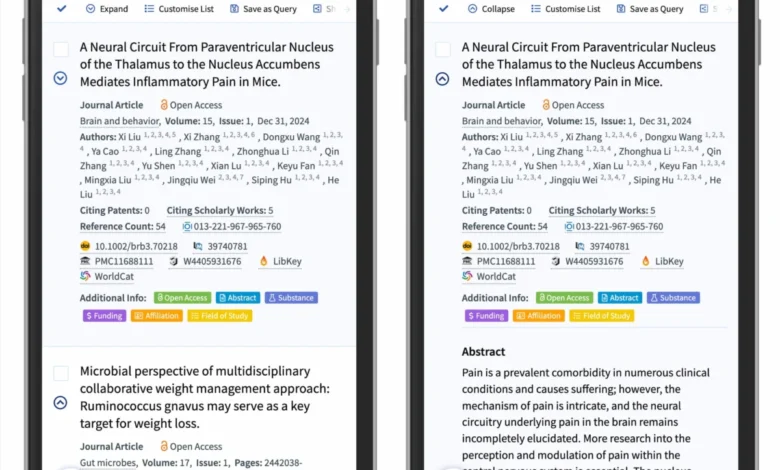
The fundamental challenge of modern web navigation lies in the delicate balance between aesthetic minimalism and functional clarity. As web interfaces have transitioned from static desktop layouts to responsive, multi-layered mobile environments, the accordion component—a vertical stack of headers that reveal content upon interaction—has become a standard tool for managing information density. Recent usability research, however, indicates that the specific iconography used to signal these interactive states significantly impacts user behavior, error rates, and overall navigation efficiency. By examining the cognitive associations users form with various symbols, designers can optimize UI patterns to prevent common pitfalls such as split-menu confusion and misdirected link expectations.

The Evolution of UI Signifiers and User Expectations
For decades, interface designers have experimented with a variety of symbols to denote collapsible content. The standard symbols—including plus signs, right-facing arrows, chevrons, and carets—have been applied inconsistently across the digital landscape, leading to a fragmentation of user experience. According to longitudinal studies conducted by the Nielsen Norman Group (NN/g), users do not interpret these icons in a vacuum. Instead, they rely on learned behaviors formed through thousands of interactions with various websites and applications.
The core finding of this research is that the presence of an icon itself is a critical variable. When no icon is present, users overwhelmingly perceive a text label as a direct hyperlink to a new page. This is the baseline of digital interaction: text is for navigating, and icons are for toggling. When developers introduce custom, stylized, or ambiguous icons, they disrupt this mental model, leading to "interaction friction." When users are unsure whether a label will open a drawer or transport them to a new URL, they hesitate. This hesitation, while measured in milliseconds, contributes to higher bounce rates and decreased engagement in complex navigation menus.

Chronology of Iconography Standards
The historical trajectory of accordion design began with the simple, functional "plus" (+) and "minus" (-) signs, borrowed from early file-directory systems and operating system tree views. In the early 2000s, as mobile web usage began to rise, designers looked for more compact solutions, leading to the adoption of the arrow. However, the arrow has a dual-purpose history: in many interfaces, it signifies a "next" or "forward" action. This creates a semantic conflict, as users often interpret a right-facing arrow as a command to proceed to the next page, rather than an instruction to expand a local section.
By the early 2010s, the "caret" (the V-shaped symbol) emerged as a distinct alternative. Because the caret does not carry the same "next-page" connotation as a directional arrow, it has gradually become the industry standard for indicating vertical expansion. The transition toward the caret reflects a broader movement in UX design toward semantic precision—using symbols that carry the least amount of "baggage" from other digital contexts.

Data-Driven Insights on Interaction Patterns
Quantitative analysis of user behavior during usability testing reveals a stark divide in how participants engage with these symbols. In controlled environments, researchers observed that when a "plus" icon is used, it is often conflated with other actions, such as "adding to a cart" or "saving a preference." This is particularly problematic in e-commerce, where a user might be confused if a category header, which they intended to browse, suddenly triggers a shopping cart action.
Furthermore, the hit area—the physical space on a screen that a user taps—is heavily influenced by the icon. Research indicates that when a caret is used, users are significantly more likely to target the icon itself, whereas with other symbols, the click-through rate is more evenly distributed between the label and the icon. This suggests that the caret acts as a stronger visual magnet, effectively guiding the user’s physical interaction toward the toggle mechanism.

The most detrimental pattern identified in these studies is the "split menu." This occurs when the text label of a menu item functions as a link to a main category page, while the icon to its right functions as a toggle for sub-navigation. This dual-functionality is a frequent source of user error. Participants in these tests consistently reported frustration when attempting to open a list, only to be redirected to a page they did not intend to visit. The data shows that the most reliable approach is to keep the label and the icon linked to the same action. If a user needs to reach a category page, that link should be clearly provided within the expanded menu, rather than forcing the parent header to serve two conflicting purposes.
The Case for Minimalist Navigation
Industry leaders in logistics and e-commerce, such as DHL, have moved toward a more streamlined navigation architecture that prioritizes clarity over visual complexity. By removing redundant icons—such as using an arrow to indicate a simple link—these brands have reduced the cognitive load on their users. The most effective rule of thumb derived from current design best practices is surprisingly low-tech: if a piece of text is a link, it should be underlined.

The underline is perhaps the most universally understood signifier in the history of the web. While it may lack the modern aesthetic appeal of subtle animations or bespoke icons, its success rate in usability testing remains unparalleled. By adopting this "underline for links" approach, designers can reserve icons exclusively for state changes (collapsing and expanding), thereby creating a clear, binary logic for the user.
Broader Implications for Accessibility and UX
The importance of these findings extends beyond mere preference; it touches on the fundamental accessibility of the web. Users with cognitive impairments or those who are less tech-savvy are disproportionately affected by non-standardized UI patterns. When a website uses a proprietary or unconventional icon for an accordion, it increases the barrier to entry for these users.

Standardization—such as the widespread adoption of the downward-pointing caret for closed states and the upward-pointing or sideways-pointing caret for open states—benefits the entire digital ecosystem. It creates a "universal grammar" of interaction. When users encounter a site that follows these conventions, they can navigate it intuitively, without needing to learn a new set of rules.
Institutional Perspectives and Future Trends
Leading organizations, including the Nielsen Norman Group, have consistently emphasized that design should prioritize the user’s mental model over the designer’s desire for visual novelty. The "confusing behavior" associated with split buttons and overloaded symbols like the plus sign or directional arrows is a cautionary tale for product teams.

Looking forward, the trend in UI design is moving toward even greater simplicity. As interface design continues to prioritize mobile-first experiences, the space available for navigation is shrinking. This constraint forces designers to be more intentional with their choices. Every pixel and every icon must earn its place on the screen. The evidence suggests that for the foreseeable future, the caret will remain the gold standard, not because it is the most exciting choice, but because it is the most reliable.
Ultimately, the goal of any interface is to become invisible. When a user can navigate a complex, multi-level website without ever questioning which button does what, the design has succeeded. By avoiding the pitfalls of split menus, resisting the urge to over-decorate with arrows, and adhering to the established, proven efficacy of the caret, developers and designers can contribute to a more usable, accessible, and efficient web for everyone. The shift toward this standard is not merely a design trend; it is a necessary evolution toward a more mature and user-centric digital environment. As web standards continue to evolve, the lessons learned from these icon studies will serve as a foundational pillar for future user experience strategies.