Enhancing Action Camera Footage: A Deep Dive into Mitigating Aliasing Artifacts with FXAA

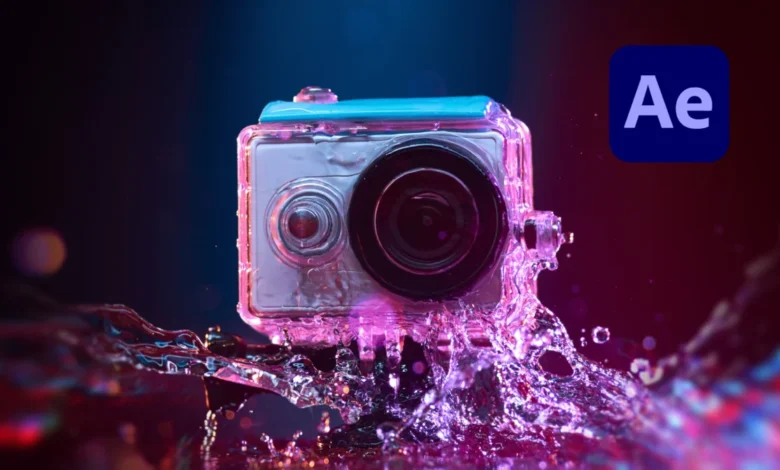
The ubiquitous nature of action cameras, drones, and smartphones in modern content creation has democratized high-quality video capture, yet it has simultaneously brought to the forefront persistent technical challenges, chief among them being aliasing artifacts. This phenomenon, which manifests as jagged or "stair-stepped" edges on otherwise smooth lines and textures, significantly detracts from the professional appearance of footage. A significant advancement in post-production workflows, particularly within Adobe After Effects, is the adoption of Fast Approximate Anti-Aliasing (FXAA) through a specialized, free plugin developed by Plugin Everything. This technique offers a highly efficient and effective method for mitigating aliasing without the indiscriminate blurring associated with older methods, thereby preserving critical image detail.
Understanding Aliasing: The Digital Distortion
Aliasing is fundamentally a distortion artifact that arises during the digital sampling process of an analog signal. In the context of video, it occurs when a camera’s sensor, which captures light in discrete pixels, cannot adequately sample the fine details of a scene. According to the Nyquist-Shannon sampling theorem, to perfectly reconstruct a continuous signal, the sampling rate must be at least twice the highest frequency present in the signal. When this condition is not met—a scenario known as undersampling—higher frequency components in the original scene appear as lower frequency components in the sampled digital image, leading to a misrepresentation of detail.
There are two primary forms of aliasing relevant to video:
- Spatial Aliasing: This is the most commonly observed type, manifesting as jagged or stair-stepped lines on diagonal or curved edges, as well as moiré patterns on fine, repeating textures (like fabric or distant architectural details). It occurs because the camera’s pixel grid cannot accurately resolve the continuous spatial information of the scene.
- Temporal Aliasing: Less immediately visible but equally problematic, this refers to motion artifacts where objects moving across the frame appear to move in an unnatural or jerky manner. The classic example is a wagon wheel appearing to spin backward in films, caused by the sampling rate (frame rate) being out of sync with the wheel’s rotational speed.
While aliasing can occur in footage from any digital camera, it is particularly prevalent in output from action cameras, drones, and cell phones. This susceptibility stems from a combination of factors inherent in their design and operational parameters, including their compact sensor sizes, aggressive in-camera image processing, and often, the absence of optical low-pass filters (OLPFs).

Why Action Cameras are Particularly Prone to Aliasing
The design philosophy behind action cameras prioritizes portability, ruggedness, and wide-angle capture, often at the expense of larger sensor sizes and sophisticated optical filtering found in professional cinema cameras. Several factors contribute to their heightened vulnerability to aliasing:
- Small Sensor Size: To maintain compact dimensions, action cameras utilize relatively small image sensors. Smaller sensors inherently gather less light, which can lead to increased digital noise, especially in challenging lighting conditions. To compensate for this perceived lack of detail and to create a "sharp" image, manufacturers often implement aggressive sharpening algorithms directly within the camera’s firmware. This over-sharpening exacerbates aliasing, making jagged edges more pronounced and noticeable.
- Absence or Weakness of Optical Low-Pass Filters (OLPFs): OLPFs, also known as anti-aliasing filters, are physical filters placed in front of the image sensor in many cameras. Their purpose is to slightly blur incoming light at a microscopic level, effectively filtering out spatial frequencies that are too high for the sensor to resolve without aliasing. While OLPFs reduce aliasing, they also introduce a slight overall softness to the image. Many action camera manufacturers omit or use weaker OLPFs to achieve maximum perceived sharpness and detail straight out of the camera, a characteristic often marketed to consumers.
- High Compression Ratios: Action cameras frequently record footage using highly compressed video codecs (e.g., H.264, H.265) to maximize recording time and minimize file sizes. While efficient, high compression can introduce compression artifacts, particularly in areas of fine detail or rapid motion. These artifacts can compound the visual degradation caused by aliasing, making the overall image appear less refined and more distorted.
- Fixed Lenses and Wide Angles: Many action cameras feature fixed, wide-angle lenses. While excellent for capturing expansive views and immersive action, these lenses can sometimes introduce optical distortions that interact with the digital sampling process to further accentuate aliasing on certain edges or patterns.
- User Expectations and Default Settings: The target demographic for action cameras often expects crisp, vibrant footage directly from the device. Manufacturers cater to this by boosting in-camera sharpness and saturation by default. In many action camera models, users have limited or no control over these internal sharpening settings, meaning that even when recording in more "flat" or "neutral" profiles, some level of pre-applied sharpening remains.
The combination of these factors means that footage from action cameras, while offering incredible versatility and unique perspectives, often requires dedicated post-production efforts to achieve a polished, professional look, with aliasing reduction being a critical step.
The Evolution of Anti-Aliasing in Digital Media
The challenge of aliasing is not new; it has been a persistent issue in computer graphics and digital imaging since their inception. Early attempts at anti-aliasing in computer graphics, dating back to the 1970s and 80s, primarily relied on techniques like supersampling and multisampling.
- Supersampling (SSAA): This involves rendering the image at a much higher resolution than the display resolution and then downscaling it. By sampling more data points per pixel, the jagged edges become smoother. While highly effective, SSAA is incredibly computationally intensive and impractical for real-time applications or large video files due to its immense processing demands.
- Multisampling (MSAA): An optimization of supersampling, MSAA samples pixel edges at a higher resolution but processes the interior of polygons at the native resolution. This offers a better performance-to-quality ratio than SSAA but can still be demanding.
As hardware capabilities advanced, particularly in the gaming industry, the demand for more efficient anti-aliasing methods grew. This led to the development of post-processing anti-aliasing techniques that operate on the final rendered image, rather than during the rendering pipeline. These methods analyze the image for edges and apply a localized blur or blending effect to smooth them out.
The Traditional Post-Production Approach: Gaussian Blur and its Limitations
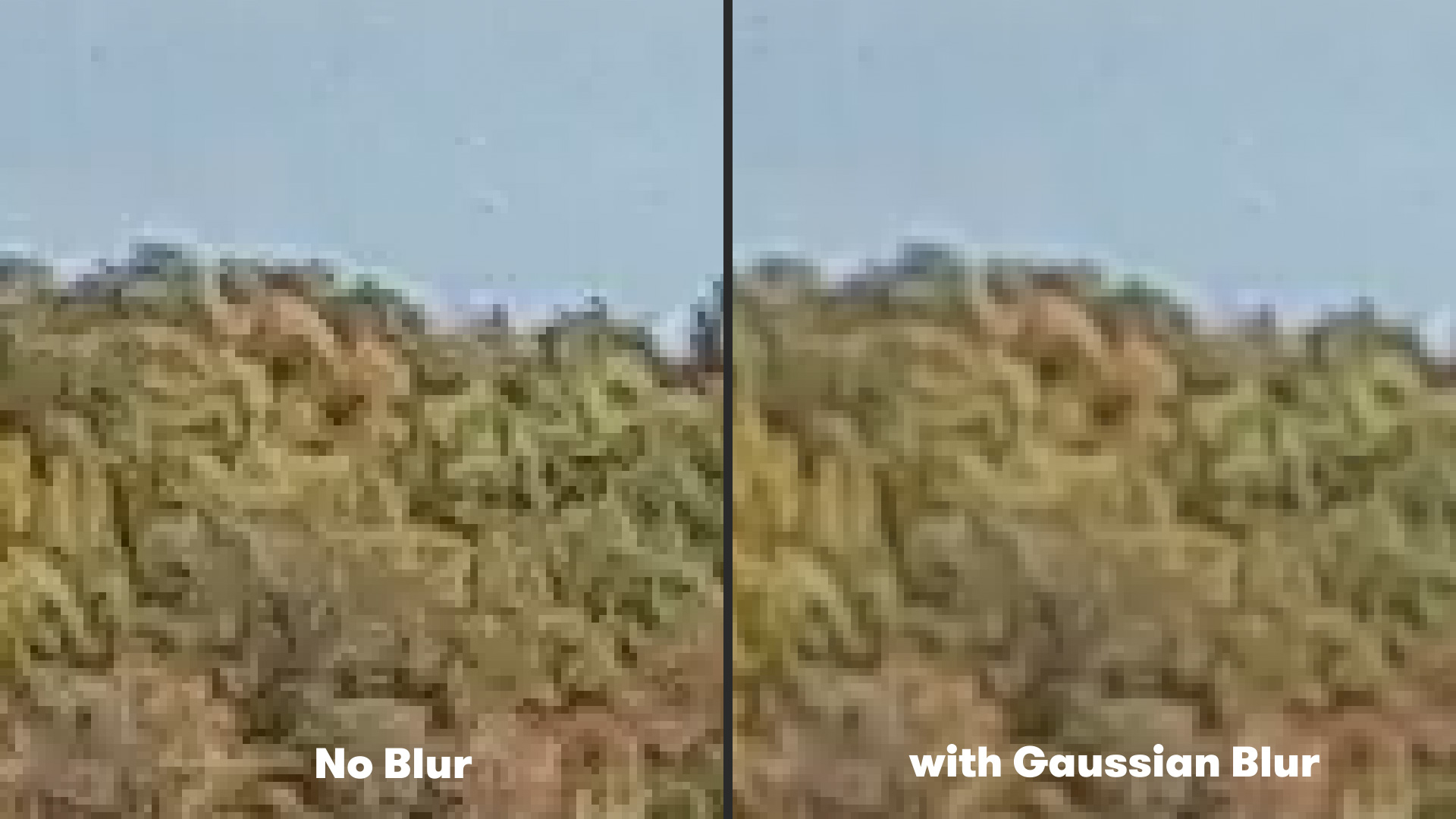
Before the advent of more sophisticated algorithms like FXAA in video editing contexts, the most common method for mitigating aliasing in post-production was to apply a subtle global blur to the footage. The Gaussian Blur effect, a standard tool in most video editing and compositing software, was frequently employed.
The process typically involved:
- Selecting the footage layer in the composition.
- Navigating to
Effect > Blur & Sharpen > Gaussian Blur. - Setting the
Blurrinessamount to a very low value, typically around 1-3 pixels, to gently soften the entire image.
While this approach could indeed reduce the visual harshness of aliasing, its fundamental drawback was its indiscriminate nature. Gaussian Blur applies a uniform blur across the entire image, affecting all pixels equally. This meant that while jagged edges were smoothed, legitimate fine details—such as textures, facial features, or intricate patterns—were also softened. The result was often a slightly "muddy" or "soft" image that lacked the crispness desired in professional productions. For content creators striving for maximum fidelity, this trade-off was often unsatisfactory, forcing a compromise between aliasing reduction and overall image sharpness.
Introducing FXAA: A Paradigm Shift in Post-Processing Anti-Aliasing
The Fast Approximate Anti-Aliasing (FXAA) algorithm represents a significant leap forward, particularly for its application in real-time graphics and now, increasingly, in video post-production. Originally developed by NVIDIA for its GPUs, FXAA was designed to provide a high-quality anti-aliasing solution with minimal performance overhead, making it ideal for video games where frame rates are paramount. Its transition into video editing tools like After Effects, notably through the free plugin from Plugin Everything, has democratized a powerful technique for content creators.
How FXAA Works:
Unlike global blur methods, FXAA is an edge-detection-based shader algorithm. It operates in a single pass over the rendered image (or video frame) and works as follows:
- Edge Detection: The algorithm scans the image, identifying pixels that represent edges. It does this by analyzing the contrast between neighboring pixels. Areas with high contrast transitions are flagged as potential edges.
- Selective Blurring: Once edges are identified, FXAA applies a localized, pixel-level blur only to those specific edge pixels. This blurring is not uniform; it’s carefully calculated to smooth out the jaggedness without significantly impacting the detail of non-edge areas. The algorithm intelligently determines the direction and intensity of the blur needed for each identified edge.
- Fast Processing: Because FXAA works on the final image and avoids complex multi-pass rendering or extensive geometric analysis, it is exceptionally fast and efficient. This makes it particularly suitable for processing large video files, where render times are a critical consideration.
Advantages of the FXAA Plugin for After Effects Users:
- Targeted Aliasing Reduction: By focusing solely on edges, FXAA effectively smooths jagged lines while largely preserving the overall detail and sharpness of the rest of the image. This avoids the "muddy" look associated with global blurring.
- Exceptional Performance: True to its origins in real-time graphics, the FXAA plugin renders very quickly, significantly reducing post-production time, especially for projects with extensive footage.
- Ease of Use: The Plugin Everything FXAA plugin is remarkably simple to implement. Users merely select their footage layer in After Effects, navigate to
Effect > Plugin Everything > FXAA, and the effect is applied. There are minimal parameters to adjust, making it accessible even to those with limited experience in advanced post-processing. - Stackability: For instances of particularly severe aliasing, the plugin allows for multiple instances of FXAA to be applied to the same footage. This "stacking" effect can further reduce artifacts, offering a scalable solution depending on the severity of the issue. However, users should exercise caution, as excessive stacking could eventually lead to an overly soft appearance on very fine details.
The availability of a free, high-performance tool like FXAA significantly empowers indie filmmakers, YouTubers, and casual content creators. It provides them with a professional-grade solution to a common technical problem, allowing them to elevate the perceived quality of their action camera footage without investing in expensive software or demanding complex workflows.
Practical Workflow Integration and Best Practices
Integrating the FXAA plugin into a post-production workflow for action camera footage is straightforward, yet a few best practices can optimize results:
- Placement in the Effect Stack: It is generally advisable to apply FXAA early in the effect stack, after basic color correction and stabilization, but before any sharpening or stylistic effects. Applying sharpening after FXAA can reintroduce aliasing, while applying FXAA after heavy stylistic effects might yield inconsistent results.
- Judicious Stacking: While stacking FXAA instances can be beneficial for severe aliasing, it should be done incrementally. Apply one instance, evaluate the results, and only add a second (or third) if necessary. Over-applying can lead to an unnaturally smooth, almost plastic-like appearance on certain textures, which might detract from the desired aesthetic.
- Combination with Other Tools: FXAA is a specialized tool for aliasing. It should be used in conjunction with other essential post-production techniques for action camera footage, such as:
- Stabilization: Action cameras are often used in dynamic environments, making stabilization (e.g., using ReelSteady GO, Warp Stabilizer) crucial.
- Color Grading: To achieve a consistent and professional look.
- Noise Reduction: Small sensors can introduce noise, especially in low light.
- Lens Correction: To correct for barrel distortion common in wide-angle action camera lenses.
By addressing aliasing with FXAA, content creators can achieve a cleaner, more professional image that stands up to scrutiny, effectively extending the utility and aesthetic appeal of footage captured on consumer-grade devices.
Broader Implications and Future Outlook
The adoption of FXAA in video post-production underscores a broader trend: the convergence of techniques from real-time computer graphics with traditional offline video editing. As GPUs become more powerful and algorithms more refined, we can expect to see more real-time rendering solutions adapted for high-quality video processing. This trend benefits content creators by offering faster, more efficient, and often more intelligent ways to enhance their footage.
Beyond FXAA, other advanced anti-aliasing techniques from the gaming world, such as Subpixel Morphological Anti-Aliasing (SMAA) and Temporal Anti-Aliasing (TAA), are continually evolving. While FXAA is a screen-space technique that operates on a single frame, TAA utilizes information from previous frames to achieve even smoother edges and reduce temporal aliasing more effectively. Furthermore, AI-powered upscaling and anti-aliasing technologies like NVIDIA’s DLSS (Deep Learning Super Sampling) and AMD’s FSR (FidelityFX Super Resolution) are pushing the boundaries of image reconstruction and enhancement, offering the promise of even higher fidelity from lower-resolution inputs.
While optical solutions like more sophisticated OLPFs or larger sensors will always offer the purest form of aliasing prevention at the capture stage, software-based solutions like FXAA provide a crucial safety net for footage that has already been recorded. They empower creators to rectify imperfections and elevate the quality of their work, ensuring that the incredible moments captured by action cameras are presented with the clarity and professionalism they deserve. The availability of tools like the FXAA plugin signifies a continuous commitment within the industry to provide accessible, high-performance solutions that enable creators to overcome technical hurdles and focus on storytelling.
Related posts: