Blackmagic Design Unveils DaVinci Resolve 21.0.3 Update, Enhancing Retime Curves, Interlaced Media, and Legacy System Performance

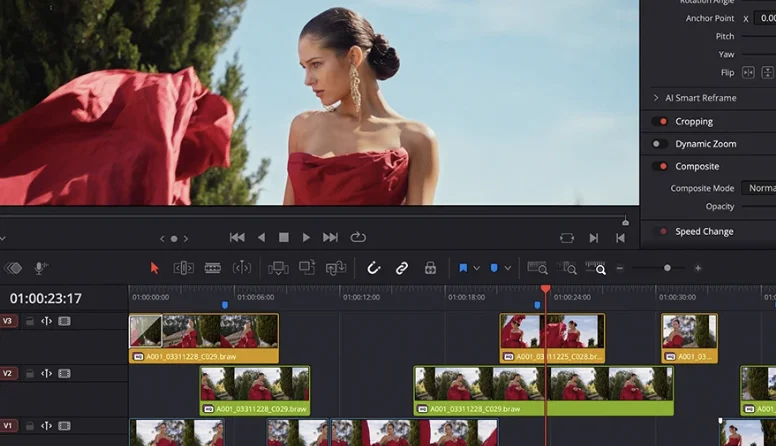
Blackmagic Design, a leading innovator in creative video technology, has officially released the DaVinci Resolve 21.0.3 Update, introducing a suite of enhancements designed to refine post-production workflows for editors, colorists, and visual effects artists worldwide. This latest iteration of their flagship software brings new ease modes for retime speed and frame curves, significantly improved handling of interlaced media, and expanded QuickSync encode options tailored for older Intel systems, underscoring the company’s ongoing commitment to both creative precision and broad hardware compatibility.
The Evolution of DaVinci Resolve: A Brief Chronology
DaVinci Resolve’s journey from a dedicated color grading system to a comprehensive, all-in-one post-production suite has been marked by continuous innovation and strategic integrations. Originally developed by DaVinci Systems, it was acquired by Blackmagic Design in 2009. Prior to this acquisition, Resolve was an expensive, hardware-dependent solution primarily used in high-end Hollywood studios for color correction. Blackmagic Design’s vision was to democratize access to professional tools, making Resolve available on standard computer hardware and eventually offering a robust free version alongside its Studio counterpart.
- 2009-2011: Initial Integration and Accessibility: Following the acquisition, Blackmagic Design began porting Resolve to macOS and eventually Windows, making it accessible to a much wider audience. Early versions focused on solidifying its core color grading strengths.
- 2014-2016: Editing Module Introduction (Resolve 12): A pivotal moment arrived with DaVinci Resolve 12, which saw the introduction of a professional-grade editing module. This transformed Resolve from a color-only tool into a contender in the non-linear editing (NLE) space, allowing users to move seamlessly between editing and color grading within the same application.
- 2017: Fusion Integration (Resolve 14): Blackmagic Design further expanded Resolve’s capabilities by integrating Fusion, their advanced visual effects and motion graphics software, into the platform. This created a powerful, unified environment for editing, color, VFX, and audio.
- 2018-2020: Neural Engine and AI Enhancements (Resolve 16 & 17): Subsequent updates, notably Resolve 16 and 17, introduced the DaVinci Neural Engine, leveraging AI and machine learning for features like facial recognition, object removal, and intelligent upscaling. Resolve 17 also brought significant improvements to HDR workflows, new color warper tools, and a redesigned Fairlight audio engine.
- 2021-2023: Cloud Collaboration and Ecosystem Expansion (Resolve 18 & 19): DaVinci Resolve 18 focused heavily on cloud collaboration, allowing multiple artists to work on the same project remotely, a critical feature in a globalized industry. Resolve 19, previewed recently, continues this trend with more AI-driven tools, further cementing its position as a holistic post-production solution.
The release of DaVinci Resolve 21.0.3 builds upon this legacy, demonstrating Blackmagic Design’s ongoing commitment to refining core functionalities and ensuring broad hardware compatibility, catering to both high-end professionals and independent creators.
Key Enhancements in DaVinci Resolve 21.0.3: A Deep Dive
The 21.0.3 update, while a point release, introduces several crucial improvements that address specific user needs and enhance overall workflow efficiency.
1. New Ease Modes for Retime Speed and Frame Curves
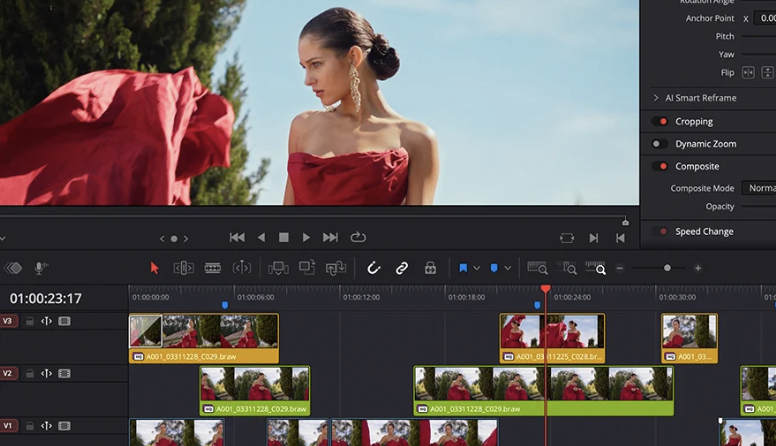
One of the standout features in this update is the addition of new ease modes for retime speed and frame curves. In video editing and motion graphics, retime curves allow editors to precisely control the speed of a clip over time, creating dynamic slow-motion, speed ramps, or time-lapses. Frame curves, similarly, provide granular control over individual keyframe animations for parameters like position, scale, opacity, and other effects.
The introduction of new ease modes significantly enhances the creative control and aesthetic quality of these temporal adjustments. Previously, users might have been limited to linear or basic ease-in/ease-out transitions, which can sometimes appear abrupt or unnatural. The new ease modes offer a wider array of interpolation options, allowing for smoother, more organic accelerations and decelerations in clip speed and animated properties. This is particularly vital for:
- Narrative Filmmaking: Creating seamless transitions between slow-motion and real-time footage to emphasize dramatic moments or enhance visual storytelling.
- Commercials and Promos: Crafting highly polished speed ramps and dynamic motion graphics that capture attention with fluid movement.
- Music Videos: Syncing visual effects and clip speeds perfectly with musical beats and rhythms, requiring intricate temporal manipulation.
- Visual Effects: Animating objects or camera movements with precise control over their acceleration and deceleration, making them appear more realistic and integrated.
These new modes reduce the need for manual, time-consuming adjustments, allowing artists to achieve professional-grade motion with greater ease and efficiency. The ability to fine-tune the "feel" of an animation or speed ramp directly within Resolve streamlines the creative process and elevates the visual fidelity of the final output. This enhancement is a testament to Blackmagic Design’s focus on empowering artists with intuitive yet powerful tools for nuanced control.
2. Improved Handling of Interlaced Media
The improved handling of interlaced media is a critical update for professionals working with archival footage, broadcast television content, or projects destined for legacy display systems. Interlaced video, a standard in early television broadcasting, captures alternating lines of an image in successive fields, as opposed to progressive video which captures all lines simultaneously. While modern digital workflows predominantly use progressive scanning, a vast amount of existing content, particularly from broadcast archives, still exists in interlaced formats.
The challenges with interlaced media often arise when trying to integrate it into progressive projects or when deinterlacing is performed poorly, leading to artifacts such as "combing" (jagged lines on moving objects) or a loss of vertical resolution. DaVinci Resolve 21.0.3’s improvements in this area suggest more robust and intelligent deinterlacing algorithms, as well as better overall management of interlaced footage within a progressive timeline. This translates to:
- Higher Quality Deinterlacing: Minimizing artifacts and preserving image detail when converting interlaced sources to progressive formats for modern displays or streaming.
- Seamless Workflow Integration: Allowing editors and colorists to work with mixed interlaced and progressive media without encountering common playback or rendering issues.
- Enhanced Archival Restoration: Providing better tools for post-production houses specializing in digitizing and restoring older broadcast content, ensuring that the legacy footage retains its integrity while being adapted for contemporary distribution.
- Broadcast Compliance: Ensuring that projects intended for broadcast, where interlaced standards might still be required in certain regions or for specific delivery formats, can be managed and exported correctly.
This enhancement is particularly valuable for documentary filmmakers, news organizations, and archival institutions that frequently deal with a mix of historical and contemporary footage, ensuring that all media types can be processed and presented with optimal quality.
3. QuickSync Encode Options for Older Intel Systems
The expansion of QuickSync encode options to older Intel systems is a significant move by Blackmagic Design to broaden hardware compatibility and improve performance for a wider segment of its user base. Intel QuickSync Video is a hardware-accelerated video encoding and decoding technology built into many Intel processors. It offloads video processing tasks from the CPU to a dedicated hardware component, dramatically speeding up rendering and export times, especially for H.264 and H.265 (HEVC) codecs which are widely used for delivery.
By extending these QuickSync options to older Intel systems, Blackmagic Design acknowledges the diverse hardware landscape of its users. Not everyone can afford the latest high-end processors or dedicated graphics cards. This update means that users with older Intel CPUs that support QuickSync (even if they are not the absolute latest generation) can now leverage this hardware acceleration for faster exports. The benefits are clear:
- Improved Performance for Budget-Conscious Users: Freelancers, students, and smaller studios often rely on older but still capable hardware. This update provides a much-needed performance boost without requiring a costly hardware upgrade.
- Faster Turnaround Times: Quicker encoding translates directly to faster project delivery, which is crucial in time-sensitive production environments.
- Reduced CPU Load: By utilizing QuickSync, the main CPU is freed up for other tasks, potentially leading to a more responsive editing experience even during background renders.
- Enhanced Accessibility: Lowering the hardware barrier to efficient video production further democratizes access to professional tools, aligning with Blackmagic Design’s philosophy.
This strategic inclusion demonstrates Blackmagic Design’s commitment to optimizing DaVinci Resolve’s performance across a wider range of system configurations, ensuring that a broader audience can benefit from its powerful features without being held back by hardware limitations.

Official Responses and Industry Implications
While Blackmagic Design typically communicates updates through official release notes rather than specific individual statements for point releases, the consistent nature of these updates speaks volumes. Industry analysts often interpret such enhancements as a reflection of a company’s dedication to its user base and its responsiveness to evolving industry needs. The inclusion of features like improved interlaced media handling and extended QuickSync support suggests a deep understanding of the practical challenges faced by professionals in various sectors, from broadcast archiving to independent content creation.
The implications for the post-production industry are multi-faceted:
- Increased Efficiency: For professionals, time is money. Features that streamline retime adjustments or accelerate encoding directly translate to more efficient workflows and higher productivity.
- Enhanced Creative Freedom: More precise control over animation and speed ramps empowers artists to realize their creative vision with greater fidelity, pushing the boundaries of visual storytelling.
- Broader Accessibility: By optimizing performance for older hardware, Blackmagic Design continues to lower the entry barrier for high-quality post-production, fostering a more diverse and inclusive community of creators. This is particularly relevant in a global market where access to cutting-edge hardware may be limited.
- Sustainability: Extending the useful life of older hardware through software optimization is also a nod towards sustainability, reducing the pressure for constant hardware upgrades.
The continuous development of DaVinci Resolve, as evidenced by updates like 21.0.3, reinforces its position as a formidable competitor in the post-production software arena. Its comprehensive feature set, combined with a commitment to performance and accessibility, makes it an attractive choice for professionals and enthusiasts alike.
The Role of Matthew Allard ACS in Industry Reporting
The original announcement of this update was notably reported by Matthew Allard ACS, a multi-award-winning, ACS accredited freelance Director of Photography with over 35 years of experience. As the Editor of Newsshooter.com and a seasoned professional who has worked in over 50 countries, Allard’s reporting carries significant weight within the filmmaking and broadcast communities. His background as a DP and his deep understanding of production and post-production workflows lend credibility and practical insight to his coverage of such technical updates. His consistent reporting since 2010 on Newsshooter.com, coupled with numerous industry awards, underscores the importance of well-informed journalistic voices in disseminating technical information to a professional audience. His perspective ensures that the relevance of these updates is framed within the context of real-world production challenges and benefits.

Future Outlook
As DaVinci Resolve continues to evolve, Blackmagic Design’s strategy appears to be one of holistic improvement: not only adding groundbreaking new features (like the AI tools previewed in Resolve 19) but also diligently refining existing functionalities and ensuring robust performance across a wide spectrum of hardware. This balanced approach guarantees that the software remains cutting-edge while also being a reliable and accessible tool for professionals globally. The 21.0.3 update, while seemingly minor, represents crucial refinements that collectively contribute to a more polished, efficient, and user-friendly experience, reinforcing DaVinci Resolve’s standing as a cornerstone of modern post-production. The industry will undoubtedly continue to watch Blackmagic Design closely for future developments, anticipating how they will further shape the landscape of creative video workflows.
Related posts: