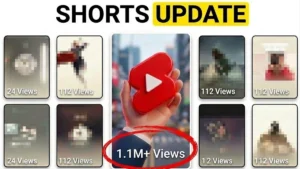
YouTube Shorts custom thumbnails are finally here and represent a significant shift in creator workflow

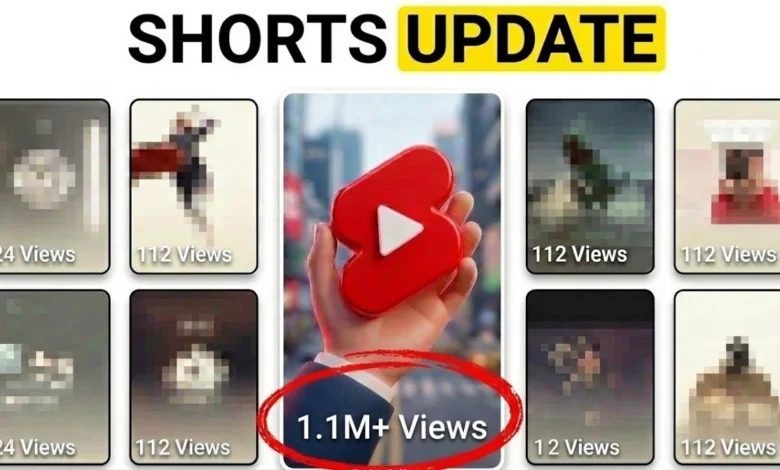
The introduction of custom thumbnail support for YouTube Shorts marks the end of a long-standing point of friction for content creators. For years, the inability to designate a bespoke cover image for vertical, short-form content forced creators to rely on cumbersome "workarounds" that were both inefficient and aesthetically limiting. This update, now rolling out across the YouTube Studio desktop platform, provides creators with the agency to control the visual representation of their content outside of the primary vertical feed, potentially altering how Shorts perform in discovery-based environments.
The Evolution of the Shorts Workflow
Historically, the YouTube Shorts ecosystem was designed for the "scroll"—an endless, algorithmically driven vertical feed where content plays instantly. Because the video begins the moment it appears on the screen, static thumbnails were considered largely redundant by the platform’s design team. However, as YouTube expanded the reach of Shorts beyond the dedicated feed, this design philosophy became a hindrance.
Previously, creators who wanted a branded or high-impact thumbnail were forced to engage in a multi-step editing process. This involved appending a single, static image frame to the very end of their video file, uploading it to YouTube, and then navigating to the video editor within YouTube Studio to select that specific frame as the thumbnail. Once the thumbnail was saved, creators often had to trim the video again to remove the extra frame. This process was not only time-consuming but also risked degrading the video quality through repeated rendering and file handling. The new update bypasses this entirely, allowing creators to upload a static image file directly during the metadata entry phase of the upload process.

Understanding the Strategic Value of Thumbnails
While the Shorts feed prioritizes immediate visual engagement through motion, the value of a custom thumbnail becomes apparent when considering the broader YouTube ecosystem. Data indicates that a significant percentage of traffic for specific channels originates from search queries, external referrals, and the "Browse" features on the YouTube homepage.
In these contexts, a Short does not function like a television broadcast that plays automatically; it functions as a menu item. When a user performs a search for a specific topic, they are presented with a list of results. If a creator’s video is accompanied by a generic, auto-selected frame—which is often a blurry or mid-motion capture—it is statistically less likely to attract a click than a video with a clean, high-contrast, and descriptive thumbnail.
Industry analysts suggest that this update is a response to the "packaging" requirements of modern digital content. By allowing creators to treat their Shorts with the same level of editorial care as long-form videos, YouTube is acknowledging that Shorts are no longer just ephemeral clips but are increasingly becoming a permanent part of a creator’s searchable library.
Implementation and Technical Constraints
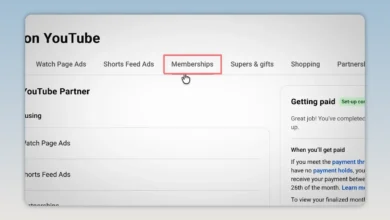
The transition to this new system is currently restricted to the desktop version of YouTube Studio. This is a critical detail for mobile-first creators who rely on the YouTube app for on-the-go production. According to the current technical documentation, users must access the "Video Details" page on a desktop browser to access the "Upload Thumbnail" feature.

The workflow is straightforward:
- Navigate to YouTube Studio via a desktop browser.
- Select the "Content" tab and locate the desired Short.
- Open the "Details" page.
- Under the "Thumbnail" section, choose the "Upload" option to select an image file from the local hard drive.
For those who do not wish to design a custom graphic, YouTube continues to offer two alternative methods. The first is "Select from Video," which allows the creator to manually scrub through the footage to find the most flattering, high-resolution frame. The second is an automated suggestion tool, which uses machine learning to identify frames that contain high visual interest or relevant text. While these tools are convenient, they lack the persuasive power of a custom-designed graphic that utilizes color theory, branding, and clear typography to drive a higher click-through rate (CTR).
Impact on Search Engine Optimization and Discovery
The implications for search engine optimization (SEO) are substantial. When a user searches for a query on Google or YouTube, the results page displays a combination of video types. A well-designed, professional thumbnail creates a "trust signal" for the user. It implies that the video is high-quality and relevant to the search query.
Furthermore, as Google continues to integrate YouTube content into its primary search engine results pages (SERPs), the visual identity of a video becomes a primary driver of organic traffic. A custom thumbnail allows the creator to optimize for specific keywords or themes, ensuring that the visual representation of the video aligns with the metadata provided in the title and description.

Broader Implications for Content Strategy
This update serves as a reminder that the "short-form" vs. "long-form" distinction is blurring. As YouTube continues to consolidate its features, the platform is moving toward a unified creator experience where the rules for one format are increasingly applied to others.
For creators, the directive is clear: the era of "set it and forget it" for Shorts is ending. As competition for attention on the platform increases, the ability to effectively "package" content will become a competitive advantage. Creators who ignore this new feature may find their content overlooked in search results, even if the video itself is of high quality.
Conversely, for established channels, this update provides an opportunity to revisit their back catalog. While retroactively changing thumbnails for thousands of legacy Shorts might be a massive undertaking, it is a viable strategy for high-performing evergreen content that still draws traffic from search. By updating these older videos with optimized, custom thumbnails, creators can potentially rejuvenate their click-through rates and extend the lifespan of their content.
Future Projections and Recommendations
Looking ahead, it is likely that YouTube will continue to integrate more advanced A/B testing features for these thumbnails. Currently, creators are limited to a single uploaded image, but the industry standard for long-form content is moving toward testing multiple thumbnails to see which yields the highest engagement. If YouTube were to bring its "Test and Compare" feature to Shorts, it would represent the next major evolution in this space.

For now, the recommendation for creators is to adopt a consistent design language. Using the same font styles, color palettes, and layout rules for Shorts that are used for long-form thumbnails can help build brand recognition across the entire channel. When a user sees a thumbnail in their search results, they should be able to identify the channel instantly, even before reading the title.
Ultimately, the addition of custom thumbnails for YouTube Shorts is more than a quality-of-life improvement; it is a fundamental shift in how the platform values user intent. By moving away from purely algorithmic discovery and toward a more curated, search-friendly experience, YouTube is empowering creators to take greater control over their visibility. In a digital landscape where every second of attention is a commodity, the ability to craft a professional, inviting first impression is an essential tool for any creator looking to grow their audience and maximize the impact of their content.