Canva Launches Affinity 3.3 with Over 60 New Features and Joins the Newly Formed Canva ProSuite

Canva has officially released Affinity 3.3, marking the most significant update to its unified creative software suite since the platform was introduced as a perpetually free application. Rolling out globally on Tuesday, September 15, 2026, this major update introduces over 60 new features distributed across the software’s image editing, vector design, and desktop publishing environments. Alongside this feature-rich software release, Canva has formally integrated Affinity into the newly minted Canva ProSuite, a cohesive branding and operational umbrella that groups together several high-profile creative and data-visualization platforms acquired by the company over recent years.
The Affinity 3.3 update arrives five months after the deployment of version 3.2 in April 2026, continuing Canva’s aggressive development roadmap for the software. By combining the historically standalone applications—Affinity Photo, Affinity Designer, and Affinity Publisher—into a single, multi-studio application, Canva has redefined the accessibility landscape for professional-grade design software. While advanced cloud-based capabilities and generative artificial intelligence tools remain locked behind paid subscription tiers, the fundamental suite retains its zero-dollar barrier to entry, fulfilling Canva’s ongoing promise to deliver an unrestricted professional workflow without hidden subscription traps.
Comprehensive Toolset Upgrades Across Image Editing and Vector Design
The core of Affinity 3.3 is defined by profound technical enhancements across its distinct operational studios. Within the image-editing domain, the update introduces the new Mask Tool, designed to automatically generate and apply masks dynamically as users paint with brushes or gradients. Another notable addition is the Deform Tool, which allows graphic artists and retouchers to distort localized image regions and even repose characters in photographs by embedding a network of connected bone-chain points onto limbs. Color correction workflows have also been expanded with a spline-based Saturation/Hue Curves Adjustment, enhanced color pickers within the Curves Adjustment panel, and native support for OpenColorIO 2.5 (OCIO 2.5), bringing the application in line with modern industry-standard color management pipelines.
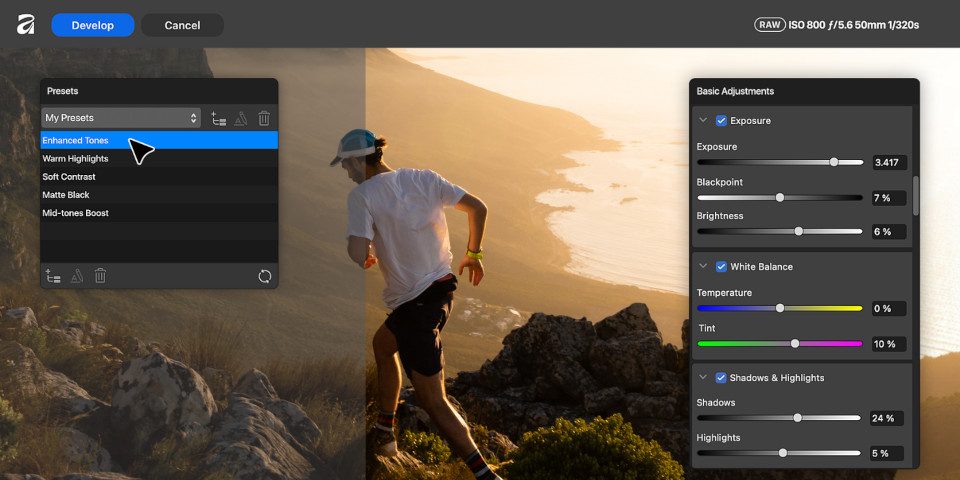
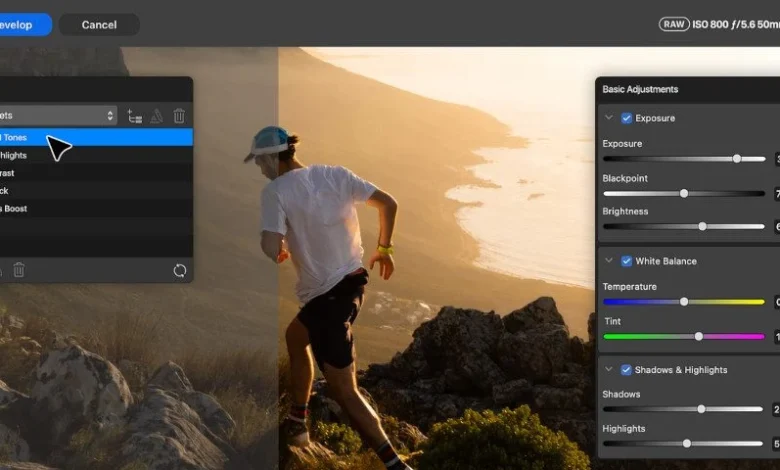
Photographers will find a dedicated Astrophotography Studio workspace alongside enhanced RAW development capabilities. RAW presets are now managed globally rather than restricted to individual documents, and editors benefit from new Multi Band and High Pass edge sharpening options alongside advanced tonal channel inversions for infrared and negative processing.
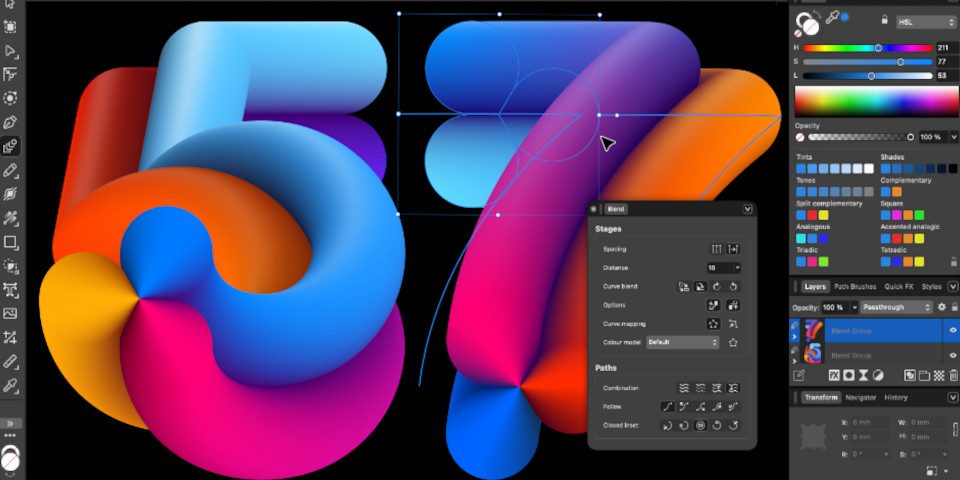
In the vector design workspace, the introduction of the Blend Tool stands out as a premier addition. This tool bridges two or more geometric shapes, open curves, or closed paths, calculating fluid transitions across form, color, opacity, size, and positional coordinates. Because these blend groups remain live and non-destructive, designers can continuously modify individual components or append new vector objects dynamically. Furthermore, the inclusion of G2 curve energy visualization on the Pen and Node tools provides precise diagnostic data on the rate of curvature variation, catering specifically to font creators, logotype designers, and industrial product illustrators who demand mathematically seamless transitions.
Scripting Automation and Professional Layout Integration
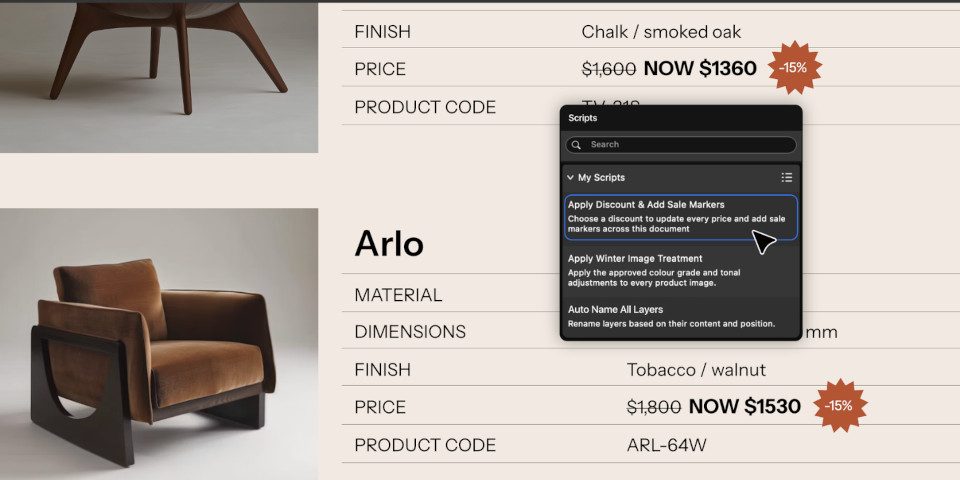
To streamline high-volume production environments, Affinity 3.3 introduces the Scripting Studio, a dedicated workspace for writing and executing JavaScript automation routines. While the scripting engine is intentionally sandboxed to prevent the creation of unauthorized native tools or modifications to core software architecture, it empowers users to automate repetitive administrative and artistic tasks across the Pixel, Vector, and Layout studios within a single document.
Simultaneously, page layout and desktop publishing workflows receive a major boost with the introduction of native Adobe InDesign (INDD) file support. For years, cross-platform migration required intermediary exchange formats or third-party conversion software; the inclusion of direct INDD import capabilities lowers the migration barrier for publishing houses and layout professionals transitioning to the Affinity ecosystem.
Integration into the Canva ProSuite Ecosystem
In a parallel announcement, Canva has formalized the commercial framework surrounding its professional creative acquisitions by introducing the Canva ProSuite. This collective branding initiative groups Affinity alongside Cavalry, the next-generation motion design and animation application acquired by Canva earlier in the year and subsequently made free; Leonardo.Ai, a generative artificial intelligence platform; and Flourish, a data visualization tool.
Although the ProSuite currently functions primarily as an organizational and marketing identifier—with each application continuing to download, install, and operate as a standalone software package—Canva executives have signaled intentions to deepen native interoperability between the tools. Future roadmaps indicate that ProSuite applications will share direct file-native pipelines with one another and with the core Canva web platform, effectively bridging the gap between localized desktop rendering power and cloud-based collaborative design.

Pricing, Availability, and Subscription Architecture
Affinity 3.3 is available immediately for download on Windows and macOS platforms. Access to the core unified application remains entirely free of charge, requiring only a registered online user account.
However, advanced cloud-powered functionalities and specialized AI processing models require a paid Canva subscription. These cloud and generative capabilities include automated AI image upscaling, image decomposition layers, and the innovative Layer-to-3D feature, which converts flat raster images, vector assets, or typographic elements into fully rotatable, textured 3D models directly within the document workspace. Paid subscription models start with Canva Pro plans priced at $144 annually, scaling up to Business-tier subscriptions at $250 annually, ensuring that individual creators retain free access to standard professional tools while enterprise and high-volume studios can scale into advanced computational capabilities.
Related posts: