Sony Unveils Comprehensive Video Guide to Multi-Camera Monitoring, Optimizing Workflow Efficiency for Modern Filmmakers

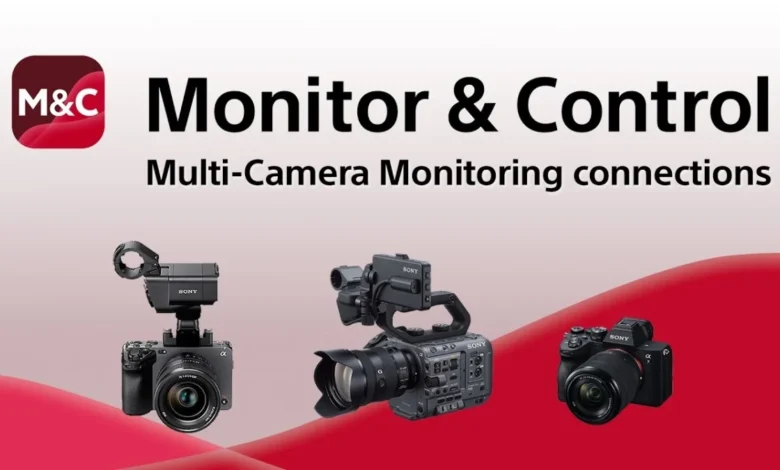
Sony has recently released a new instructional video designed to provide a comprehensive and detailed overview of its Multi-Camera Monitoring connections, coupled with essential tips for ensuring stable and reliable operation in diverse production environments. This initiative underscores Sony’s continued commitment to enhancing the practical capabilities of its professional imaging equipment, directly addressing the evolving needs of content creators, particularly those operating with lean crews or managing complex setups single-handedly. The video serves as a crucial resource for maximizing the potential of Sony’s integrated ecosystem, enabling users to seamlessly control and monitor multiple compatible cameras from a variety of devices, including smartphones, tablets, and Mac computers, through the dedicated Sony Monitor & Control mobile application.
Enhancing Production Workflows with Integrated Control
The advent of multi-camera setups has become increasingly prevalent across various sectors of content creation, from live events and documentaries to corporate videos and independent filmmaking. While offering significant creative and logistical advantages, managing multiple cameras traditionally demanded extensive crew resources and complex infrastructure. Sony’s Multi-Camera Monitoring feature directly addresses these challenges by consolidating control and monitoring into a centralized, user-friendly interface. This functionality is particularly transformative for solo operators or small production teams, allowing them to oversee and adjust camera parameters across an entire setup without physically moving between each unit. The ability to monitor wirelessly or via wired connections further expands the versatility, catering to both dynamic on-location shoots and controlled studio environments.
The Evolution of Multi-Camera Production and Sony’s Role
The landscape of video production has undergone a profound transformation over the last few decades. Historically, multi-camera productions were largely the domain of major broadcasters and large-scale studio operations, characterized by dedicated control rooms, extensive cabling, and specialized technical crews. The prohibitive costs and logistical complexities often placed such setups out of reach for independent filmmakers or smaller production houses. However, technological advancements, particularly in digital imaging, wireless communication, and computing power, have progressively democratized access to multi-camera capabilities.
Sony, a titan in the professional imaging industry, has been at the forefront of this evolution. With a legacy spanning decades in developing high-performance cameras, lenses, and production tools, the company has consistently pushed the boundaries of what is achievable in visual storytelling. From the early days of broadcast ENG (Electronic News Gathering) cameras to the current sophisticated cinema and mirrorless lines, Sony has invested heavily in research and development to create integrated ecosystems that streamline workflows. The introduction and continuous refinement of features like Multi-Camera Monitoring are a testament to this commitment, reflecting an understanding of the contemporary creator’s need for flexibility, efficiency, and professional-grade control within more accessible frameworks. This shift aligns with broader industry trends where content creators, often working with limited budgets and personnel, require powerful tools that simplify complex tasks, enabling them to focus more on creative output and less on technical overheads. The increasing demand for diverse content across platforms, from social media to streaming services, further fuels the need for efficient multi-camera solutions that can adapt to rapid production cycles and varied distribution channels.
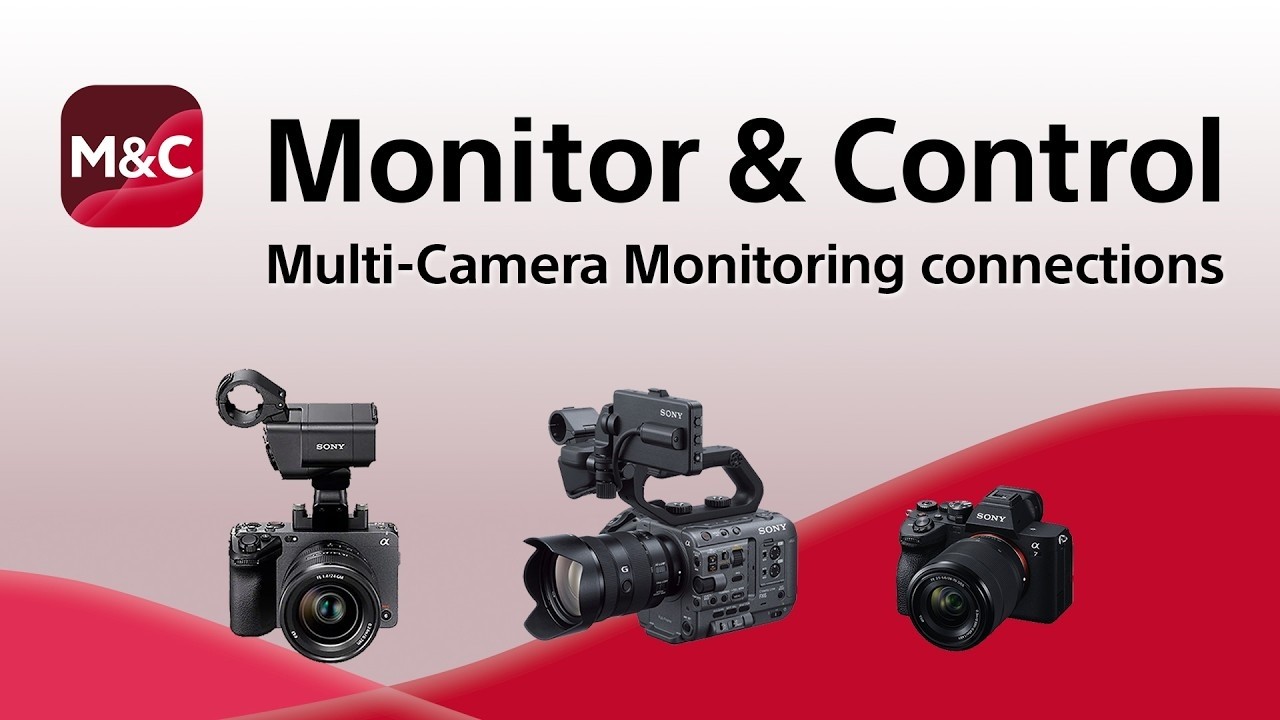
Understanding Sony’s Multi-Camera Monitoring Feature
At its core, Sony’s Multi-Camera Monitoring feature is an intelligent system designed to centralize the control and oversight of compatible Sony cameras. This feature allows a single operator, utilizing a compatible device, to establish a network connection with multiple cameras simultaneously. Once connected, the user gains real-time access to critical camera functions and monitoring feedback from all linked units. Key functionalities include, but are not limited to:
- Simultaneous Exposure Control: Adjusting aperture, shutter speed, ISO, and white balance across multiple cameras, or individually, to maintain consistent exposure and color rendition. This is invaluable in scenarios where lighting conditions might vary slightly across different camera positions or when rapid adjustments are needed.
- Precision Focus Control: Executing precise focus pulls or adjustments remotely, ensuring subjects remain sharp, especially crucial for interviews, live performances, or narrative filmmaking where dynamic focus changes are common.
- Recording Start/Stop Synchronization: Initiating and stopping recording on all connected cameras with a single command, eliminating the need for manual triggering at each camera and ensuring synchronized footage for easier post-production.
- Real-time Monitoring: Receiving live video feeds from each camera, often with overlay information such as frame guides, exposure warnings (zebras, false color), and focus peaking. This comprehensive visual feedback allows the operator to assess framing, composition, and technical quality across the entire setup instantly.
- Camera Settings Management: Accessing and modifying various camera settings, including picture profiles, frame rates, resolution, and codecs, providing granular control over the final image characteristics.
The utility of this feature extends across a spectrum of production scenarios. For a solo videographer covering a corporate event, it means setting up three cameras (e.g., a wide shot, a medium shot, and a close-up) and managing them all from a single tablet, drastically reducing the need for additional crew. In a studio setting, it allows for meticulous control over a multi-camera interview setup, ensuring consistency and quick adjustments without disrupting the subjects. This level of integrated control not only saves time and resources but also significantly enhances the consistency and quality of the final multi-camera output, providing a seamless workflow from capture to edit.
A Deep Dive into the New Instructional Video’s Content
Sony’s new video is a meticulously crafted guide, structured to empower users with both the theoretical understanding and practical know-how required for optimal Multi-Camera Monitoring. While the original article did not list specific topics, based on the description "detailed overview" and "tips for stable operation," it logically covers several critical areas essential for successful implementation:
- Establishing Connections: Wired vs. Wireless: The video likely begins by explaining the different methods of connecting cameras to the monitoring device. This includes detailed instructions for wireless setup via Wi-Fi (ad-hoc or infrastructure mode) and wired connections, potentially using USB-C or Ethernet adapters, outlining the advantages and limitations of each for different scenarios. Emphasis would be placed on identifying compatible hardware and software versions.
- Network Configuration for Stability: A significant portion of the video would undoubtedly focus on best practices for network setup to ensure stable operation. This involves guidance on selecting appropriate Wi-Fi channels to avoid interference, understanding signal strength indicators, and potentially recommending dedicated network routers for more demanding productions. Discussions on IP address configuration and subnet masks for complex setups are also probable.
- Camera and Device Setup Procedures: The video would walk users through the initial configuration steps on both the cameras and the monitoring device (smartphone, tablet, Mac). This includes activating the Multi-Camera Control mode on compatible cameras, installing and configuring the Sony Monitor & Control app, and pairing devices.
- Optimizing Performance in Diverse Environments: Practical tips for maintaining stable connections in challenging environments, such as crowded venues with high wireless interference or outdoor locations, would be crucial. This might involve strategies like positioning Wi-Fi access points strategically, using external antennas, or opting for wired connections when stability is paramount.
- Specific Controls and Monitoring Tools Demonstrated: The video would showcase the actual interface of the Monitor & Control app, demonstrating how to remotely adjust key camera parameters. This would include:
- Exposure: Live adjustment of iris (aperture), shutter speed, ISO, and gain.
- White Balance: Setting custom white balance or selecting presets.
- Focus: Performing precise manual focus pulls, utilizing touch-to-focus, or activating autofocus modes.
- Zoom: Controlling compatible power zoom lenses.
- Recording: Initiating and stopping recording across all cameras, and potentially reviewing recorded clips.
- Monitoring Tools: How to interpret and utilize professional monitoring tools integrated into the app, such as waveforms, histograms, false color, zebras, and applying custom LUTs (Look Up Tables) for accurate exposure and color judgment.
- Troubleshooting Common Issues: A practical guide would inevitably include solutions for common problems users might encounter, such as connection drops, latency issues, or cameras not being recognized. This section would offer systematic troubleshooting steps, from checking cable connections and network settings to verifying firmware versions.
- Importance of Firmware Updates: The video would likely stress the critical role of keeping camera firmware and the Monitor & Control app updated to ensure compatibility, access new features, and benefit from performance enhancements and bug fixes.
- Power Management: Advice on optimizing battery life for both cameras and monitoring devices, especially during extended shoots, would be beneficial, possibly recommending external power solutions.
By covering these detailed aspects, the video empowers users to confidently set up, operate, and troubleshoot their multi-camera systems, ensuring professional and stable results.
The Sony Monitor & Control App: A Centralized Command Hub
At the heart of Sony’s Multi-Camera Monitoring ecosystem lies the Sony Monitor & Control app. Available for iOS, Android, and macOS, this application transforms standard consumer devices into sophisticated command centers for professional video production. Its design philosophy centers on an intuitive user interface that allows for swift navigation and precise control over a range of camera functions.

Beyond its multi-camera capabilities, the app offers comprehensive single-camera control, enabling wireless and wired monitoring, exposure adjustments, and focus control. Its cross-platform availability ensures that a wide array of creators can integrate it into their existing workflows, whether they prefer working on a smartphone for quick adjustments on set or a larger tablet or Mac for more detailed monitoring and control. The app typically features a customizable display, allowing users to arrange monitoring tools and control panels according to their preferences. This flexibility is crucial in fast-paced production environments where quick access to specific functions can be paramount.
The development of such an app signifies a broader industry trend towards software-defined control, where the power of modern computing devices is harnessed to extend the functionality of dedicated hardware. This approach not only makes advanced features more accessible but also paves the way for future integrations and updates that can be delivered through software revisions, extending the lifespan and utility of existing camera systems. The app’s continuous evolution, often through user feedback and technological advancements, positions it as a dynamic and integral part of the Sony professional imaging workflow.
Market Implications and Industry Context
Sony’s emphasis on features like Multi-Camera Monitoring and the supporting instructional video carries significant market implications. In an increasingly competitive professional camera market, where technological advancements are rapid, differentiation often comes down to workflow efficiency and ecosystem integration. By providing robust and user-friendly multi-camera control, Sony strengthens its position, particularly among independent filmmakers, content creators, and small to medium-sized production houses that prioritize operational efficiency and versatility.
This strategy aligns with broader industry trends where manufacturers are moving towards creating comprehensive ecosystems rather than just standalone camera bodies. Competitors like Blackmagic Design, for instance, have heavily invested in their ATEM switchers and DaVinci Resolve software, offering tight integration across their product lines for multi-camera and post-production workflows. Canon, Panasonic, and FUJIFILM also offer various remote control solutions, though the extent of multi-camera integration and mobile app functionality varies. Sony’s approach, leveraging powerful mobile devices and dedicated apps, offers a highly flexible and often more cost-effective solution for remote control compared to dedicated hardware controllers, making advanced multi-camera setups more accessible.
The impact on production workflows is substantial. For productions with limited budgets, the ability to control multiple cameras with fewer personnel translates directly into cost savings and increased creative flexibility. It allows a single DP or camera operator to manage complex shots that previously required an assistant or a dedicated technician. This democratization of advanced control empowers a new generation of filmmakers to produce higher-quality, more dynamic content without the traditional barriers of entry. Furthermore, in an era of distributed teams and remote production, the capacity for off-site monitoring and control, even if not fully remote operation, enhances collaboration and oversight capabilities. The continued refinement of such features solidifies Sony’s reputation not just as a camera manufacturer, but as a comprehensive solution provider for the evolving demands of professional visual storytelling.

Official and Expert Perspectives
While Sony has not released specific statements alongside this video, the company’s overarching philosophy often emphasizes empowering creators through innovation. A Sony spokesperson, if queried, would likely highlight the brand’s dedication to developing tools that streamline complex production challenges, making advanced cinematic techniques more accessible to a broader audience. The release of such a detailed instructional guide further exemplifies a commitment to user education and support, ensuring that customers can fully leverage the sophisticated features embedded in their Sony equipment.
Industry analysts are likely to view this development as a positive reinforcement of Sony’s strategic direction. "This type of detailed educational content is crucial," noted a prominent industry expert, "as it bridges the gap between sophisticated technology and practical application. Sony is not just selling cameras; they’re selling an ecosystem that simplifies complex workflows, which is exactly what today’s content creators demand." The emphasis on "stable operation" within the video’s description also suggests a responsiveness to user feedback, acknowledging and addressing potential pain points in real-world production scenarios. This proactive approach to user support can significantly enhance brand loyalty and attract new users who value reliability and comprehensive guidance.
Conclusion: Empowering Creators Through Innovation and Education
The release of Sony’s comprehensive video guide on Multi-Camera Monitoring connections and stable operation is more than just a technical tutorial; it represents a significant investment in empowering the modern content creator. By demystifying the complexities of multi-camera setups and offering practical, actionable advice, Sony is not only enhancing the utility of its already powerful cameras but also fostering a more efficient and accessible production environment.
In an industry constantly striving for higher production values, greater efficiency, and creative freedom, tools that simplify intricate processes are invaluable. The Multi-Camera Monitoring feature, coupled with the intuitive Sony Monitor & Control app, exemplifies Sony’s commitment to delivering such solutions. This new video serves as a vital educational resource, ensuring that filmmakers, videographers, and broadcasters can fully harness these capabilities, transforming challenging multi-camera productions into streamlined, creatively rewarding experiences. As the demands on content creators continue to evolve, Sony’s dedication to innovation, supported by robust educational initiatives, positions its ecosystem as a leading choice for professionals worldwide.
Related posts: