The Unprecedented 4,443-Page DaVinci Resolve 21 Manual Marks a Monumental Achievement in Software Documentation

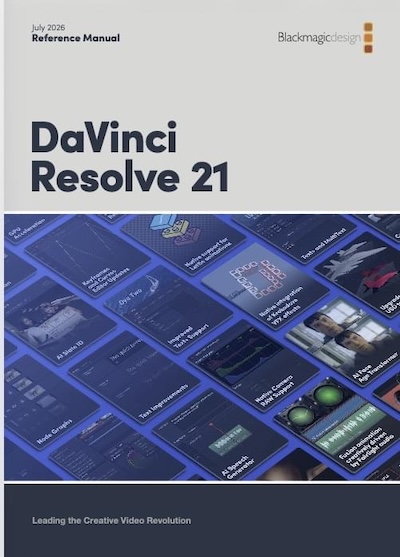
The recent emergence of the mammoth 4,443-page DaVinci Resolve 21 manual represents a significant milestone in the realm of professional video editing and post-production software, distinguishing itself from the celebrated full Resolve 21 release, the introduction of the new Resolve 21 Photo page, or any subsequent minor updates. This comprehensive document, detailing every facet of Blackmagic Design’s increasingly complex and powerful suite, signals a remarkable commitment to user education in an era where exhaustive software documentation is becoming a rarity.
The DaVinci Resolve 21 Manual: An Unprecedented Resource
The sheer scale of the DaVinci Resolve 21 manual, clocking in at an astounding 4,443 pages – or precisely 4,444 pages including the back cover – positions it as one of the most extensive user guides ever produced for a single software application. This tome is not merely a collection of instructions but a meticulously organized compendium designed to navigate users through the intricate functionalities of a platform that has evolved from a niche color grading tool into a comprehensive, industry-leading non-linear editing (NLE), visual effects (VFX), motion graphics, and audio post-production powerhouse. Its release underscores a noteworthy event for the software community, highlighting Blackmagic Design’s dedication to providing robust, accessible information to its diverse user base, ranging from aspiring enthusiasts to seasoned professionals.
Blackmagic Design’s Commitment to Comprehensive Documentation
In an age dominated by quick video tutorials, bite-sized online articles, and an observable trend of diminishing attention spans for reading extensive technical texts, Blackmagic Design’s steadfast commitment to publishing such a voluminous and detailed manual is particularly commendable. Industry observers often note a general decline in the production of comprehensive, printed, or even extensive PDF manuals across the software industry, with many companies opting for fragmented online knowledge bases or community-driven support forums. The decision to invest significant resources into creating and maintaining a document of this magnitude for DaVinci Resolve 21 speaks volumes about the company’s philosophy. It suggests a belief in the enduring value of structured, authoritative documentation as a cornerstone for deep learning and mastery of their software. This approach stands in stark contrast to many competitors who rely more heavily on informal learning resources, potentially leaving users to piece together complex workflows through disparate online content.
The Evolution of DaVinci Resolve and Its Complexity
To fully appreciate the necessity and scope of this manual, one must understand the trajectory of DaVinci Resolve itself. Originally launched decades ago as a high-end color grading system, Resolve has undergone a transformative evolution under Blackmagic Design’s stewardship. Since acquiring the software in 2009, Blackmagic has continuously expanded its capabilities, integrating cutting-edge features for editing (the Cut and Edit pages), visual effects and motion graphics (Fusion page), audio post-production (Fairlight page), and now photo editing (the new Photo page in Resolve 21). Each major release adds layers of sophisticated tools, workflows, and integrations, making the software an increasingly versatile, yet inherently complex, ecosystem. The free version of DaVinci Resolve, coupled with its robust feature set, has democratized access to professional-grade post-production tools, attracting millions of users globally. This widespread adoption, combined with the software’s ever-expanding feature set, necessitates an equally comprehensive guide to ensure users can unlock its full potential. The 4,443-page manual, therefore, is not an arbitrary length but a reflection of the profound depth and breadth of the application it describes.
Addressing the Modern User: Manuals in the Digital Age
The release of such a detailed manual in the digital age raises pertinent questions about how contemporary users interact with software documentation. While traditionalists may laud the availability of a definitive reference, a significant portion of modern learners gravitates towards visual and interactive content. Video tutorials on platforms like YouTube, short-form social media guides, and interactive learning modules have become preferred methods for quickly grasping concepts or troubleshooting specific issues.

However, these informal resources often lack the systematic depth and structured knowledge presented in a well-organized manual. They may offer quick fixes but rarely foster a holistic understanding of the software’s architecture or the rationale behind its design. The DaVinci Resolve 21 manual bridges this gap, providing both a reference for specific queries and a structured path for comprehensive learning. Its existence implicitly acknowledges that while learning methodologies have diversified, the need for a single, authoritative source of truth remains paramount for truly mastering a professional-grade application.
Leveraging AI for Enhanced Accessibility: A New Paradigm for Documentation
Recognizing the challenge of navigating such a vast document, the manual’s digital PDF format opens avenues for modern accessibility solutions, particularly through the integration of Artificial Intelligence (AI) and Large Language Models (LLMs). Tools like Gemini Notebook (formerly NotebookLM) offer a practical application for parsing the colossal 4,443-page document. By uploading the PDF to such platforms, users can transform the static manual into a dynamic, searchable database.
This AI-powered approach allows users to pose specific questions or describe issues they are troubleshooting in natural language. The LLM can then sift through the thousands of pages, identify relevant sections, and synthesize information to provide targeted answers. For instance, a user grappling with a particular effect or a nuanced setting can simply ask the AI for guidance, potentially receiving a distilled explanation and page references much faster than manually sifting through chapters. This capability represents a significant enhancement to the user experience, making previously daunting documentation far more approachable and efficient for quick problem-solving, aligning with the "video everywhere" mentality by offering instant gratification in information retrieval.
The Enduring Value of Traditional Navigation: The Table of Contents
Despite the undeniable advantages offered by AI-powered search, the article judiciously emphasizes that such tools are not a complete substitute for traditional navigation methods, particularly the humble table of contents. While AI excels at direct information retrieval, browsing the table of contents or systematically reading through sections offers a distinct benefit: discovery.
Engaging with a structured index allows users to serendipitously uncover features, workflows, and theoretical underpinnings of DaVinci Resolve that they might not have known to ask about specifically. This exploratory learning process fosters a deeper, more intuitive understanding of the software’s capabilities, enabling users to connect disparate functions and develop more creative and efficient workflows. This form of "accidental learning" is often crucial for moving beyond basic operation to true mastery. The act of scanning headings and subheadings, even if not directly relevant to an immediate query, can spark new ideas or reveal alternative approaches that direct AI prompts might overlook. It requires an investment of time and active reading comprehension, but the returns in comprehensive knowledge and creative problem-solving are invaluable.
Accessing the Manual: A User’s Guide
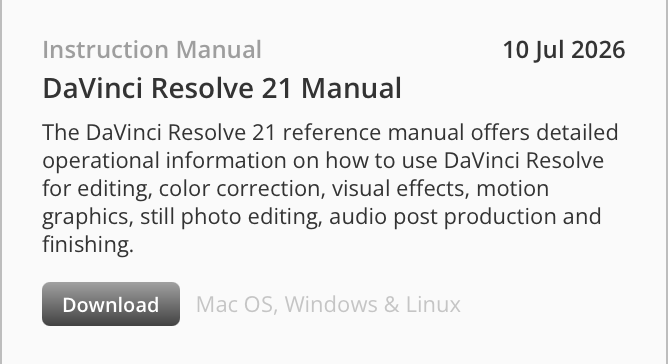
For DaVinci Resolve users eager to delve into this wealth of information, Blackmagic Design has made the manual readily accessible. The primary method involves heading over to the Blackmagic Support Center website, where it can be found under the "Latest Support Notes" column. This direct download option ensures users can obtain their personal PDF copy for offline access and AI integration.
Additionally, the manual is integrated directly within the DaVinci Resolve application itself. Users can access it via the "Help" menu, specifically under "DaVinci Resolve Reference Manual." It’s worth noting that while this menu item typically points to the "What’s New" guide with new beta releases, for Resolve 21, it has been updated to link directly to the full reference manual, ensuring that the most current and comprehensive documentation is always just a click away within the software environment. Alongside the main manual, Blackmagic Design also provides a robust "DaVinci Resolve 21 New Features Guide," a substantial document in its own right, spanning 150 pages and detailing the specific innovations and enhancements introduced in the latest version. This separate guide allows users to quickly grasp the changes without sifting through the entire reference manual, serving as an excellent companion for those upgrading from previous versions.
The Challenge of Complete Coverage: A Case Study
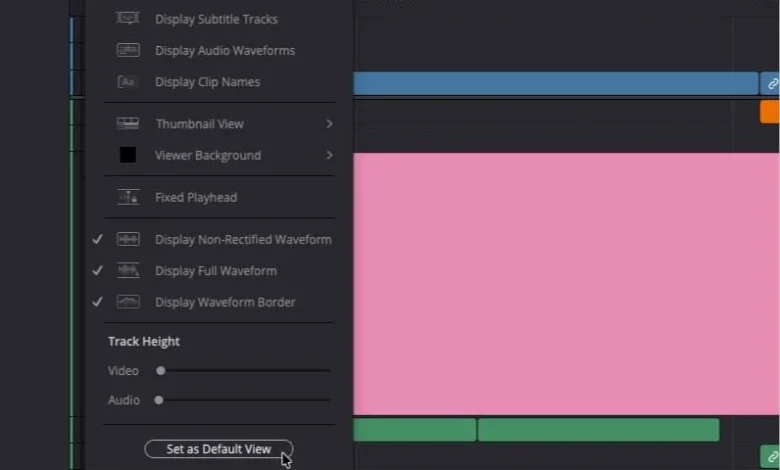
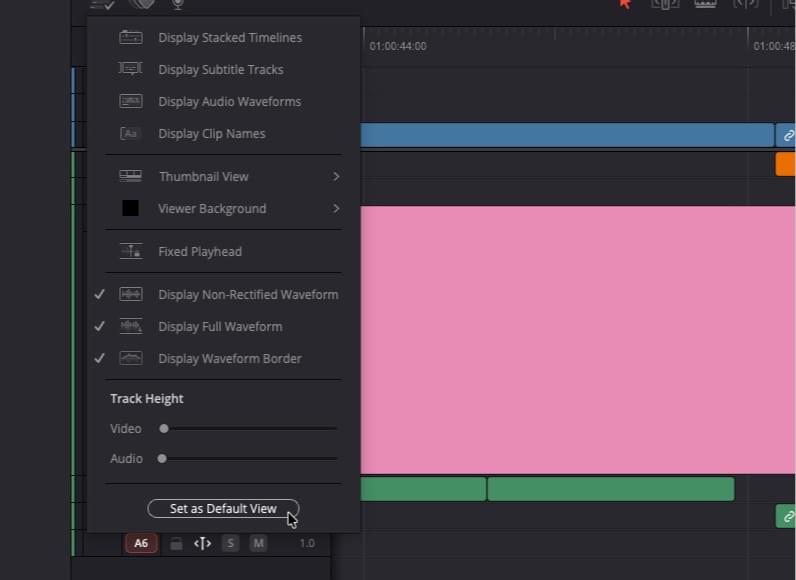
Even with a document of unprecedented scale, the inherent complexity of modern software like DaVinci Resolve presents a formidable challenge to achieving absolute comprehensive coverage. This point is starkly illustrated by a specific example: the "Set as Default View" button found within the Resolve timeline menu. Despite the manual’s 4,443 pages, a targeted search for this specific phrase yielded no results, neither within the manual itself nor through an AI assistant like Gemini Notebook. This particular button, which users might intuitively expect to save custom timeline track heights, waveform displays, or thumbnail views – a common feature in competing NLEs – remains largely undocumented within the official resources.
This omission highlights a critical aspect of software documentation: no matter how exhaustive, some minute details or seemingly minor functionalities may inadvertently elude even the most diligent efforts. It underscores the perpetual "last mile" problem in technical writing for sophisticated applications. The discovery of this undocumented feature required venturing outside official channels, relying on community knowledge, such as an Instagram reel from an independent content creator. This anecdote serves as a potent reminder that even with the most extensive official documentation, the collective knowledge of the user community and the iterative nature of software development often mean that some information remains outside the printed page. It also suggests that certain functionalities might be designed with a degree of intuitiveness or a specific, perhaps less obvious, intent that isn’t immediately apparent or explicitly detailed.
Broader Implications for Software Development and User Support
The release of the DaVinci Resolve 21 manual, in its sheer volume and meticulous detail, carries broader implications for both software development methodologies and the evolving landscape of user support. It demonstrates Blackmagic Design’s strategic long-term vision, prioritizing robust foundational resources alongside rapid feature iteration. In an industry often criticized for releasing software with incomplete or fragmented documentation, this manual sets a high bar.
For users, it signifies a reliable anchor in the ever-shifting currents of software updates and new features. It empowers individuals to delve deeper into the application, fostering a more self-reliant and knowledgeable user base. For Blackmagic Design, it strengthens its reputation as a company that not only innovates but also comprehensively supports its products, potentially reducing the load on customer service for common queries by providing accessible, authoritative answers. This commitment to detailed documentation could also serve as a competitive differentiator, attracting users who value thorough learning resources alongside powerful tools.
In conclusion, the DaVinci Resolve 21 manual is far more than just a user guide; it is a statement. It is a testament to Blackmagic Design’s unwavering dedication to its users and its belief in the power of comprehensive knowledge. In an era where digital content reigns supreme and attention spans dwindle, this 4,443-page opus stands as a beacon of thoroughness, offering both traditional learning pathways and modern AI-assisted navigation, ensuring that every user, regardless of their preferred learning style, has the resources to master one of the industry’s most powerful post-production suites. It reminds the industry that while software evolves rapidly, the fundamental need for clear, exhaustive instruction remains timeless.
Related posts: