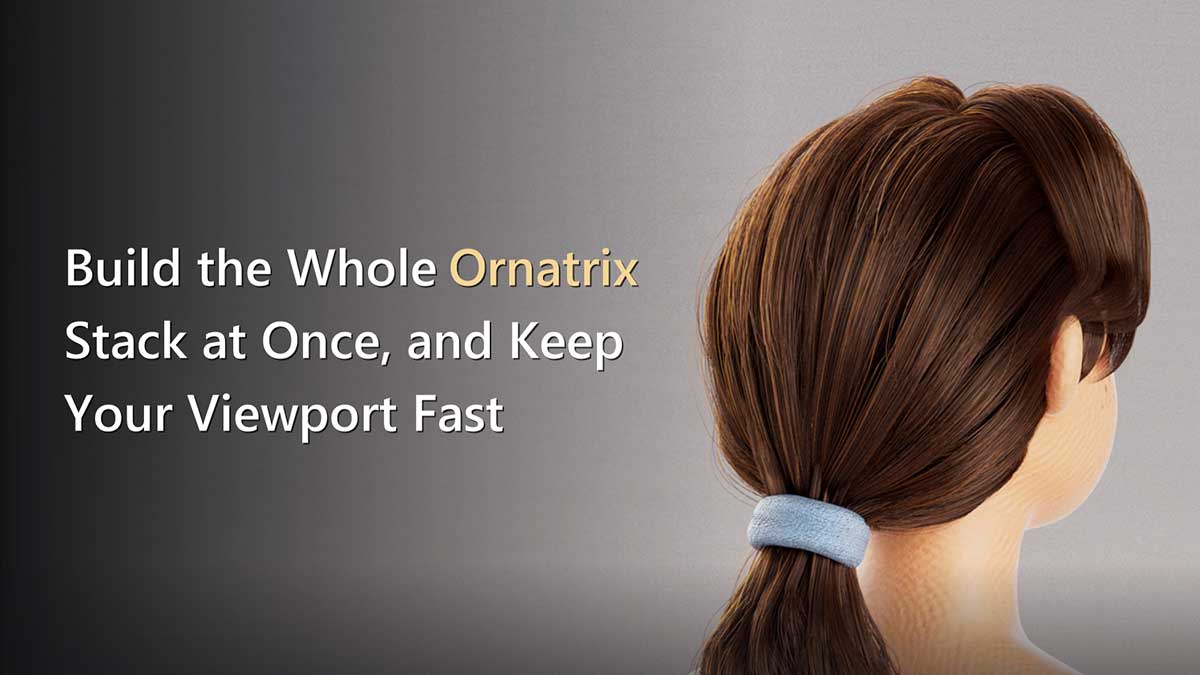
Build the Whole Ornatrix Stack at Once, and Keep Your Viewport Fast


A common challenge faced by 3D artists utilizing Ornatrix for hair and fur grooming within Maya is the inevitable degradation of viewport performance as a project’s complexity increases. While initial grooming stages often proceed smoothly, the addition of intricate detail operators can quickly lead to a frustrating slowdown, impeding the creative process and consuming valuable production time. Ruxin Liang, a 3D artist specializing in character grooming and look development, has outlined a strategic workflow designed to circumvent this performance bottleneck, advocating for a proactive approach to operator stack management that prioritizes both efficiency and artistic control.
The Inevitable "Viewport Crawl": A Production Bottleneck
The problem described by Liang resonates with virtually every Ornatrix user. A typical grooming session begins innocuously: an artist creates a foundational "fur ball," adds a "Surface Comb" for primary direction, and then introduces "Clump" for basic grouping. At this stage, the Maya viewport remains responsive. However, as the groom progresses and more nuanced details are incorporated—operators like "Curl," "Frizz," "Detail," and "Noise"—the viewport’s refresh rate begins to crawl. Each minor adjustment or brush stroke can introduce a delay of several seconds, and these brief pauses accumulate rapidly, transforming a fluid creative endeavor into a tedious, stop-and-go process. In a fast-paced production environment, such inefficiencies can significantly impact project timelines and artist morale.
Traditionally, artists have attempted to mitigate this slowdown by delaying the addition of computationally intensive operators. The prevailing wisdom has been to groom with a "short stack," focusing on broad shapes and fundamental flow, and then layering on the detailed operators only in the final stages. While this method does preserve viewport speed during the initial phase, it introduces a significant drawback: a lack of real-time visual feedback on the final form. Artists are forced to make decisions about foundational shapes without fully understanding how they will interact with the detailed elements. This often leads to a recursive workflow where the artist tunes the broad flow, adds clumps, realizes the flow is incorrect for the clumped hair, and then must revert and retune, adding unnecessary iterations and extending the grooming cycle. This "blind grooming" approach can be a major impediment to achieving the desired aesthetic efficiently.
Ruxin Liang’s Innovative Solution: Proactive Stack Management
Liang proposes an alternative that tackles this issue head-on: building the entire Ornatrix operator stack at the very beginning of the grooming process. The core innovation lies in strategically setting the computationally heavy operators to a "disabled" state from the outset. This methodology ensures that the artist benefits from a comprehensive, logically ordered stack without sacrificing viewport performance. The full stack, with all its intended components, is present in the scene hierarchy, but only the lightweight, foundational operators are actively evaluated. Detailed operators are then selectively enabled only when the artist needs to specifically review or refine those particular attributes, allowing for targeted iteration without global performance penalties.
This approach aligns with a fundamental principle of efficient 3D asset creation: separating broad strokes from fine details. By structuring the workflow in this manner, artists can maintain a fast, interactive viewport for shaping the overall silhouette and primary forms, then activate the detail passes for focused adjustments, ensuring that every tweak is made with the final vision in mind.
Deconstructing the Optimal Ornatrix Operator Stack
The efficacy of Liang’s method hinges on a carefully considered order for the Ornatrix operators. An Ornatrix operator stack evaluates from bottom to top, starting with the generator. Liang’s recommended sequence is designed to progressively build complexity, moving from fundamental direction and shape to intricate variation and final render adjustments.
Here’s the breakdown of the recommended stack order, along with its function and initial activation state:
| # | Operator | What it does | Starts |
|---|---|---|---|
| 1 | Surface Comb | Defines primary direction | On |
| 2 | Rotate | Adjusts overall direction | On |
| 3 | Clump | Creates hair groupings | Off |
| 4 | Curl | Introduces curling patterns | Off |
| 5 | Frizz | Adds random frizz/texture | Off |
| 6 | Detail | Adds fine-scale detail | Off |
| 7 | Noise | Introduces procedural noise | Off |
| 8 | Gravity | Simulates settling/drape | On |
| 9 | Change Width | Adjusts strand thickness for render | On |
The underlying logic is straightforward: establish the broad direction first, then define the major shapes, introduce variations, allow for natural settling effects, and finally, apply render-specific tuning. This hierarchy ensures that foundational elements are locked down before more complex, dependent attributes are introduced.
It’s crucial for artists to note a peculiarity of the Ornatrix stack dialog in Maya: it lists operators top-down, which is the inverse of their evaluation order. The generator, which is the first to be evaluated, appears at the bottom of the list. Conversely, "Change Width," the final operator in this recommended stack, is positioned at the top of the dialog. Understanding this visual reversal is key to correctly interpreting and managing the stack.
The operators designated to start "on" – "Surface Comb," "Rotate," and "Gravity" – are generally lightweight and critical for establishing the primary silhouette and overall flow of the hair. These are the elements that define the "big forms" of the groom, which need to be visible and interactive for initial shaping. The five operators in the middle – "Clump," "Curl," "Frizz," "Detail," and "Noise" – are the computationally expensive ones. They introduce intricate detail and require significant processing power, making them prime candidates for initial disabling. By keeping these "off," the artist can manipulate the core structure without being burdened by the overhead of complex calculations.
Leveraging Viewport Optimization Techniques
Beyond the strategic ordering and initial disabling of operators, Liang highlights two primary levers for maintaining a responsive viewport:
Lever One: Turning Operators Off the Right Way
Ornatrix provides a dedicated checkbox next to each operator in the stack dialog, controlling its active state. The command behind this UI element is OxEnableOperator "<node>" 0 (where 0 disables and 1 enables). Liang strongly advises using this specific command rather than a generic nodeState pass-through, which might seem functionally similar. The critical distinction is that OxEnableOperator ensures that the checkbox in the Ornatrix stack dialog remains synchronized with the operator’s actual state. Using nodeState can lead to a deceptive situation where an operator is technically off, but its checkbox still appears active, causing confusion and wasted time as artists troubleshoot why a seemingly enabled operator isn’t producing results. This subtle but important detail is vital for a clear and predictable workflow.
Lever Two: Showing Fewer Strands
This optimization technique is even more fundamental and effective regardless of which operators are active. It involves adjusting the "view percentage" setting of the hair generator, which dictates how many of the total strands Maya actually draws in the viewport. By dropping this percentage to a low value, such as 5%, during active grooming, artists can significantly reduce the graphical load on the viewport. When a more comprehensive visual review is required, the percentage can be temporarily increased to 50% or more. Crucially, this setting only affects the viewport display and has no impact on the final render, ensuring that full strand density is maintained for output.
A significant "catch" associated with this lever, and one that often costs artists valuable time, is the differing scale used by various Ornatrix generators for the "view percentage" parameter. For instance, OxFurBallShape uses a percentage value (e.g., 5 for 5%), while OxGuidesFromMeshShape uses a decimal fraction (e.g., 0.05 for 5%). Entering 5 for a GuidesFromMesh generator would inadvertently request 500% of the strands, leading to unexpected behavior or clamping depending on the Ornatrix version. Artists must therefore always verify which generator they are using before inputting a number to adjust the view percentage, preventing common errors and ensuring the desired level of display density.
Essential Workflow Refinements: Addressing Common Pitfalls
Beyond the core stack management and viewport optimization, Liang identifies several default settings and common issues that, if addressed proactively, can significantly streamline the Ornatrix grooming process:
Two Defaults Worth Changing on Day One:
- Fur Ball Length: By default, Ornatrix generates new fur balls with excessively long guides. On most character models, this results in a massive, obscuring hairy sphere, requiring the artist to immediately reduce the length. Liang recommends establishing a shorter default guide length, such as
1.0, and then adjusting it based on the specific scene’s scale. This minor change eliminates an immediate, repetitive chore and allows artists to start with a more manageable base. - Strand Width Management: A common source of confusion and inconsistency arises from Ornatrix’s default behavior of creating a new fur ball with its own "Render Settings" node, which is one of two potential locations for defining strand width. This duality can lead to frustrating scenarios where strands appear thick in the viewport but render thin, or vice-versa. Liang’s solution is elegant: delete the extraneous Render Settings node and centralize width control through a "Change Width" operator placed at the very top of the stack (e.g., with a value of
0.05). This enforces the principle of "one node, one answer," ensuring a single, authoritative source for strand width and eliminating ambiguity between viewport and render.
When Clumps Go Bad:
A particularly vexing issue for groomers is the unpredictable behavior of clumps. Clumps are generated based on the state of the groom at the moment of their creation. If any upstream changes occur—such as modifications to the guide count, their distribution, or the underlying mesh—the clumps can become "scrambled" or point to strands that have moved or no longer exist. This often manifests as distorted or incorrectly formed clumps without any apparent reason.
Liang advises against attempting to manually fix these corrupted clumps. The most reliable solution is to delete the existing clumps and re-create them from the current, updated groom. The Ornatrix "Clump" operator provides dedicated "Delete" and "Create Clump(s)" buttons. The correct sequence is to run "Delete" first, followed by "Create Clump(s)." This process should be performed after any significant upstream changes that might affect the underlying hair structure, not before, ensuring that the newly generated clumps accurately reflect the current state of the groom.
The Broader Impact: Efficiency, Creativity, and Developer Support
Ruxin Liang’s methodology synthesizes these practical insights into a coherent grooming philosophy: silhouette, then regional control, then render response, then handoff safety. This structured approach offers significant benefits for individual artists and larger production pipelines alike.
Enhanced Productivity and Artistic Control: By eliminating viewport lag and providing a clear framework for building complex grooms, artists can iterate faster and maintain a more fluid creative flow. The ability to see the full stack’s potential from the start, while only evaluating necessary components, empowers artists to make informed decisions about foundational forms without being bogged down by the overhead of detailed calculations. This translates directly into more efficient use of artist time and a reduced need for time-consuming reworks.
Improved Pipeline Reliability: A consistent, well-ordered, and clearly understood operator stack contributes to greater predictability in the grooming pipeline. Assets are easier to hand off between different artists or departments, as the structure is logical and common pitfalls are addressed. This reduces potential integration issues down the line, such as unexpected render behavior or difficulties in further animation or simulation.
Community Contribution through Groomist: Recognizing the repetitive nature of these best practices, Liang has packaged them into a free Maya shelf tool called "Groomist." This tool automates the process of building the recommended stack with heavy operators initially disabled, provides bulk toggling functionality, and intelligently handles the correct scaling for view percentages across different generators. Released under an MIT license and available on GitHub, Groomist exemplifies Liang’s commitment to the 3D community, allowing artists to leverage these optimizations effortlessly. Its open-source nature also encourages further development and customization, extending the reach and utility of these techniques.
The practices outlined by Liang have been rigorously tested on Maya 2022 with Ornatrix for Maya 4.1.8. It’s an important consideration that node and command names can occasionally shift between Ornatrix releases, so artists encountering errors in different versions should first verify compatibility.
Ruxin Liang continues to be an active contributor to the 3D community, sharing her expertise in character grooming and look development through open-source tools and articles. Her work underscores the importance of thoughtful workflow optimization in maximizing both artistic potential and production efficiency within complex software environments like Maya and Ornatrix.